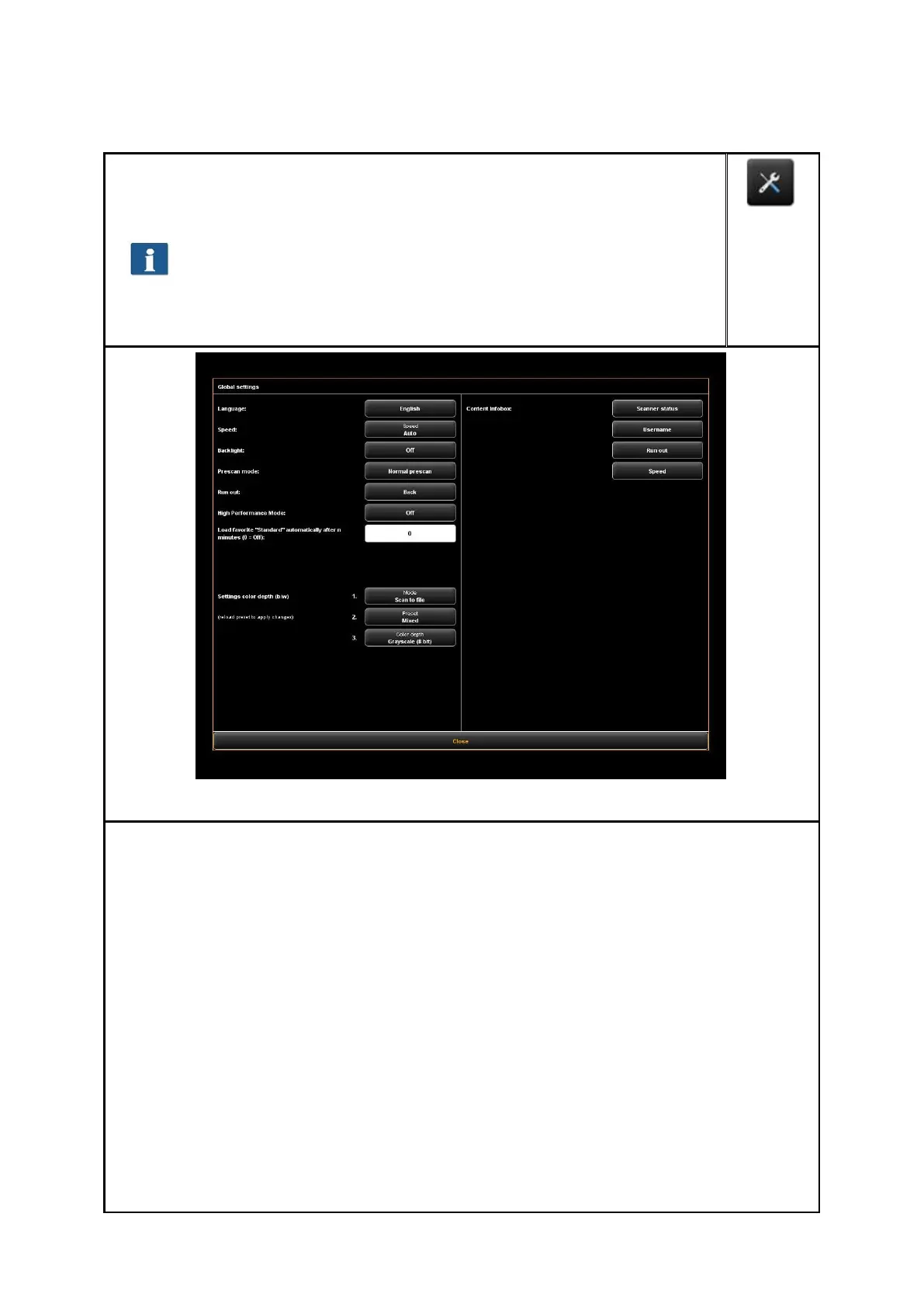
By pressing the button shown on the right which can be found on the left of
the action keys in the lower section of the ROWE SCAN/COPY APP you can
make several basic settings.
Access to the settings may be protected by a password. This
protection can be enabled in the parameter settings of
ConfigManager (see 6.8). You are then asked for the administrator
password. The password is equal to the administrator password set
in ConfigManager (see Chapter 8.11).
The following settings can be made:
Language: Select the desired language of the texts in ROWE SCAN/COPY APP.
Speed: Select automatic and reduced feed speed (to protect sensitive originals).
The height of the reduced speed can be set in the ConfigManager (see Chapter
8.10).
Backlight: Enhanced presentation of extremely dark originals.
Prescan mode: Determine behavior when pressing the Prescan button:
Normal prescan: Prescan is effected with the selected settings. The preview
then corresponds to the result obtained when pressing the Start button.
Fast prescan: A fast prescan with reduced resolution is effected. Using the
mouse, you can afterwards highlight an area which you want to scan with
the selected settings. In general, this option is reasonable only if you want
to scan a special area of the original.
Runout: Select where and how the scanner shall output the original after the
scan: Back, Back hold, Front, Front hold, Hold
High Performance Mode: When enabling this mode, in the Scan to File mode,


 To Next Page