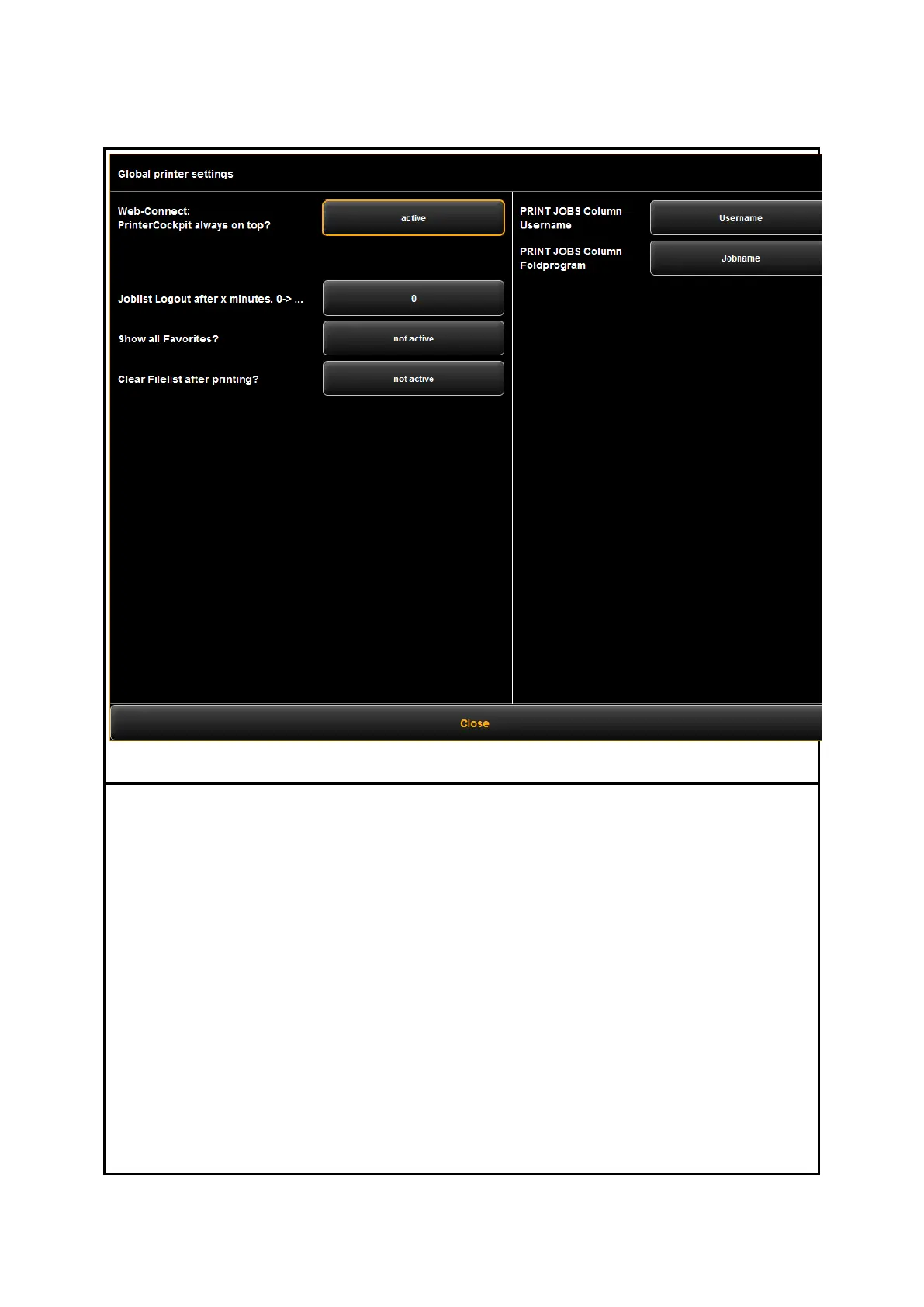
The general settings of the ROWE PRINT APP offer the following options:
WEB CONNECT APP Printer cockpit always on top: If you start the printer cockpit
from the WEB CONNECT APP, you can specify here, if it should be always in
foreground or not.
Joblist Logout after x minutes: If you are logged in at the printjob list (user
“joblistadmin” or “administrator”), you can set a timeout for automatic logging off
(0: no auto logoff).
Show all favorites temporarily: If you need to change or check the settings of a
special favorite (e.g. a listener), activate this option in order to be able to select
the favorite in the favorites selection. Activating this option will take effect until
the next restart.
Clear filelist after printing: Here you can define if the filelist should be
automatically be cleared after creating a printjob.
Print Jobs column username / foldprogram: These 2 options allow to customize the
columns of the printjob list. For example, if you select “hostname” for “username”,
the column “username” in the joblist will be replaced and the hostname will be
shown.



 To Next Page