7.10.1.1 Storage Location
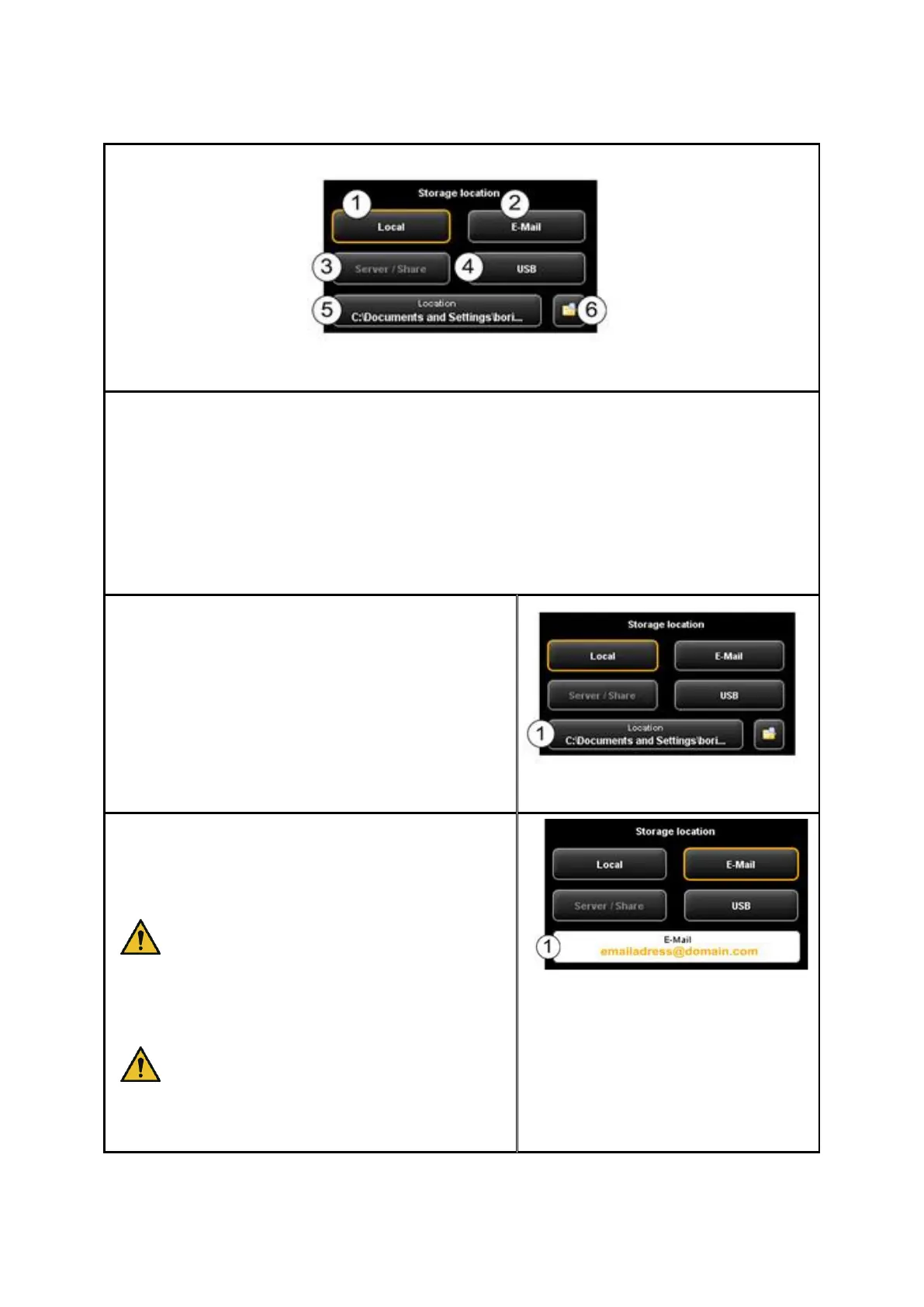
Figure 7.12: Settings Storage location
1. Local: Save on local computer (drive, folder)
2. E-mail: Send as attachment to an e-mail.
3. Scanboxes: Save to local area network
4. USB: Save on USB data carrier.
5. Location: Select folder.
6. Open folder in Windows Explorer: The selected folder is opened directly in
Windows Explorer for you to be able to call the file(s) quickly.
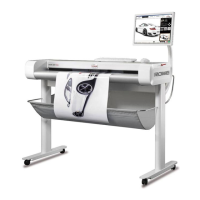
Local: Press this button if you want to save the file
on your local computer in a particular folder.
Press button “Location” to select and/or change
the folder.
Figure 7.13: Target folder
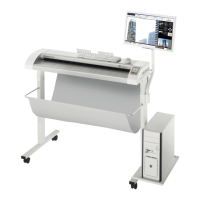
E-Mail: Press this button if you want to attach a file
to an e-mail and send it. After scanning or when
actuating the Send key (allocation of Prescan key
changes) your standard e-mail program pops up.
Depending on your computer
configuration, the operating system may
ask for your standard e-mail program.
Make sure that an e-mail program is
installed on your computer and select it if
required.
For large-sized files sending by e-mail may
not be possible.
Enter the e-mail address into text box (1). The
address is accepted by pressing Enter.
Figure 7.14: "Scan to Mail" - E-
mail address


 To Next Page