10.19 Multi Step
The multi step analysis is available in the Clinical, Scientific package(s).
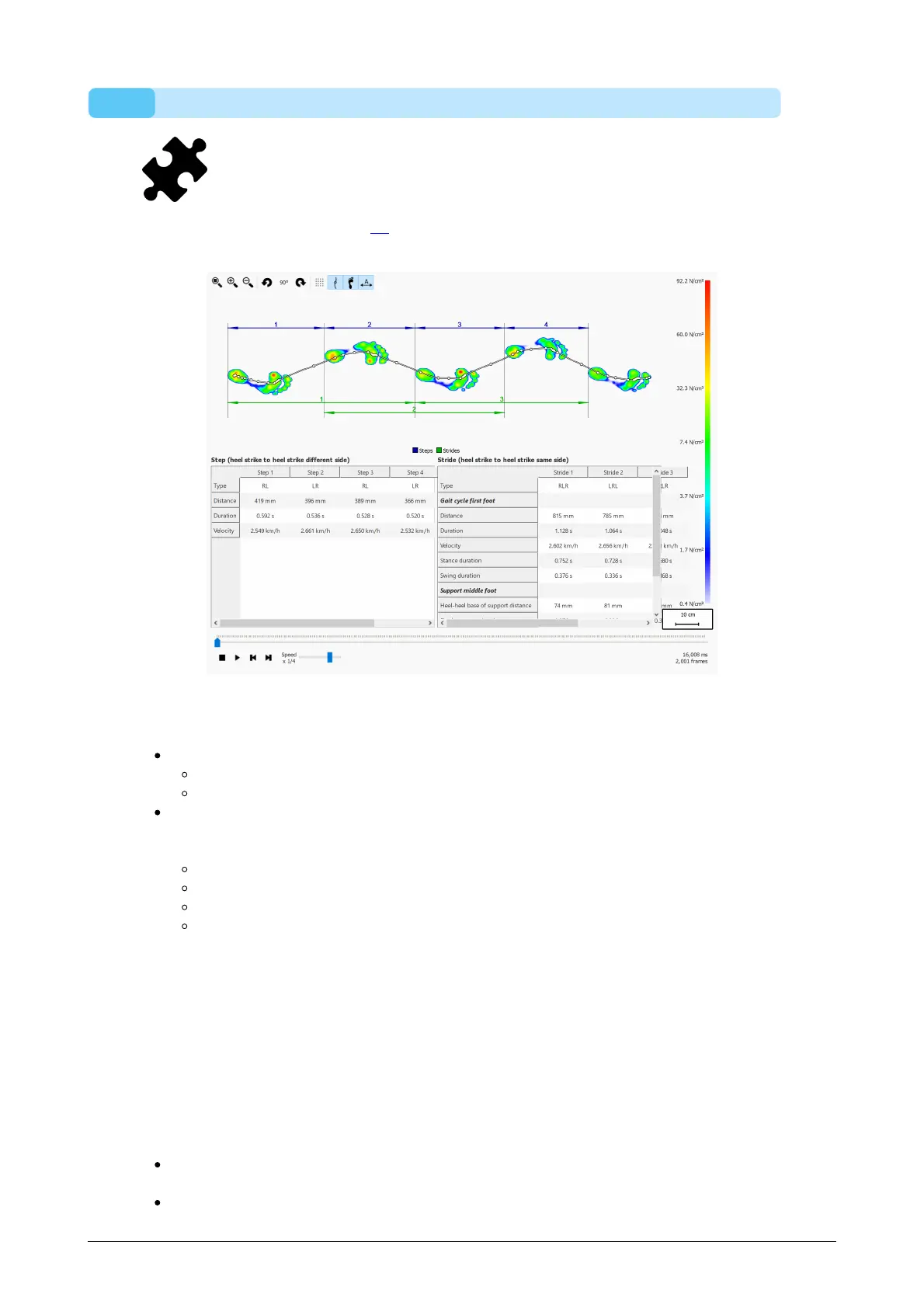
The multi step analysis (Figure 56) shows information about steps and strides in a
dynamic measurement.
Figure 56: The multi step analysis screen.
All consecutive feet with the same orientation can be divided into steps and strides:
A step contains two feet of different type. The possibilities are:
LR: left - right
RL: right - left
A stride contains feet with alternating types and typically contains three feet. When
the middle feet is missing (ex. next to the plate), a stride can contain two feet and
those feet need to be of the same type. The possibilities are:
LRL: left - right - left
RLR: right - left - right
LL: left - left (the middle right foot is missing)
RR: right - right (the middle left foot is missing)
During replay the current frame is shown in the preview, the step(s) and stride(s)
belonging to the current foot are highlighted in a light blue color in both tables. When
stopped, the maximum sensor values of the first consecutive feet in the measurement
with the same orientation are shown.
It is possible to select a step or stride in any of the tables. The replay console will jump
to the first frame belonging to the selected step or stride. When the replay is not
playing, the selected step or stride will be shown in a dark blue color, the step(s) or
stride(s) belonging to the selected step or stride will be highlighted in a light blue color
in the other table. For example:
A step can occur in multiple strides, so selecting a step can highlight two strides in
the stride table
A stride can contain multiple steps, so selecting a stride can highlight two steps in



 To Next Page