Chapter 15
Report Screen
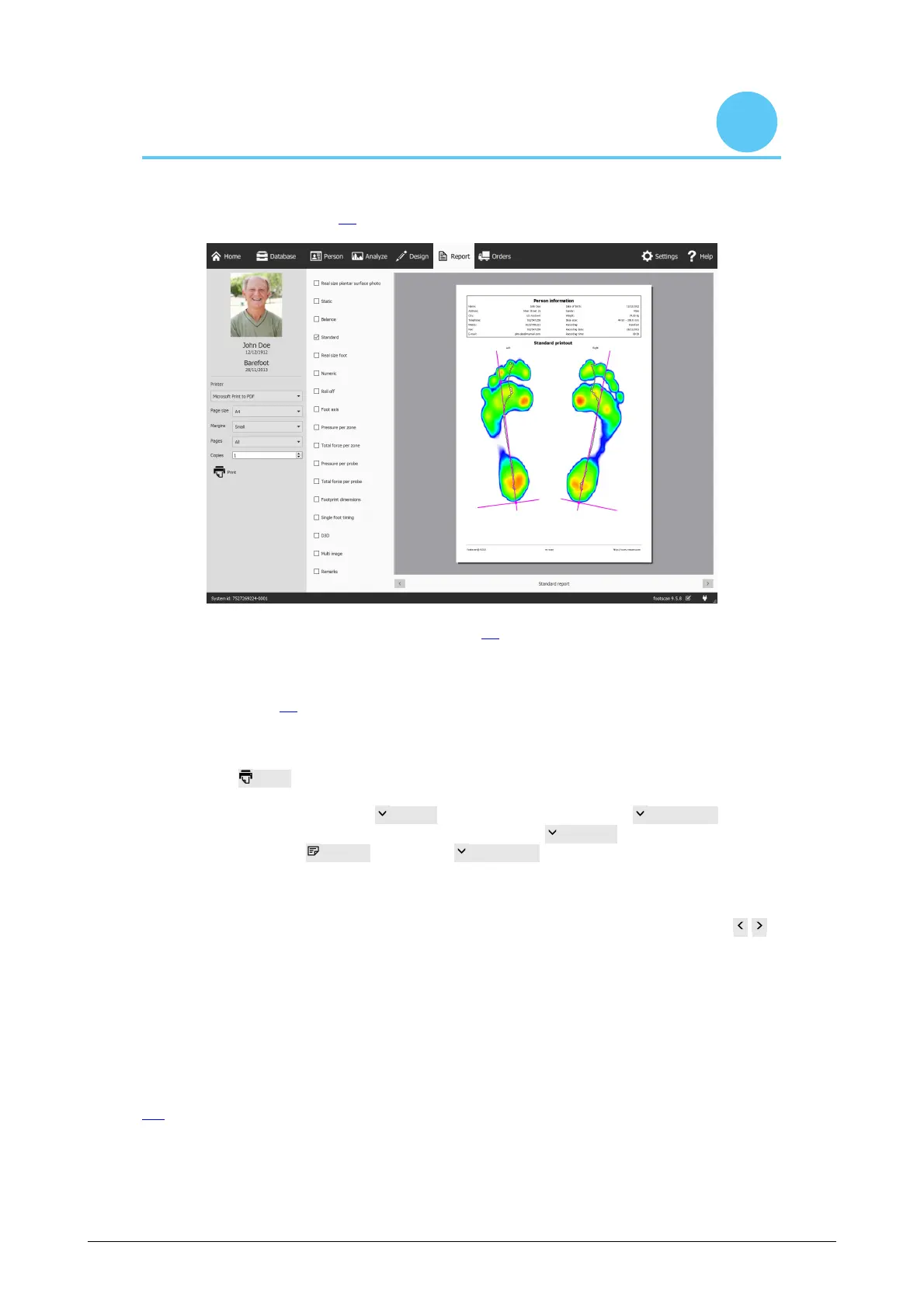
The Report screen (Figure 82) creates printable reports of measurement sessions.
Figure 82: The Report screen creates a report with the results of several analyses
(Chapter 10).
The Report screen displays a checklist of report content available for the current
measurement session. Such report content reflects the results of some of the session's
analyses (Chapter 10). The screen merges all checked content into a single report.
The gray bar at the left contains all configurable printer settings. The print preview
shows the current report with these printer settings. When satisfied with the print
preview click Print to print the report to a printer or to a PDF file.
Printer Settings First choose a Printer. The screen refreshes the Page size list for
the selected printer. Select the width of the whitespace Margins of each page. Finally
choose the number of Copies and which Page size to print: all or only odd/even
pages. This last option is useful for double-sided printing.
Print Preview The print preview shows the current report contents with the given printer
settings. It displays a single page at a time. Use the mouse's scroll wheel or click
to navigate through the report's contents.
Report Contents The report screen provides content based on the analyses of the
current measurement session. Depending on the measurements in that session some
report content might not be available.
All report content contains a header and a footer section. The header section shows
information about the client and measurement session. By default the footer refers to rs
scan and footscan 9. Both sections support customization to some degree (Section
6.4).
Check the following boxes to add their corresponding content to the current report:
®



 To Next Page