Chapter 16
General Information
During the upgrade from footscan 7 or 8 gait to footscan 9 you need to convert your
footscan 7 or 8 gait installation so that it is compatible with footscan 9. This migration
consists of two parts: the migration of the footscan 7 or 8 gait measurement data and
the upgrade of the used pressure plate(s).
Part 1: footscan 7 or 8 gait measurement data
The migration wizard helps you in migrating all footscan 7 or 8 gait data for use in the
footscan 9 series software. There are two scenarios:
Full migration
Both the footscan 7 or 8 gait software and the footscan 9 software reside on the
same computer.
When the footscan 7 or 8 gait software has not yet been migrated, the migration
process can be initiated by running the footscan 9 software. A migration icon in the
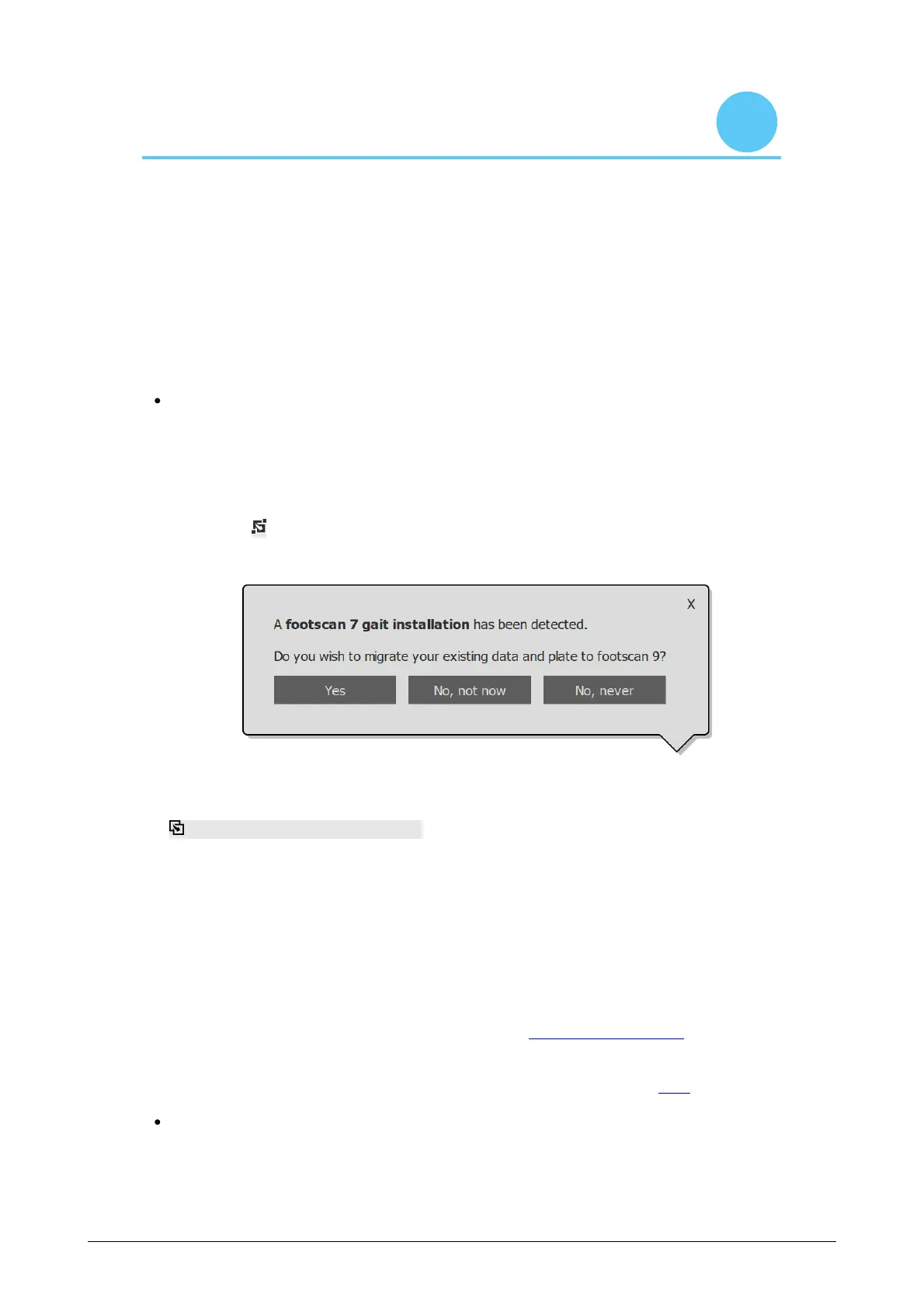
status bar ( ) and a balloon message asking to start a full migration will be shown
asking you to start, or postpone the full migration process:
Figure 83: Full migration balloon.
A full migration can be started by clicking yes in the balloon message or clicking the
Migrate from footscan 7 or 8 gait button on the homescreen. A full migration
happens in three stages:
1. The footscan 7 or 8 gait data is exported to an intermediate database file:
The migration wizard uses a software utility named the footscan 7/8 gait export
tool to export the footscan 7 or 8 gait data. If this software is not installed on
your computer, footscan 9 will automatically download and install the footscan
7/8 gait export tool for you. If your computer does not have a working internet
connection or the download fails, you can manually install the footscan 7/8 gait
export tool using its installer. The footscan 7/8 gait export tool installer can be
found on the installation medium provided by support@rsscan.com.
2. The intermediate database file is imported into the footscan 9 database
3. If so desired, you can also upgrade your footscan 7 plate (see 17.8)
Database import
The footscan 7 or 8 gait software resides on a different computer than the
footscan 9 software.
® ®
® ®
®
®
®
®
® ®
®
®
®
®
®
® ®
®
®
®
®
®
®
®



 To Next Page