17.8 Upgrade Plate
A footscan 7 device needs a firmware upgrade, to be licensed in the configuration file
and a calibration file to be compatible with the footscan 9 series software.
A footscan 8 device does not need a firmware upgrade to be compatible with
footscan 9. It does need to be licensed in the configuration file and a
calibration file needs to be present.
There are different ways to start a conversion of your plate:
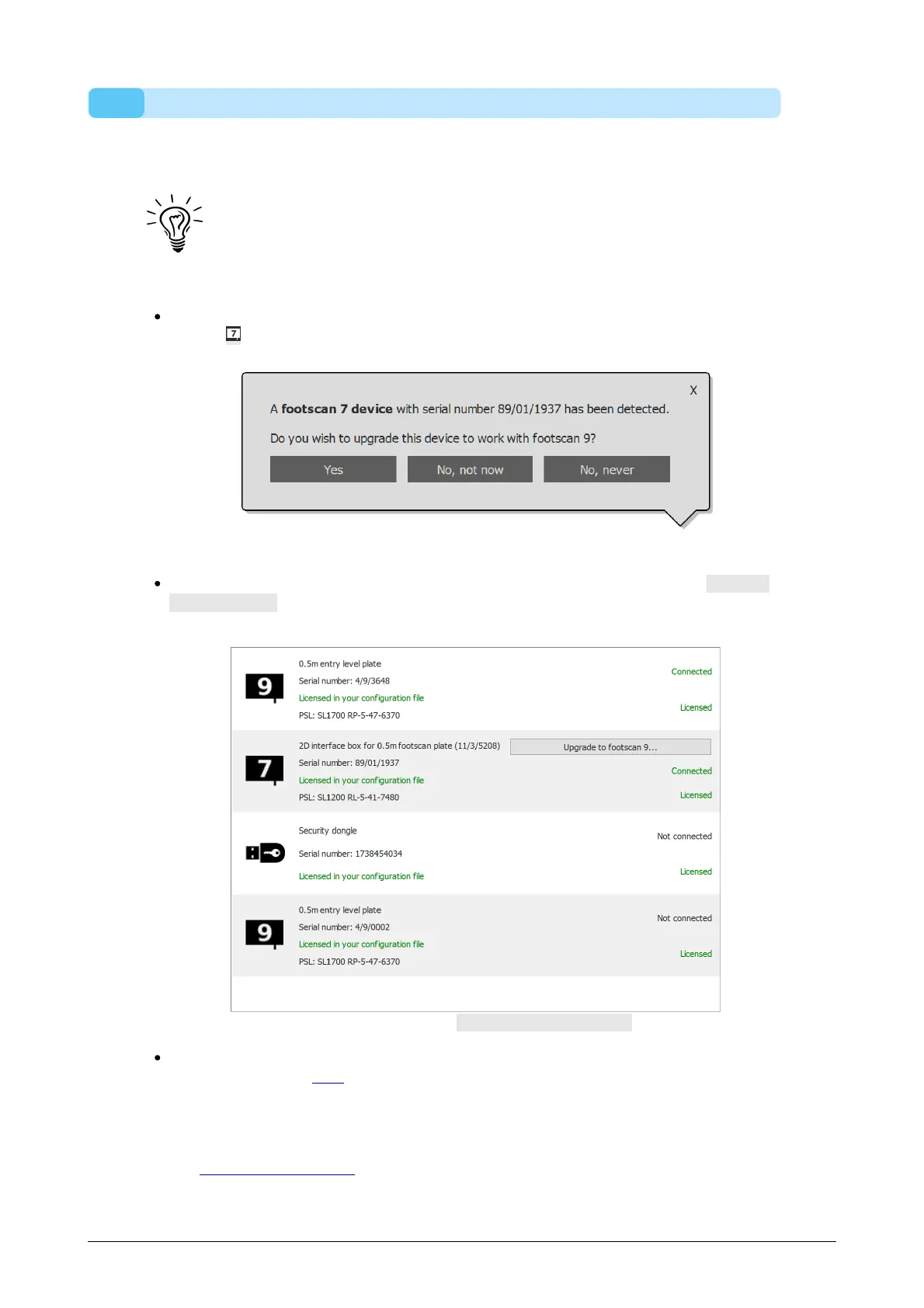
When you connect a footscan 7 device to your computer there will be a status
button ( ) with a balloon message asking to upgrade your device.
Figure 93: Start upgrade plate balloon message.
When a footscan 7 device is connected to your computer, there will be a Upgrade
to footscan 9... button visible in the license and hardware calibration manager.
Clicking this button will start the plate conversion.
Figure 94: Device list with Upgrade to footscan 9... button.
You can upgrade your footscan 7 device during the full migration from footscan 7
to footscan 9 (see 17.6).
Before upgrading, ensure your device is licensed in the configuration file and that a
calibration file for your device is present. If the software can't detect a valid license or
calibration, an error message is shown and the upgrade cannot be completed. Please
contact support@rsscan.com if you have questions about your license or calibration.
If you start an upgrade and you have a valid footscan 9 license and calibration, then
®
®
®
®
®
®
® ®
®
®



 To Next Page