8.2 Text Export Dialog
The text exports are available in the Scientific package(s).
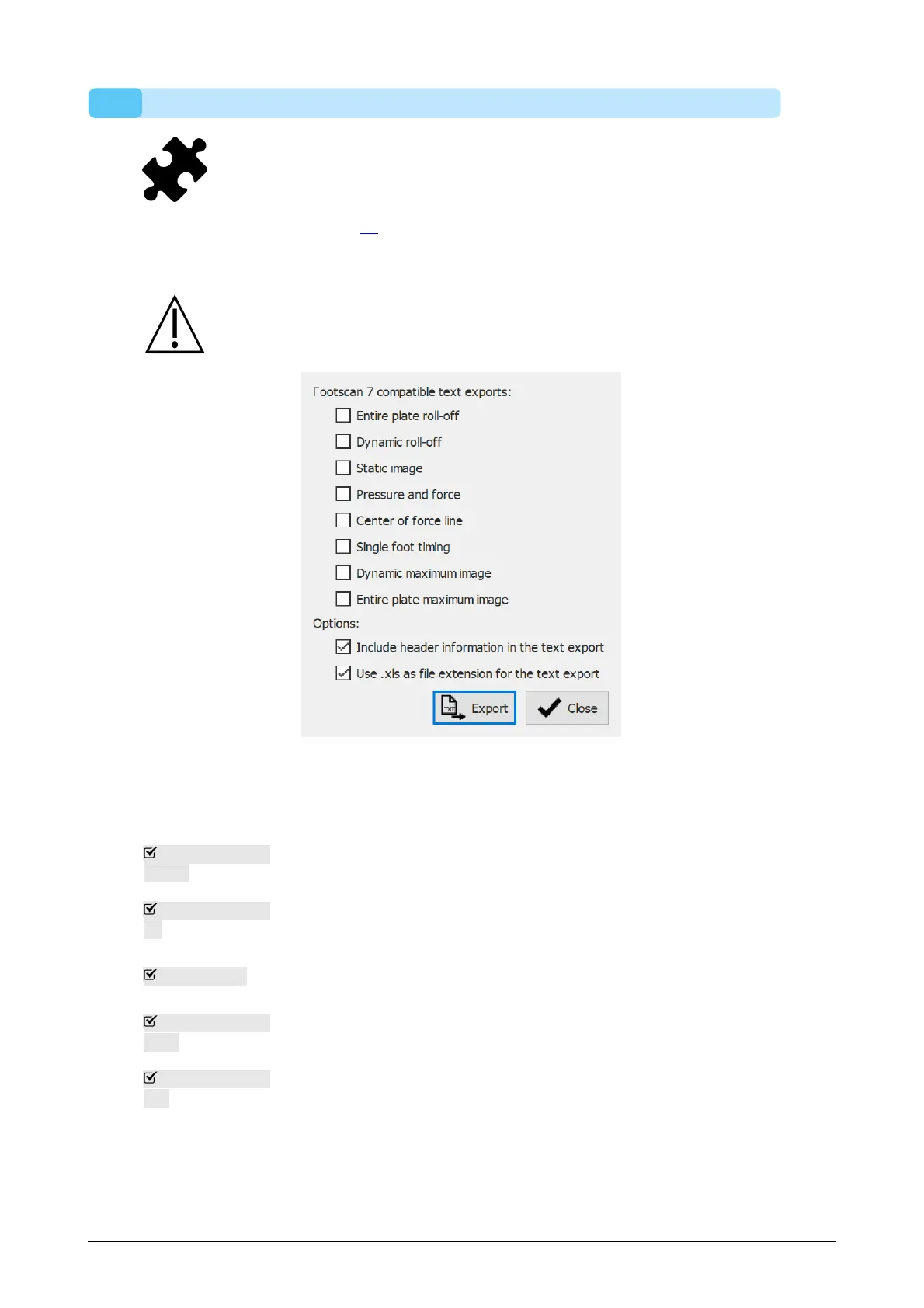
The text export dialog (Figure 29) allows you to export the measurement data in human
readable text format. These text exports are compatible with the footscan 7 gait ASCII
exports.
There is an important difference between the footscan 9 text exports and the
footscan 7 gait ASCII exports: footscan 9 exports pressure values, while
footscan 7 exports force values.
Figure 29: The text export dialog allows to export the data in an ASCII format
compatible with footscan 7 gait.
The following text exports are available:
Entire plate
roll-off
Entire plate roll-off text export of a dynamic measurement: each
pressure frame in the measurement will be exported.
Dynamic roll-
off
Dynamic roll-off text export of a dynamic measurement: all the
pressure frames of the recognized feet will be exported.
Static image
Static image text export of a static measurement: the pressure frame
containing the static measurement will be exported.
Pressure and
force
Pressure and force text export of a dynamic measurement: pressure
and force data of all the recognized feet will be exported.
Center of force
line
Center of force text export of a dynamic measurement: center of
force data of all the recognized feet will be exported.
The corresponding checkboxes will be disabled if a dynamic and/or static measurement
is not available in the session(s).
The following options can be selected:
®
®
® ®
®
®



 To Next Page