4.2 Configuration File
Footscan 9 will try to automatically download the latest configuration file for
your system. This is done automatically in the background when the software
is starting up. Should a new configuration file be available, footscan 9 will
ask you if you want to proceed to replace your current configuration file with
the updated version. Depending on your operating system, you may require
administrator rights to allow this action.
Only footscan devices belonging to the same configuration may be
connected to your system at start-up. Footscan 9 will show an error
message if multiple footscan devices belonging to different configurations
are connected. Make sure only footscan device(s) of the same configuration
are connected and restart footscan 9.
The configuration file holds information about all licensed footscan device(s) for your
system. It also contains information about your package and unlocked footscan
modules.
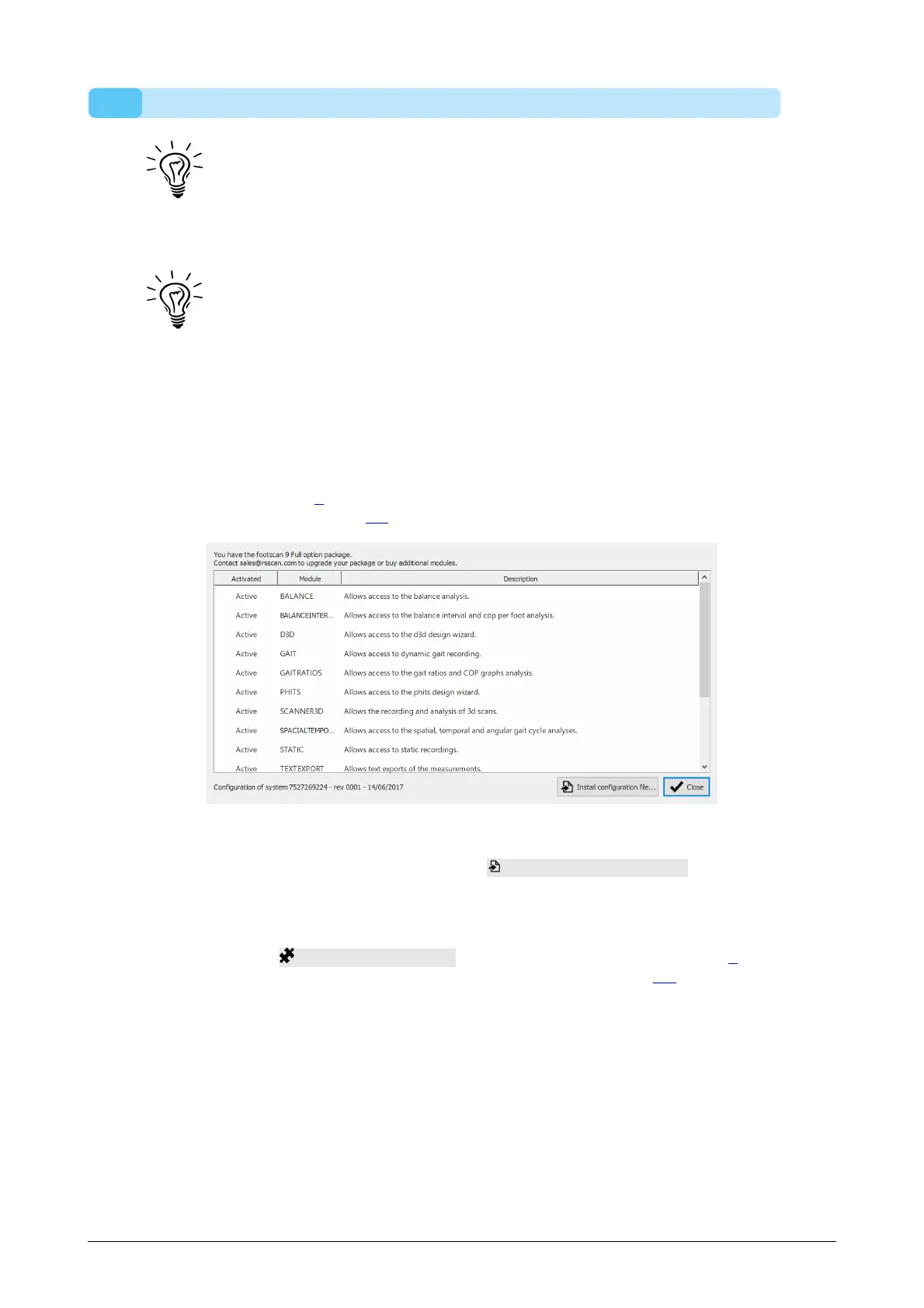
A new configuration, for example a new licensed footscan device, newly acquired
modules or an upgraded package, can be installed through the software package and
modules dialog (Figure 5), more information about the software package and modules
dialog can be found in section 6.2.
Figure 5: A new configuration file can be installed through the software package and
modules dialog.
To activate your new configuration, click on the Install configuration file... button and
select the new configuration file in the file dialog.
The software package and modules dialog can be opened in two location:
1. By clicking the Manage configuration button in the Security Dialog (Figure 6).
More information about the security dialog can be found in section 4.1.
®
®
®
®
®
®
®
®
®
®



 To Next Page