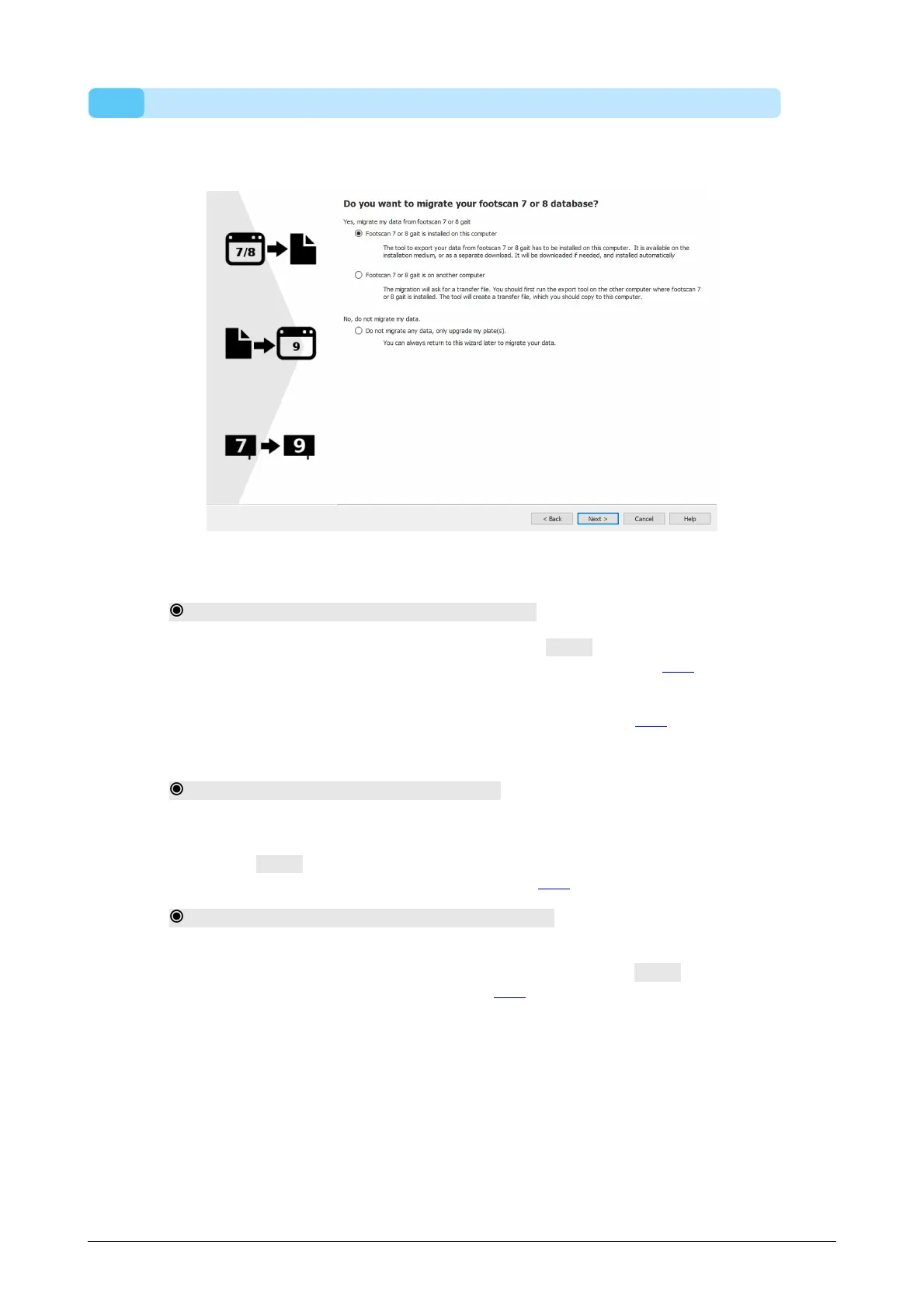
17.1 Migration Start Page
Select if you want to perform a full migration, a database import or only upgrade your
plate(s).
Figure 86: Migration start page.
The following options are available:
1. Footscan 7 or 8 gait is installed on this computer
This option will start a full migration. By clicking the Next > button, the migration
wizard will automatically start the footscan 7/8 gait export tool (see 17.4).
If the footscan 7/8 gait export tool is not installed on your computer, the migration
wizard will automatically download and install this software (see 17.3).
When the export is finished, the import will start automatically.
2. Footscan 7 or 8 gait is on another computer
This option will start a database import. The intermediate database file containing
the export of the footscan 7 or 8 gait data needs to be available on your computer,
clicking the Next > button will guide you to a page where you can select which
intermediate database file you wish to import. (see 17.2).
3. Do not migrate any data, only upgrade my plate(s).
You can choose to not perform any data migration, but just upgrade your plate(s) to
be compatible with the footscan 9 series software. Clicking the Next > button will
guide you to the upgrade plate(s) page (see 17.6).
®
®
®
®



 To Next Page