3.1 Weight Calibration
Weight calibration uses a measurement of a subject with known weight to scale the
pressure data appropriately. rs scan recommends performing a weight calibration
regularly to assure accurate measuring. Refer to Section 6.1 for more information.
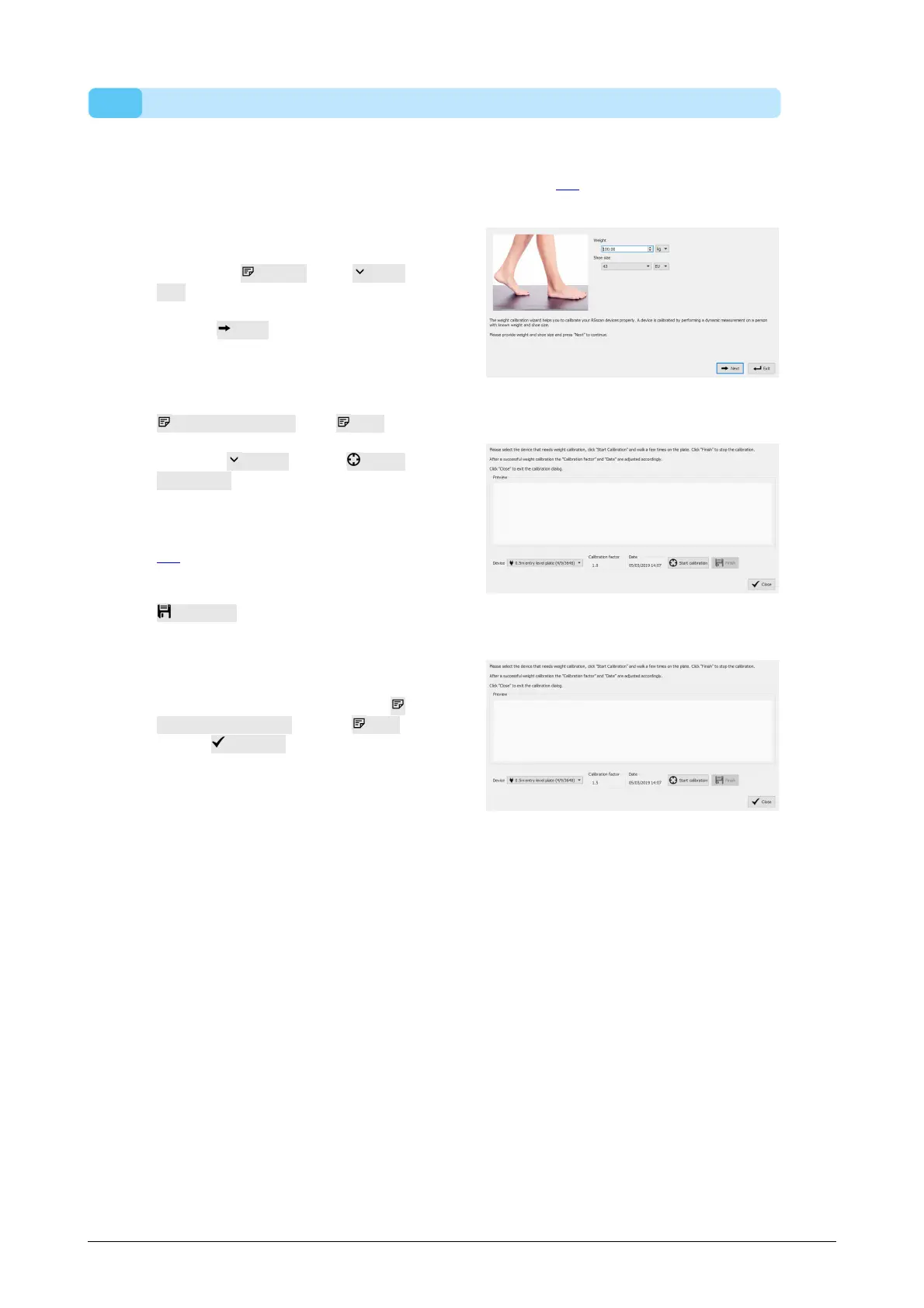
Fill in the Weight and Shoe
size of the measurement subject.
These are mandatory fields.
Choose Next to continue.
The Calibration wizard shows the
Calibration factor and Date of
the last weight calibration of the
selected Device. Click Start
calibration. The Preview is
enabled and shows the activity on
the plate. Walk over the plate 6-8
times in the gait direction (Section
2.4). The wizard estimates a
calibration factor based on the
feet detected on the device. Click
Finish to complete the
calibration.
After a successful calibration the
wizard shows the updated
Calibration factor and Date.
C l i c k Close to exit the
Calibration wizard and to return to
the Home screen.



 To Next Page