6.3 License and hardware calibration
To prevent unauthorized usage footscan 9 only runs when a licensed footscan plate,
3D scanner or hardware dongle is plugged into your computer.
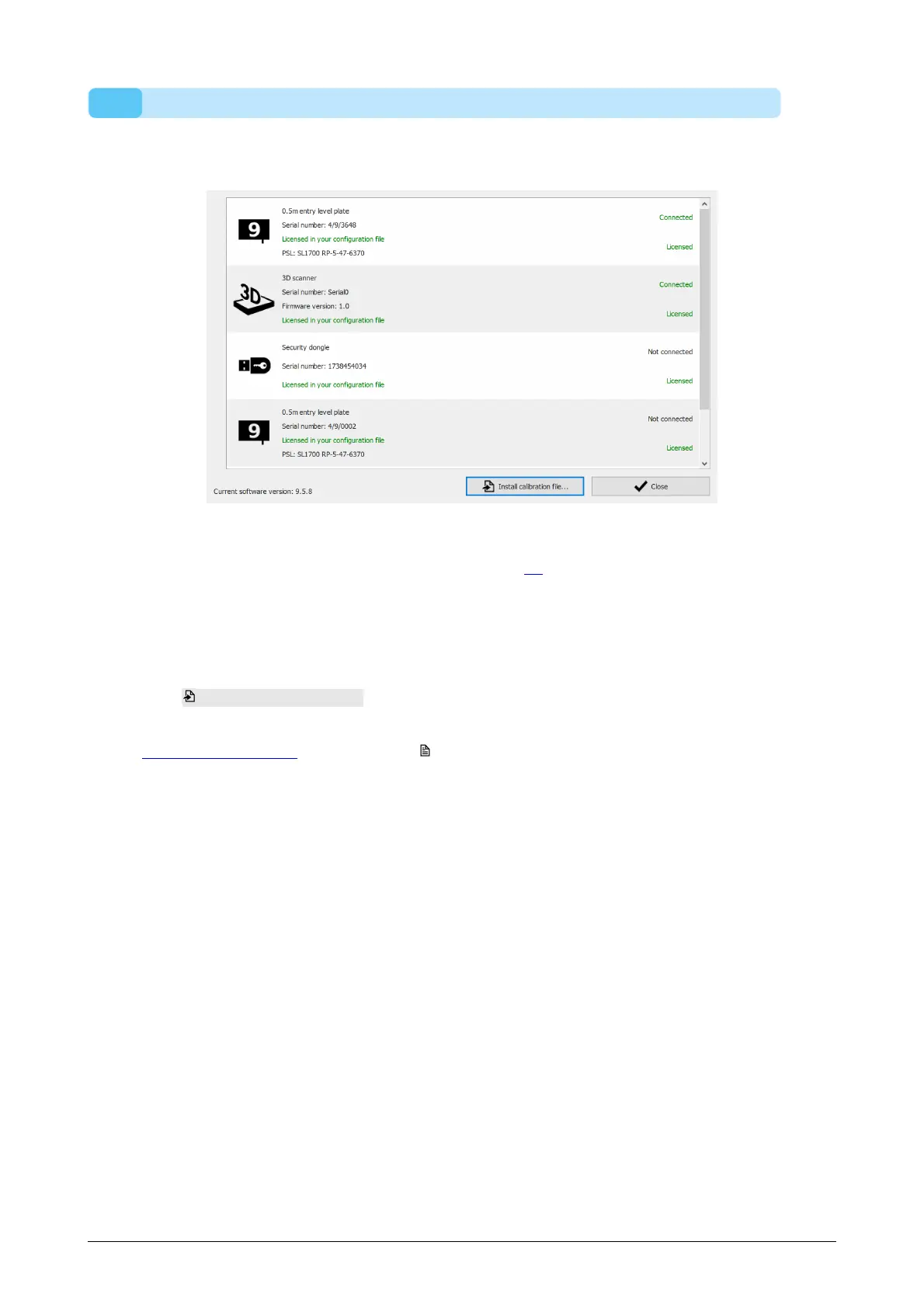
Figure 18: The license and hardware calibration dialog lists all footscan devices
connected to your system.
The License and hardware calibration dialog (Figure 18) lists the serial numbers of all
connected footscan devices, along with their descriptions, license and calibration
information. Devices which are licensed in your configuration file have a green license
information line, devices which are not licensed have a red license information line. The
calibration information is only shown when there is no valid calibration file found, it is
then mentioned in red.
Click Install calibration file... to import new calibration files.
For problems with licensing please contact rs scan's support department at
support@rsscan.com to obtain a new license.xml.
® ®
®
®



 To Next Page