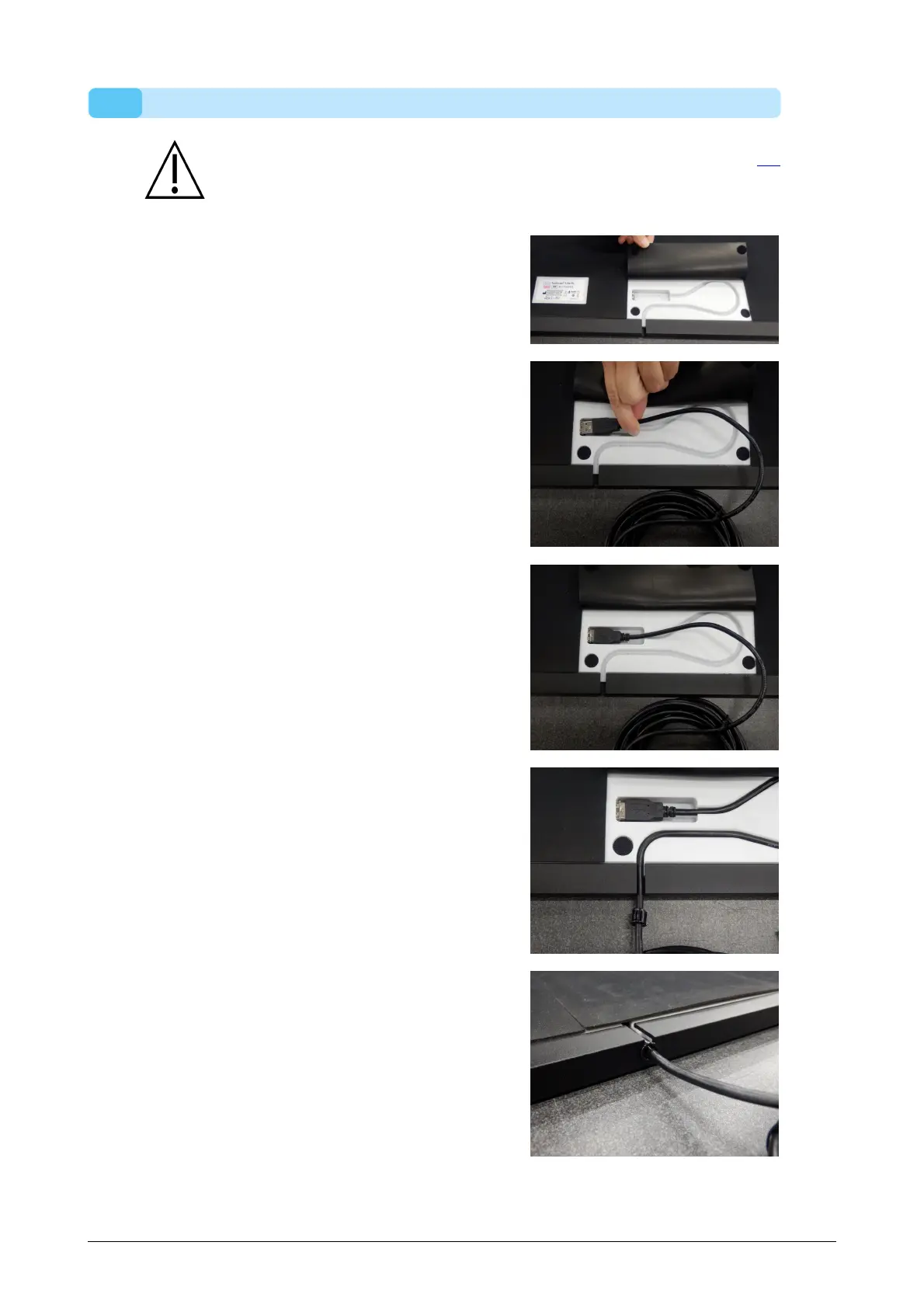
2.2 Attach the USB Cable to the Device
This section applies only to 1.5m Entry Level Systems. Proceed to Section 2.3
if not applicable.
The 1.5 entry level plate uses a detachable
USB cable A-A. Flip the rubber lid to
access the plate connector.
Position one of the two identical connectors
of the supplied USB cable A-A in front of
the plate connector. Match the orientation
of the connectors.
Gently insert the connector of the USB
cable A-A in the plate connector.
Route the cable in the strain relief gutter.
Slide the bushing over the cable into the
frame and flip the rubber lid back.
The cable can be removed when the system is not in use or has to be transported.



 To Next Page