10.22 Compare: Areas
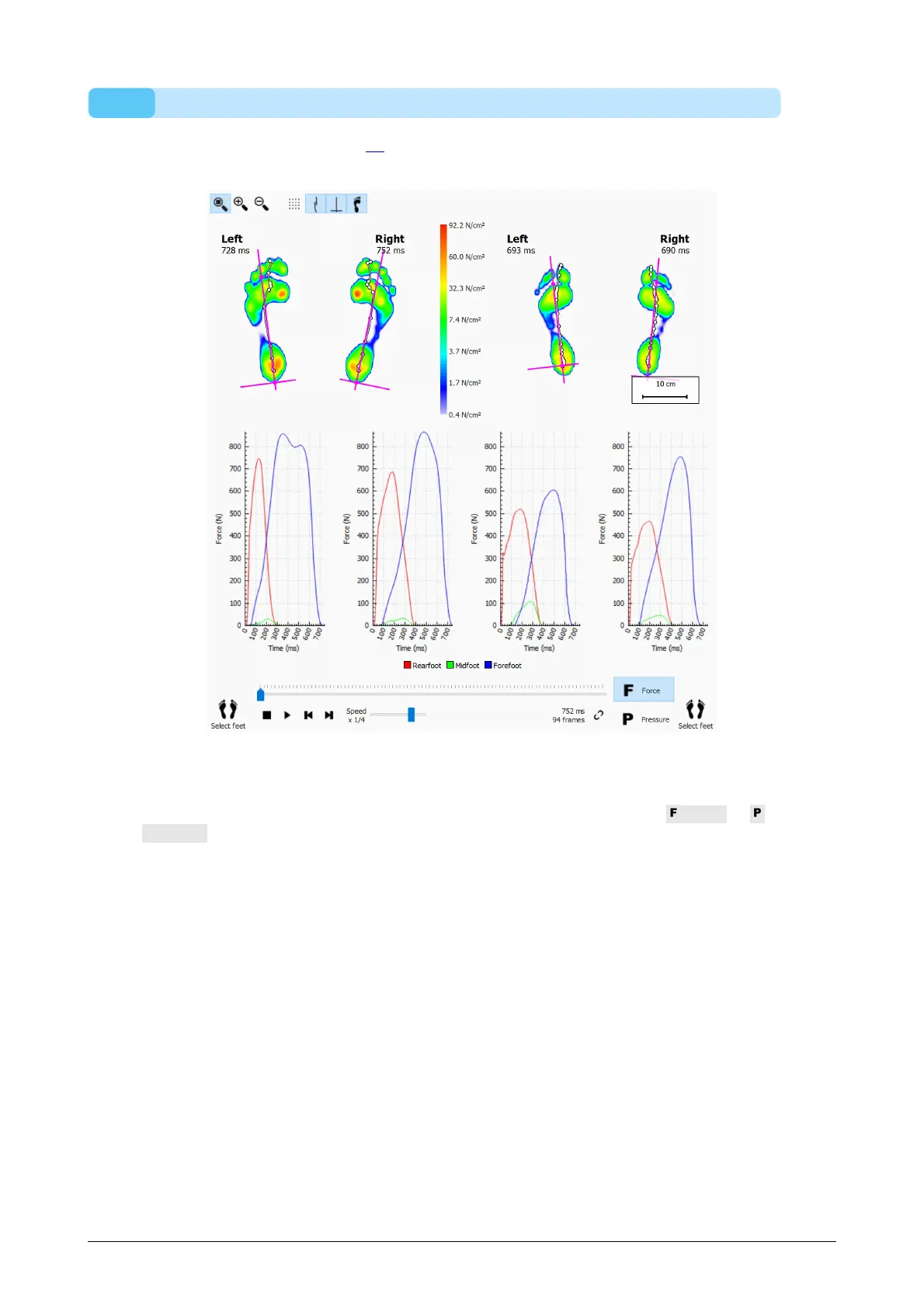
The Areas comparison (Figure 59) compares the pressure applied on the major foot
areas (mid-, fore- and rearfoot) of two pairs of feet.
Figure 59: The Areas comparison compares the pressure applied on the major foot
areas of two pairs of feet.
The Areas comparison is almost identical to the 2D comparison. It adds two pairs of
graphs displaying the force or pressure exerted on each foot area. Click Force or
Pressure to switch between pressure and force. When played marker lines in the
graphs show the roll-off progress.



 To Next Page