Using the footscan 7/8 gait export tool software utility on the computer containing
the footscan 7 or 8 gait software will prepare the data for migration. The footscan
7/8 gait export tool installer can be found on an installation medium (USB stick)
provided by support@rsscan.com.
Run the footscan 7/8 gait export tool to export all your footscan 7 or 8 gait data,
the result of the export (the intermediate database file) needs to be copied to the
computer containing the footscan 9 installation. Depending on where you copied
the intermediate file, the footscan 9 software will either detect the intermediate file
or will require manual intervention:
The intermediate file has been copied to C:\Users\<you>\footscan\import.
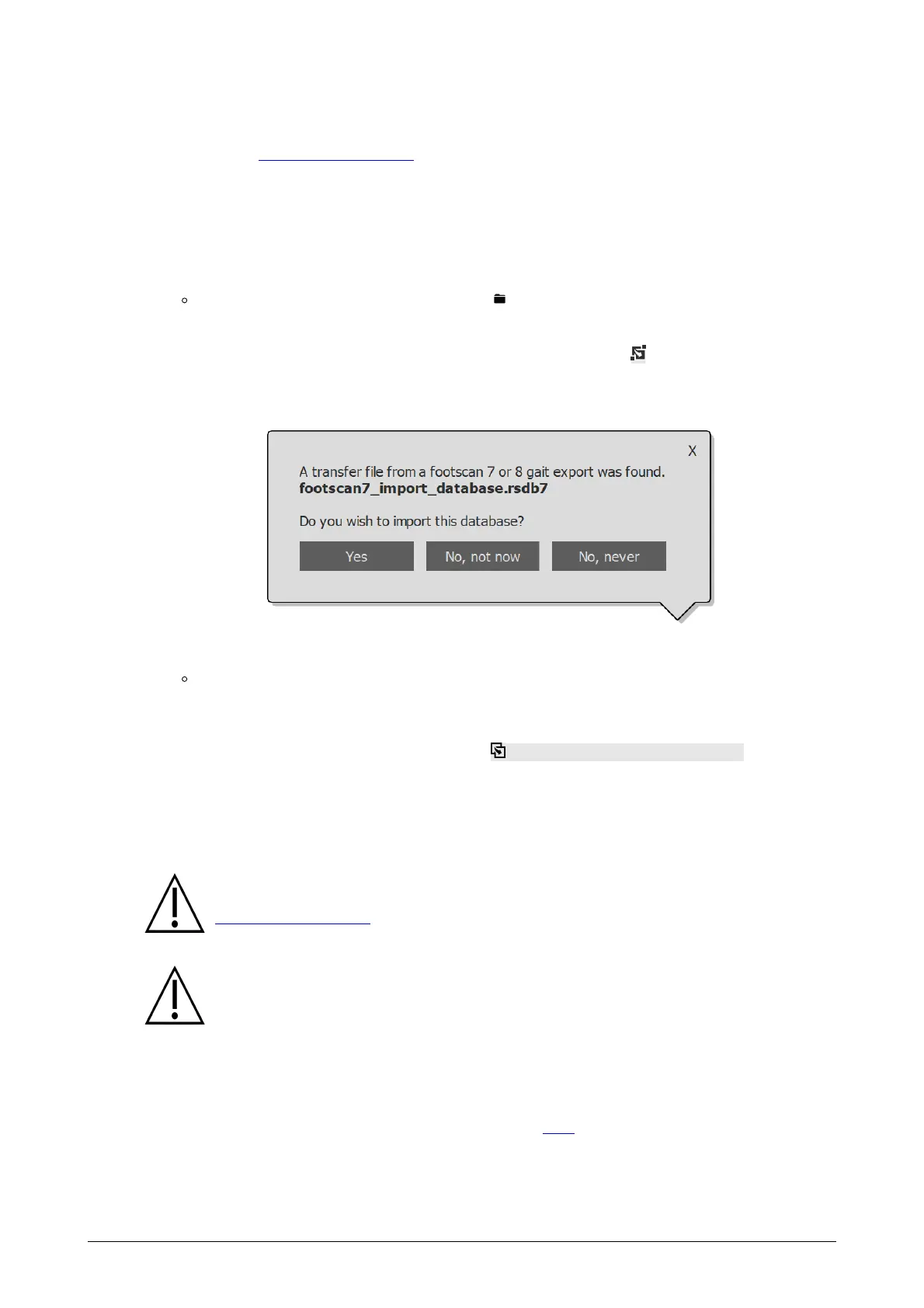
Next time you open the footscan 9 software, it will detect the intermediate
database file and show the migration icon in the status bar ( ) and a balloon
message asking to start the import of the intermediate database. You can
choose to start, postpone or never start the database importation.
Figure 84: Database import balloon.
The intermediate file has been copied somewhere else.
The footscan 9 software won't be able to automatically detect the intermediate
file. In order to import the intermediate database file, you need to start the
migration wizard yourself by clicking the Migrate from footscan 7 or 8 gait
migrate button on the homescreen.
Information about installation of the footscan 7/8 gait export tool software and a step-
by-step guide to perform the export can be found in the footscan 7/8 gait export tool
manual.
The migration of footscan 8 gait data may fail for certain combinations of
footscan 8 gait versions and footscan 9 versions. Please contact support at
support@rsscan.com if you want to migrate footscan 8 gait data to the new
footscan 9 software.
Imported footscan 7 or 8 gait measurements will look different in footscan
9. Improvements in the visualization include a different interpolation, different
mapping of pressure to color and a different background color.
Part 2: pressure plate(s)
Pressure plates which were used with the footscan 7 software need to have a firmware
update and a new license to be compatible with the footscan 9 series software. More
information about the plate conversion can be found in 17.8.
Pressure plates which were used with the footscan 8 software only need a new license
to be compatible with the footscan 9 series software.
®
® ®
® ®
®
®
®
®
®
®
®
® ®
®
®
® ®
®
®
®
®



 To Next Page