DBP Digital Beltpack Cabling | en 11
Bosch Security Systems, LLC
Technical Manual
2021-06 | 01 | F.01U.380.825
4 Cabling
4.1 To OMS
Notice!
PoE is not necessary as long as it is on a network that can reach the DBP.
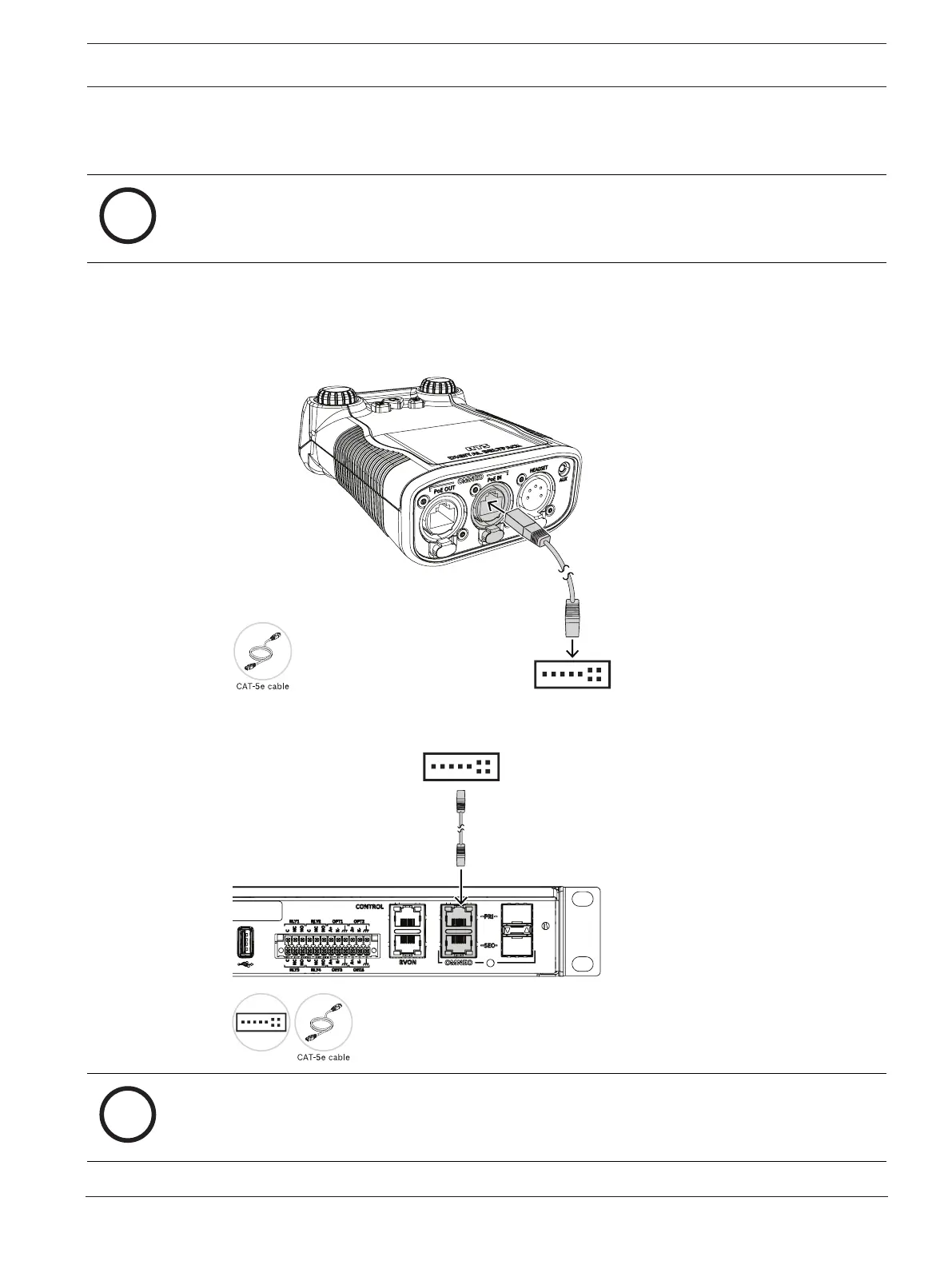
To cable the DBP to an OMS main station, do the following:
1. Using a CAT-5e cable, attach one end to the PoE IN connector on the DBP.
2. Connect the other end of the cable to an approved PoE switch.
3. Using a second CAT-5e cable, connect one end to the approved PoE switch.
4. Connect the other end to the OMNEO connector on the OMS device.
Notice!
If using IPedit to configure the connection between the DBP and the OMS, a third cable is
needed to connect the OMNEO port to the PoE switch.



 To Next Page