70 en | Menu Structure DBP Digital Beltpack
2021-06 | 01 | F.01U.380.825
Technical Manual
Bosch Security Systems, LLC
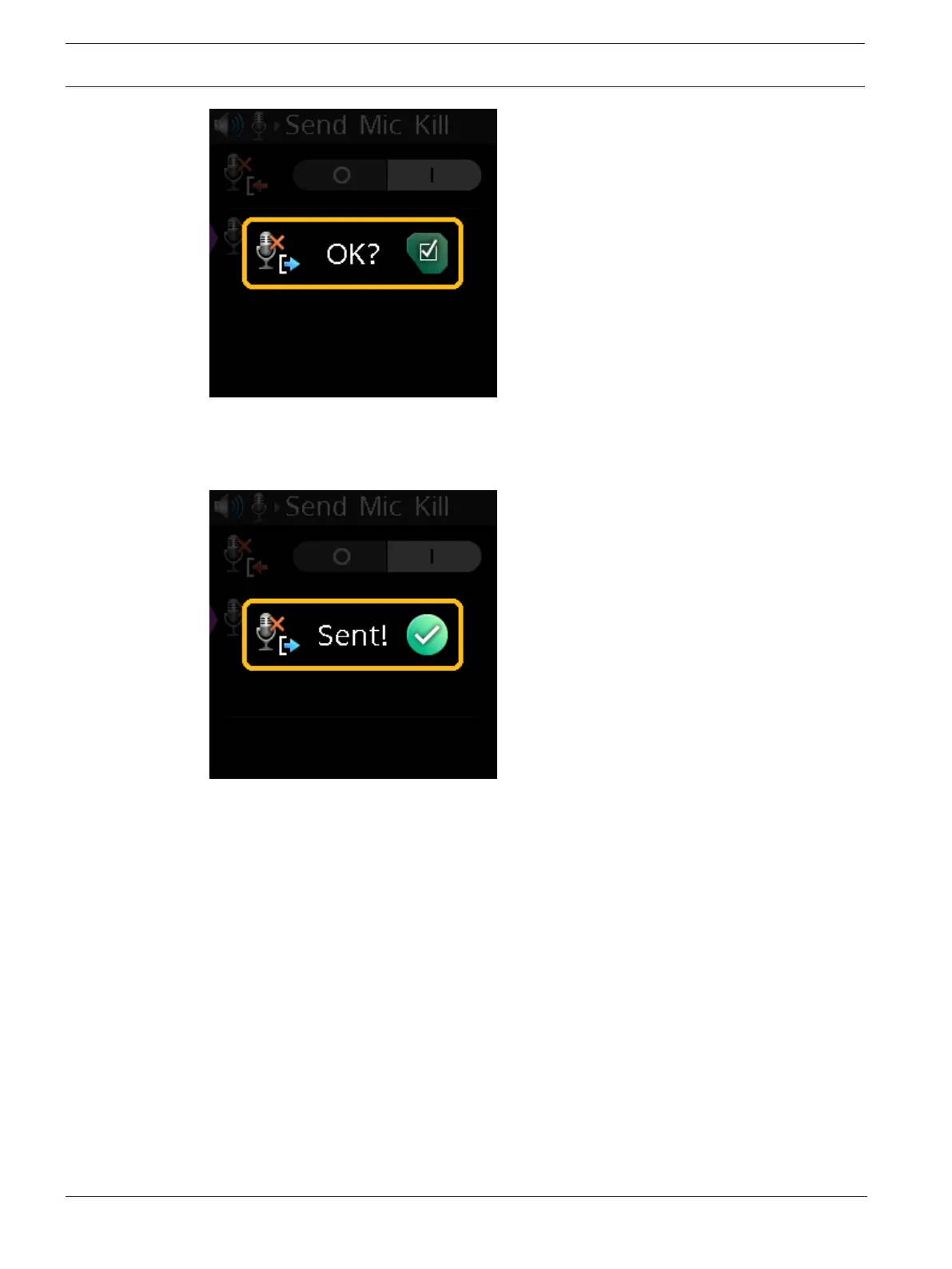
4. Press the SEL/MENU button to send the signal.
A Sent confirmation message appears.
OR
Press the CLR/BACK button to cancel the send.
9.9 Audio | 3.5mm Aux
Use the 3.5mm Aux menu items to select the Aux mode and adjust the Aux input and output
gain levels.
If either Aux Input or Aux Output is enabled, and if the 3.5mm microphone had been
configured as active, this forces the Mic Select setting to XLR. The AUX functions and 3.5mm
headset microphone cannot be simultaneously active.
9.9.1 Aux Mode
Use the Aux Mode menu item to disable Aux, enable Aux Input, or enable Aux Output.
To set the aux mode, do the following:
1. Navigate to the Aux Mode menu item (Audio | 3.5mm Aux | Aux Mode).
2. Press the SEL/MENU button.
The field becomes active.



 To Next Page