54 en | Menu Structure DBP Digital Beltpack
2021-06 | 01 | F.01U.380.825
Technical Manual
Bosch Security Systems, LLC
4. Press the SEL/MENU button to confirm the change, or press the CLR/BACK button to
abort changes.
The DBP disconnects from the current offer and reconnects to the newly selected offer.
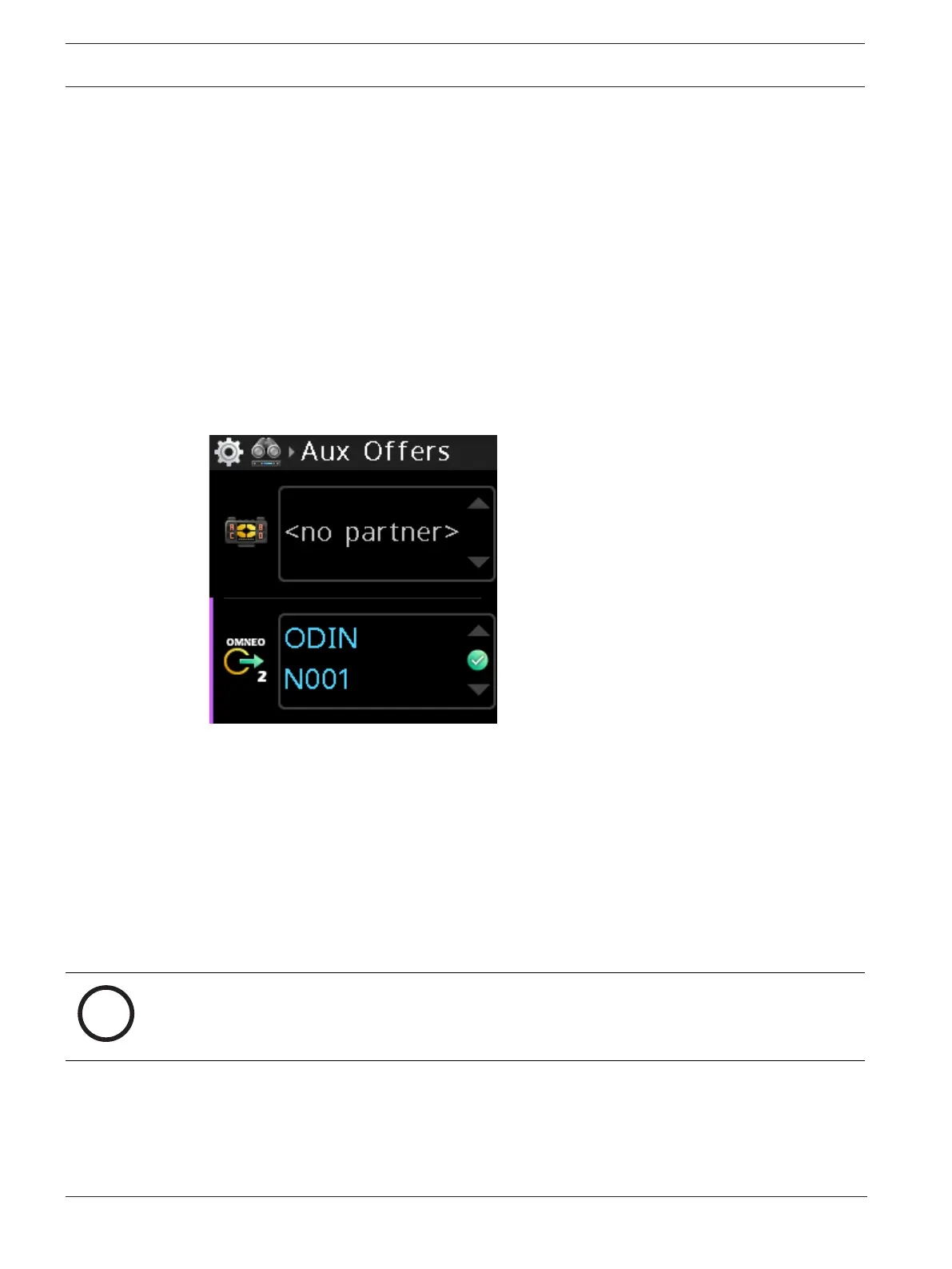
9.2.2 Aux Offers
Use the Aux Offers menu item to configure the DBP to communicate via an intercom port. Aux
Offers allows you to connect another device to bring in aux audio to mix in the DBP, or to
send audio from the DBP to another device. The Aux channel (OMNEO CH 2) does not have
keypanel data associated with it. OMNEO, Dante source.
To accept an Aux Offer, do the following:
1. Navigate to the Aux Offers menu item (Setup | Offers | AUX offers)
2. Press the SEL/MENU button.
The field becomes active.
3. Rotate either shaft encoder to scroll through the available offers.
4. Press the SEL/MENU button to confirm the change, or press the CLR/BACK button to
abort changes.
The DBP disconnects from the current offer and reconnects to the newly selected offer.
9.3 Setup | Key Assignments
Use the Key Assignments menu item to configure talk key assignments. Depending on what
the belt pack connects to, there are two modes of operation, PL Mode and Keypanel Mode.
For more information, refer to
Modes of operation, page 25
.
To configure talk key assignments in PL mode, do the following:
Notice!
In PL mode, the beltpack supports only PL (party line), RY (relay), and UR (UPL resource)
assignment types. RY and UR assignments must be made from AZedit.
1. Navigate to the Key Assignments menu item (Setup | Key Assignments).
2. Press the SEL/MENU button.
3. Press one of the A - D buttons to select the key to modify.
OR
Rotate either shaft encoder to navigate to the desired talk key.



 To Next Page