DBP Digital Beltpack Menu Structure | en 55
Bosch Security Systems, LLC
Technical Manual
2021-06 | 01 | F.01U.380.825
Notice!
You only need to press SEL/MENU if you use the shaft encoder to select the key. If you press
A-D to select the key, it enters the edit mode directly.
4. Press the SEL/MENU button.
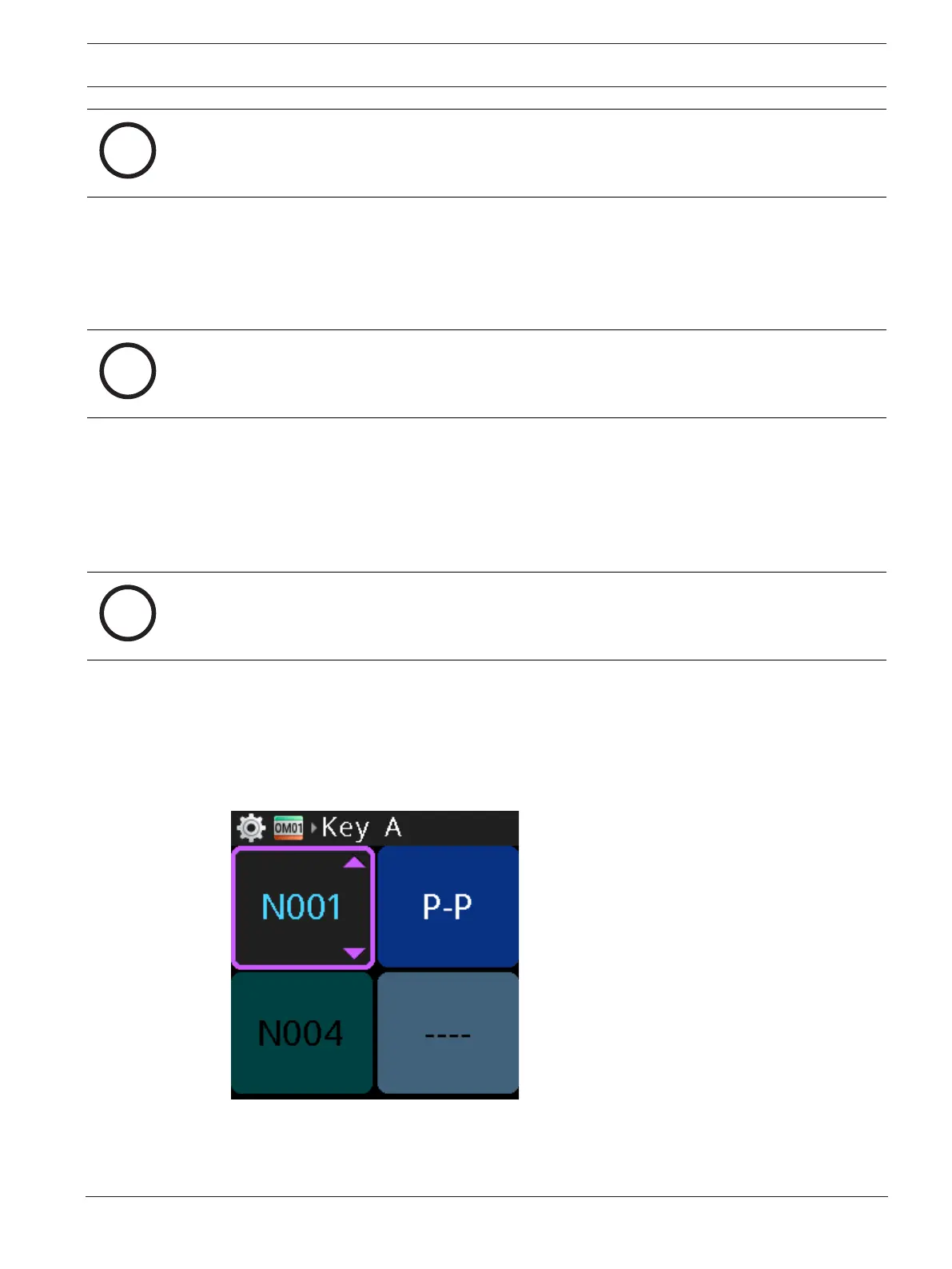
The talk key LED turns red and the display shows the talk key as scrollable.
5. Rotate either shaft encoder to scroll through the available assignments.
If the current assignment is a RY or UR, the scroll list only consists of the current
assignment and the NULL assignment (the alpha for the NULL assignment is ----).
Notice!
To remove an assignment from a key, assign NULL to the key.
6. Press the SEL/MENU button to confirm the selection.
To configure talk key assignments in keypanel mode, do the following:
1. Navigate to the Key Assignments menu item (Setup | Key Assignments).
2. Press the SEL/MENU button.
The talk key LED turns red and the display shows the talk key as scrollable.
Notice!
You only need to press SEL/MENU if you use the shaft encoder to select the key. If you press
A-D to select the key, it enters the edit mode directly.
3. Press one of the A - D buttons to select the key to modify.
OR
Rotate either shaft encoder to navigate to the desired talk key.
4. Press the SEL/MENU button.
The talk key LED turns red and the display shows the talk key as scrollable and the
adjacent LED for the adjacent (showing the function type) key turns white.
5. Rotate either shaft encoder to scroll through the available assignments.
6. Press the SEL/MENU button to confirm the selection.



 To Next Page