88 en | Menu Structure DBP Digital Beltpack
2021-06 | 01 | F.01U.380.825
Technical Manual
Bosch Security Systems, LLC
9.16.3 Screen Saver
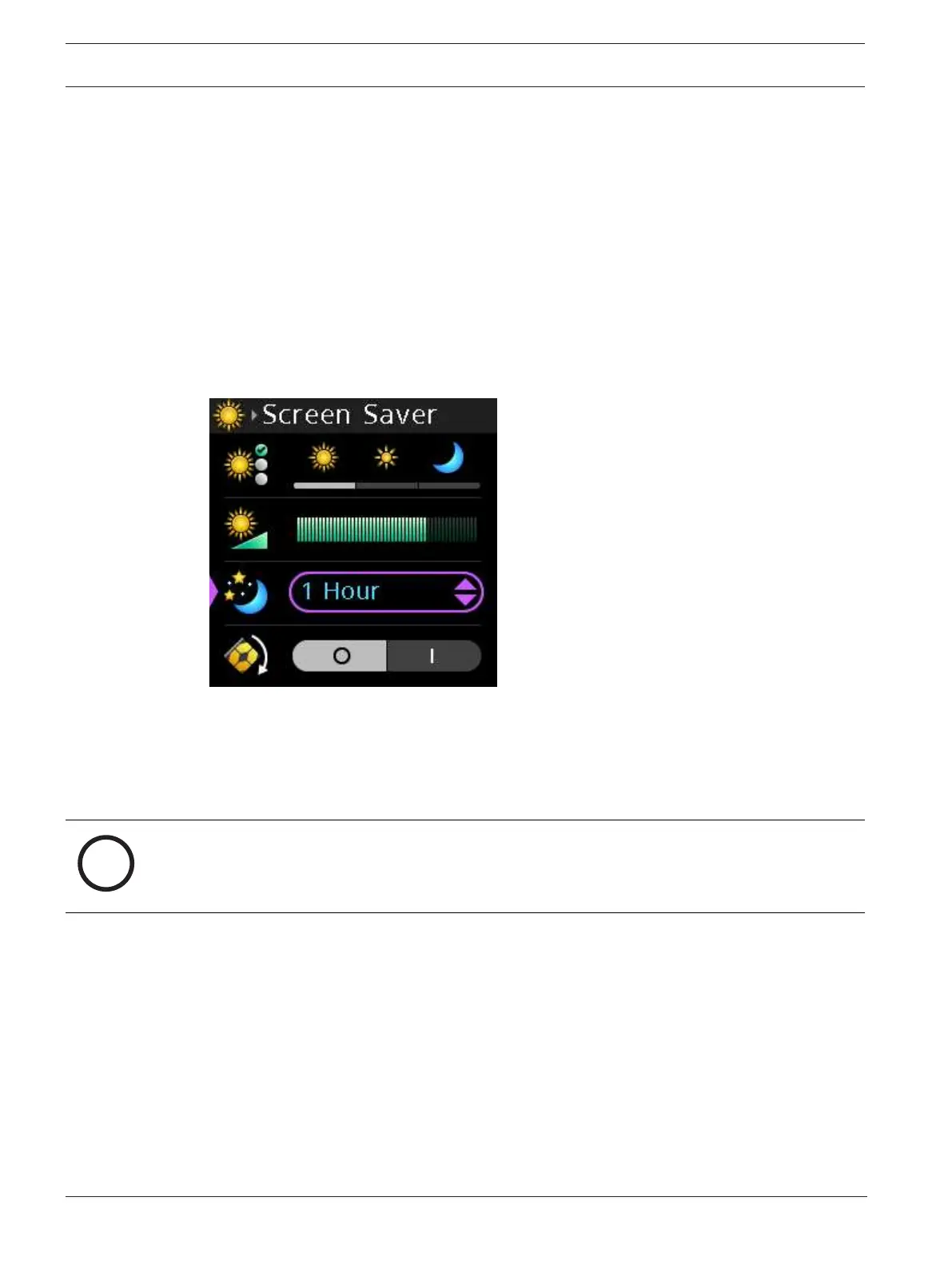
Use the Screen Saver menu item to configure the amount of time before the screen saver
activates. You can download your own screen saver image via AZedit. The minimum image size
is 16x16 pixels; the maximum size cannot exceed 120x120 pixels. For more information on
downloading an image, see
Download screen saver images or splash screen images, page 44
.
The DBP contains a default screen saver of the RTS logo.
Available options: Disabled, 5 Minutes, 10 Minutes, 20 Minutes, 30 Minutes, 1 Hour, 2 Hours, 4
Hours, 6 Hours, 8 Hours, 10 Hours, and 12 Hours.
To configure the screen saver, do the following:
1. Navigate to the Screen Saver menu item (Display | Screen Saver).
2. Press the SEL/MENU button.
The field becomes active.
3. Rotate either shaft encoder to scroll through the options.
4. Press the SEL/MENU button to confirm the change, or press the CLR/BACK button to
abort changes.
9.16.4 Screen Flip
Use the Screen Flip menu item to set the orientation of the display screen.
Notice!
The correspondence of the navigation buttons and shaft encoders remain unchanged after the
initiation of a screen flip. In addition, key assignments remain associated with the original A,
B, C, and D keys, independent of screen orientation.
To use screen flip, do the following:
1. Navigate the Screen Flip menu item (Display | Screen Flip).
2. Press the SEL/MENU button.
The field becomes active.



 To Next Page