DBP Digital Beltpack Create an Intercom connection | en 23
Bosch Security Systems, LLC
Technical Manual
2021-06 | 01 | F.01U.380.825
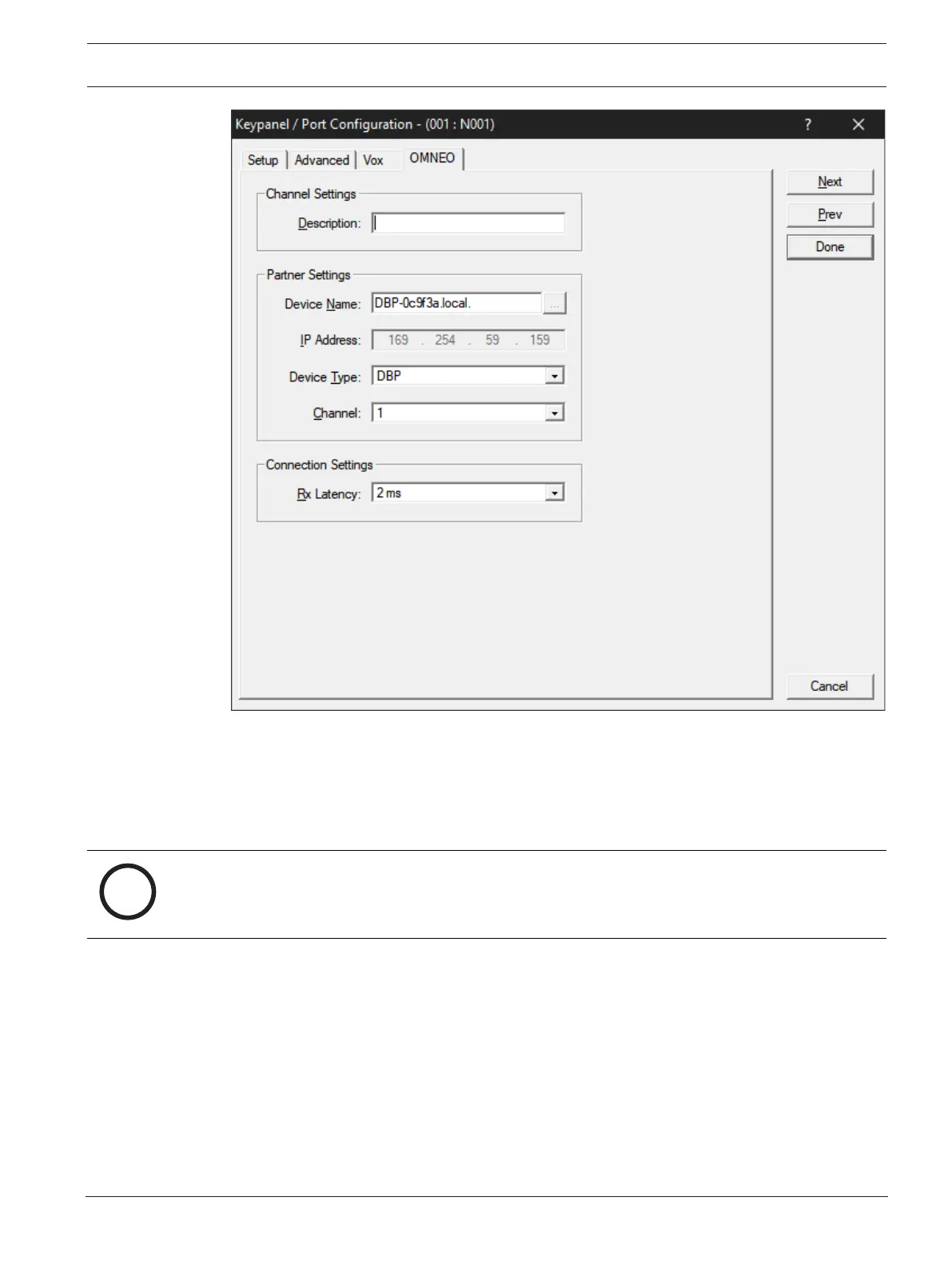
3. Enter the Device Name of the device to which you want to connect. Use the browse
button to open the available devices screen to select a device.
The IP Address of the device automatically populates the IP Address field.
4. Select the Device Type to which you want to connect.
5. Select the OMNEO channel on which to communicate.
6. Select the Latency of the connection.
Notice!
DBP supports a minimum latency of 2ms.
6.5.2 Configure an OMI card to make a connection offer
To configure an OMI card to make a connection offer, do the following:
1. From the status menu in AZedit, select I/O Cards.
The I/O Card Status screen appears showing a list of installed cards.
2. Right-click the desired OMI card.
3. Select OMNEO Configuration.
The OMNEO Configuration screen appears.



 To Next Page