24 en | Create an Intercom connection DBP Digital Beltpack
2021-06 | 01 | F.01U.380.825
Technical Manual
Bosch Security Systems, LLC
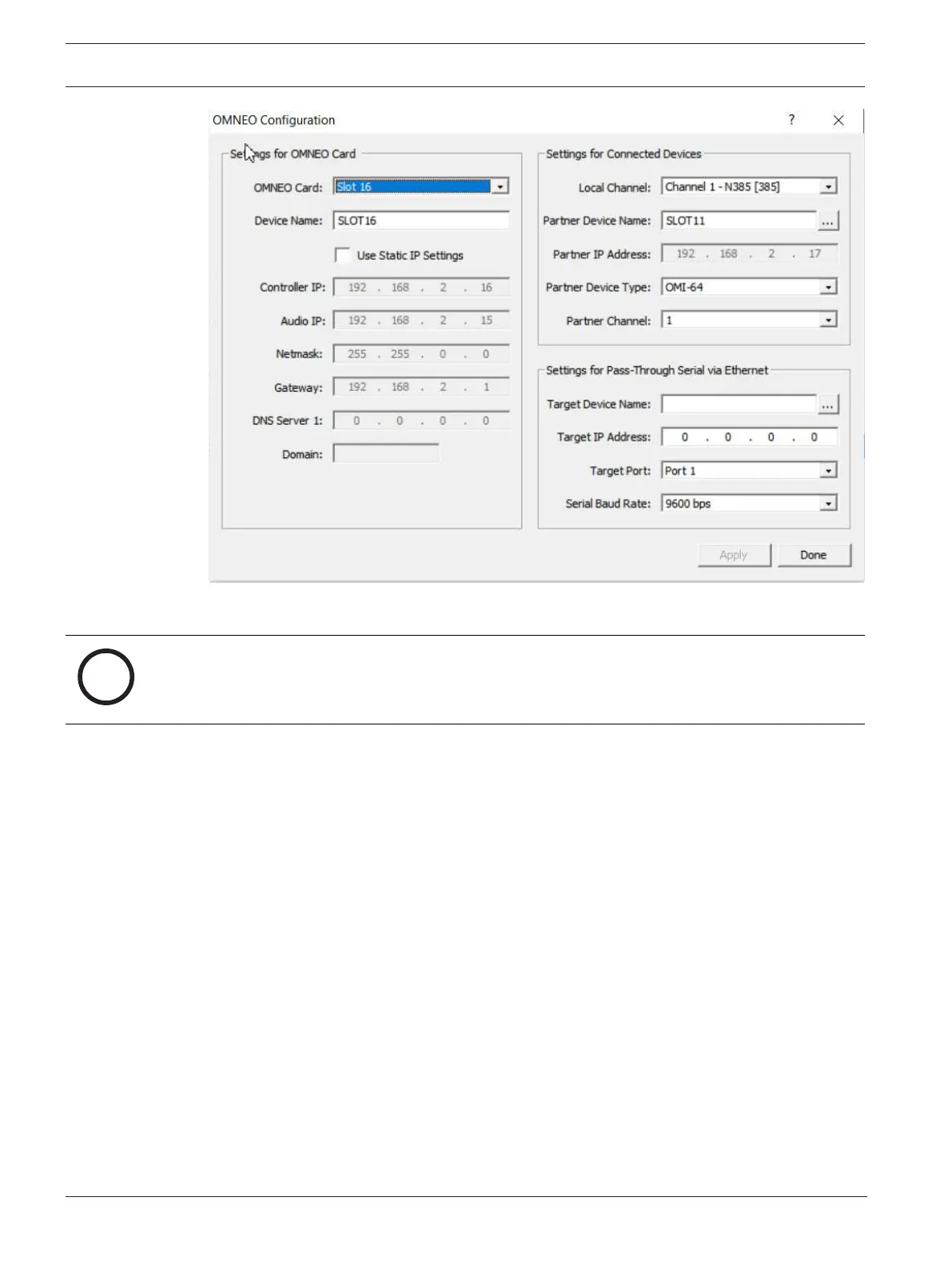
4. From the Local Channel drop down menu, select the channel to use to communicate
across the network.
Notice!
Available channels appear with an asterisk next to them.
5. Enter the name of the device to which you want to make a connection.
OR
Select the Browse button to select from a list of devices.
6. Enter the IP address of the device to which you want to make a connection offer.
This field auto-populates when you select the device name.
7. From the Partner Device Type drop down menu, select the type of device to which the
OMI card connects. This field auto-populates when you select the device name.
8. From the Partner Channel drop down menu, select the channel on the partner device to
which you want to make a connection offer.
9. Click Apply.
Apply sends the changes to each of the cards for which you have made changes.
OR
Click Cancel to discard all changes.



 To Next Page