DBP Digital Beltpack Menu Structure | en 53
Bosch Security Systems, LLC
Technical Manual
2021-06 | 01 | F.01U.380.825
Notice!
If you press and hold the A/C shaft encoder, the highlighted character turns red, and then
deletes after a couple of seconds. If you release the encoder while it is red, but before it
deletes, then nothing happens. If you press and release the shaft encoder quickly, then it
behaves like the CLR button and aborts the edit.
Similarly, if you press and hold the B/D shaft encoder, the highlighted character turns white,
and a new character inserts after a couple of seconds. If you release the encoder while it is
white, before inserting a new character, then nothing happens. If you press and release the
shaft encoder quickly, then it behaves like the SEL/MENU button and saves your edits.
5. Press the SEL/MENU button to confirm the change, or press the CLR/BACK button to
abort changes.
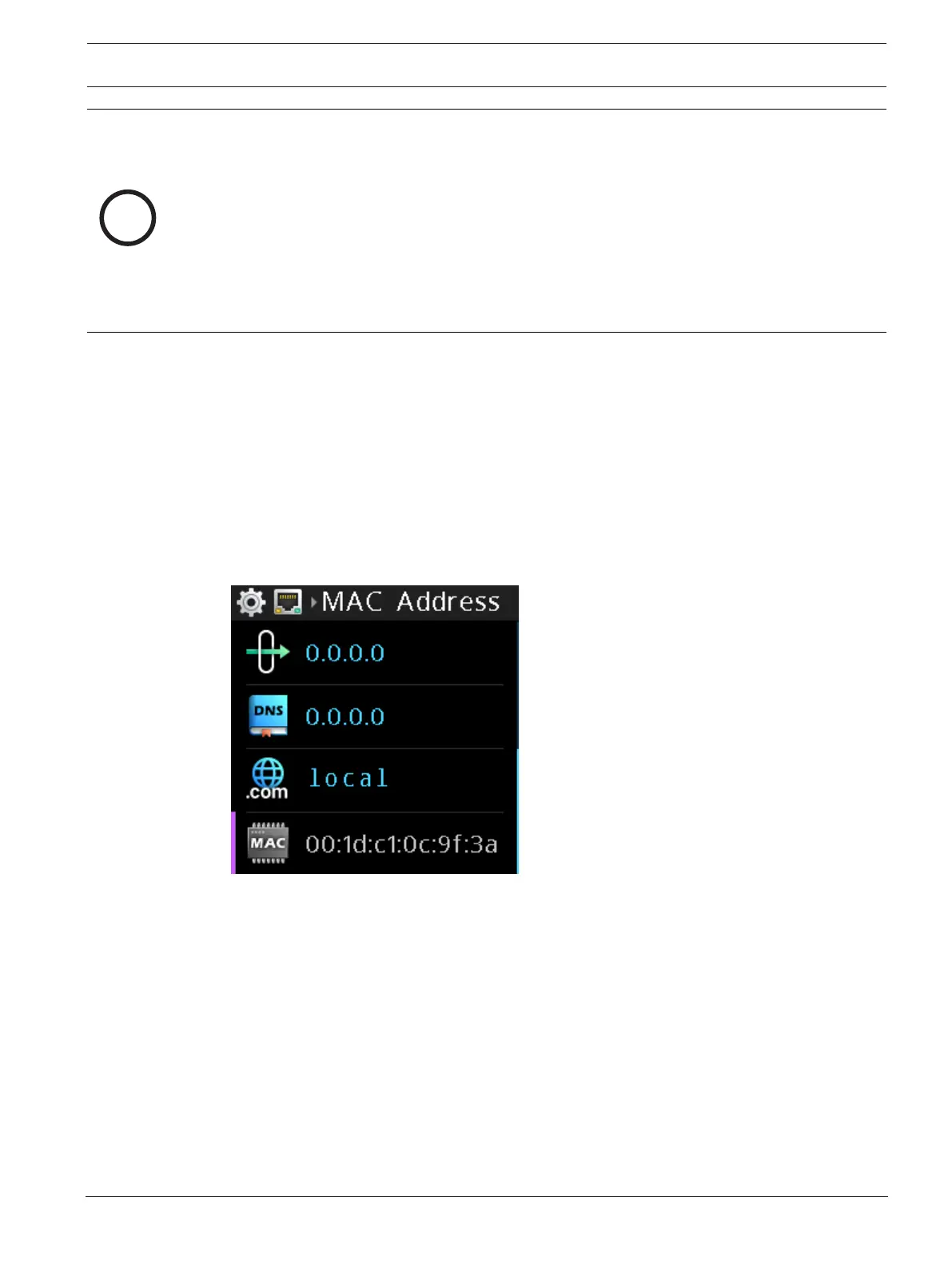
9.1.8 MAC Address
Use the MAC Address menu item to view the MAC address of the digital belt pack. The MAC
address field is not editable.
To display the MAC address, do the following:
4 Navigate to the MAC Address menu item (Setup | Network | MAC Address).
The MAC Address is read only.
9.2 Setup | Offers
9.2.1 DBP Offers
Use the DBP Offers menu item to select and accept connection offers from the intercom. DBP
offers determine which port on which intercom the DBP is connected as a belt pack and its
alpha.
To accept a DBP Offer, do the following:
1. Navigate to the DBP Offers menu item (Setup | Offers | DBP Offers).
2. Press the SEL/MENU button.
The field becomes active.
3. Rotate either shaft encoder to scroll through the available offers.



 To Next Page