DBP Digital Beltpack Menu Structure | en 63
Bosch Security Systems, LLC
Technical Manual
2021-06 | 01 | F.01U.380.825
9.6 Setup | Key Modes
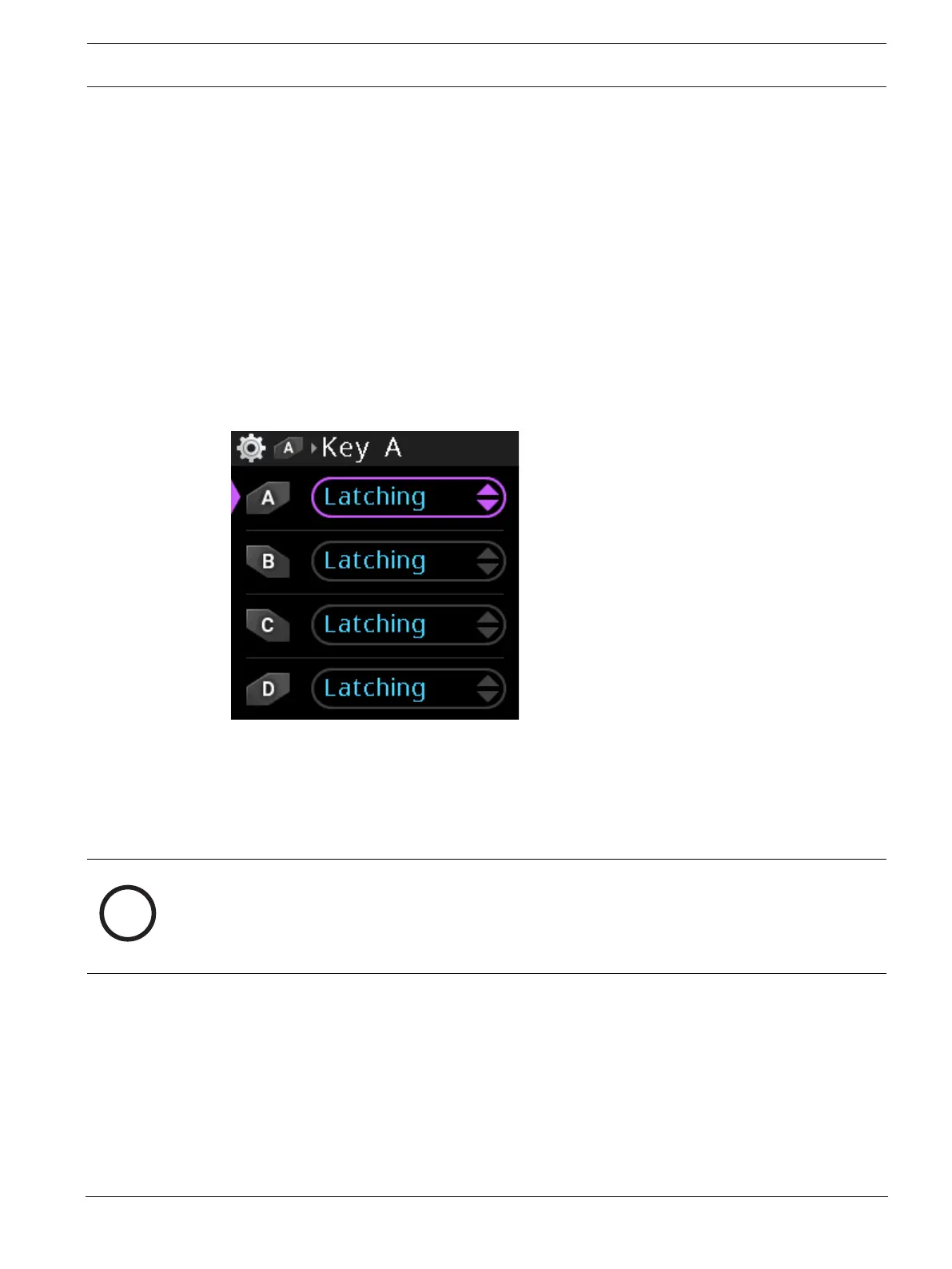
Use the Key Modes menu item to configure the behavior of the DBP talk buttons.
Available options
Latching - Tap the talk key on, and then tap the talk key off. However, if you press and hold,
the talk key turns on, but then turns off when you let the key go.
Momentary - The talk key is active as long as it is pressed.
Always on - The talk key is always on.
Always off - The talk key is always off.
To configure the talk key modes, do the following:
1. Navigate to the Key Mode menu (Setup | Key Modes).
2. Navigate to select the talk key to configure.
3. Press the SEL/MENU button.
The field becomes active.
4. Rotate either shaft encoder to scroll the available options.
5. Press the SEL/MENU button to confirm the change, or press the CLR/BACK button to
abort changes.
9.7 Audio | Headset
Use the Headset menu item to configure sidetone and enable echo cancellation.
Notice!
Only insert or remove headsets from the DBP with the talk keys inactive.
Insertion/removal of headsets on DBPs with active talk keys may produce brief amounts of
noise on the network as contacts engage/disengage with the mating jacks while the DBP
microphone is active.
9.7.1 Sidetone
Use the Sidetone menu item to configure the level, in dB, at which the user hears their own
voice. Most people prefer some amount of sidetone to overcome the muffled sensation when
talking, especially when wearing a dual-sided headset. There are three different sidetone
values available for editing from this menu; XLR Sidetone, 3.5mm Sidetone, and Bluetooth
Sidetone. Only one displays at a time, but the context changes depending upon the active mic
selection.



 To Next Page