68 en | Menu Structure DBP Digital Beltpack
2021-06 | 01 | F.01U.380.825
Technical Manual
Bosch Security Systems, LLC
9.8.5 XLR Mic Type
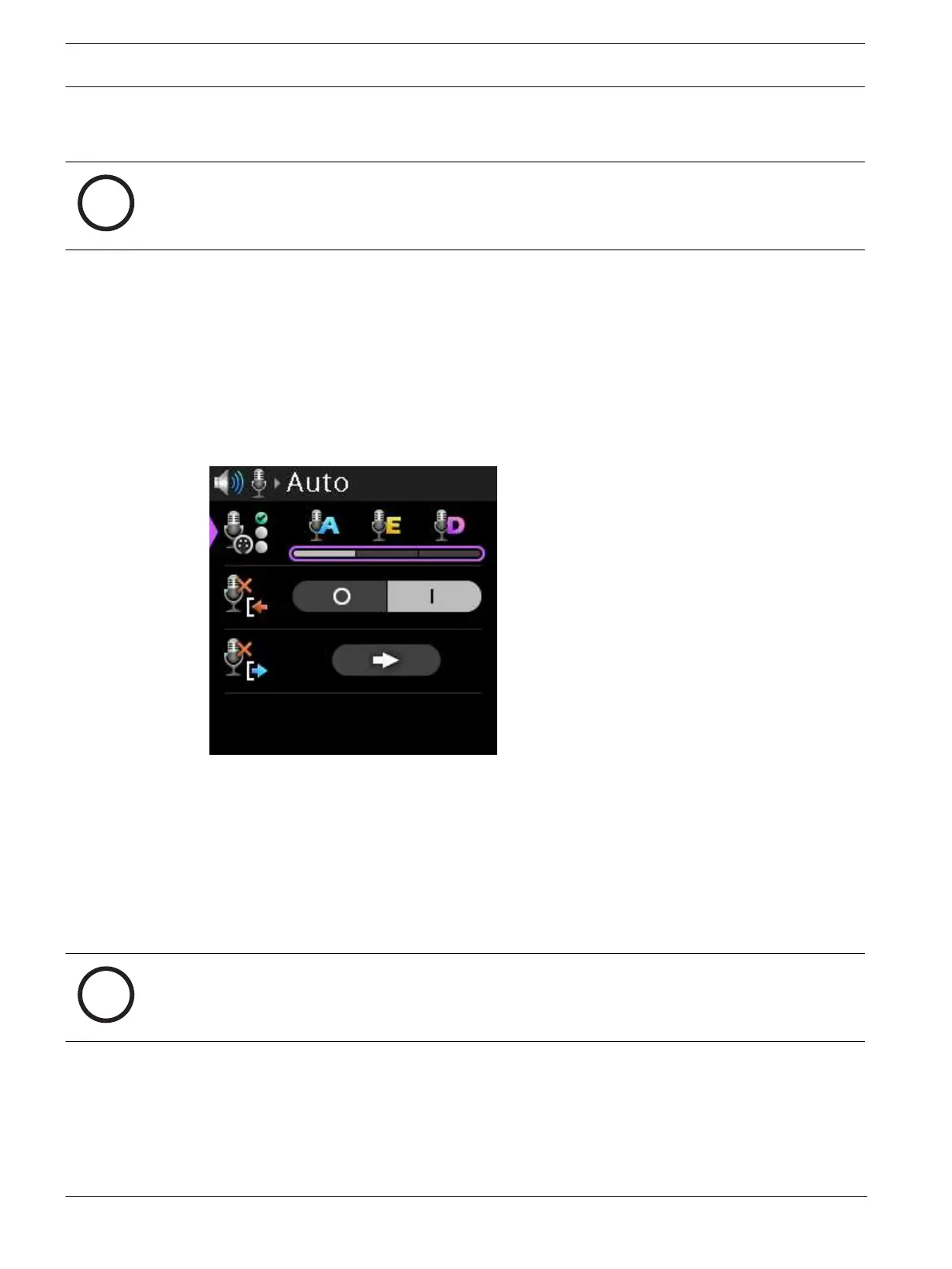
Use the XLR Mic Type menu item to select the type of XLR mic.
Notice!
The XLR Mic Type menu item is only visible if the Mic Select is used to select the XLR mic.
The available options for this field are:
A = automatic detection of the XLR microphone type (either Electret or Dynamic)
E = Electret microphones
D = Dynamic microphones
Auto is the default setting.
To select the XLR mic type, do the following:
1. Navigate to the XLR Mic Type menu item (Audio | Microphone | XLR Mic Type).
2. Press the SEL/MENU button.
The field becomes active.
3. Rotate either shaft encoder to scroll through the selections.
4. Press the SEL/MENU button to confirm the change, or press the CLR/BACK button to
abort changes.
9.8.6 Allow Mic Kill
Use the Allow Mic Kill menu item to allow an incoming mic kill signal to turn off the device's
talk keys. Mic Kill is an inaudible signal sent by the belt pack that forces all devices on the line
to stop talking.
Notice!
Incoming Mic Kill has no effect if Hot Mic is active or if any talk key mode is set to Always On.
The mic kill function does not work on Clear-Com analog belt packs.
By default, mic kill is allowed on the belt pack.
To allow or not allow a mic kill signal, do the following:
1. Navigate to the Allow Mic Kill menu item (Audio | Microphone | Allow Mic Kill).



 To Next Page