DBP Digital Beltpack Cabling | en 13
Bosch Security Systems, LLC
Technical Manual
2021-06 | 01 | F.01U.380.825
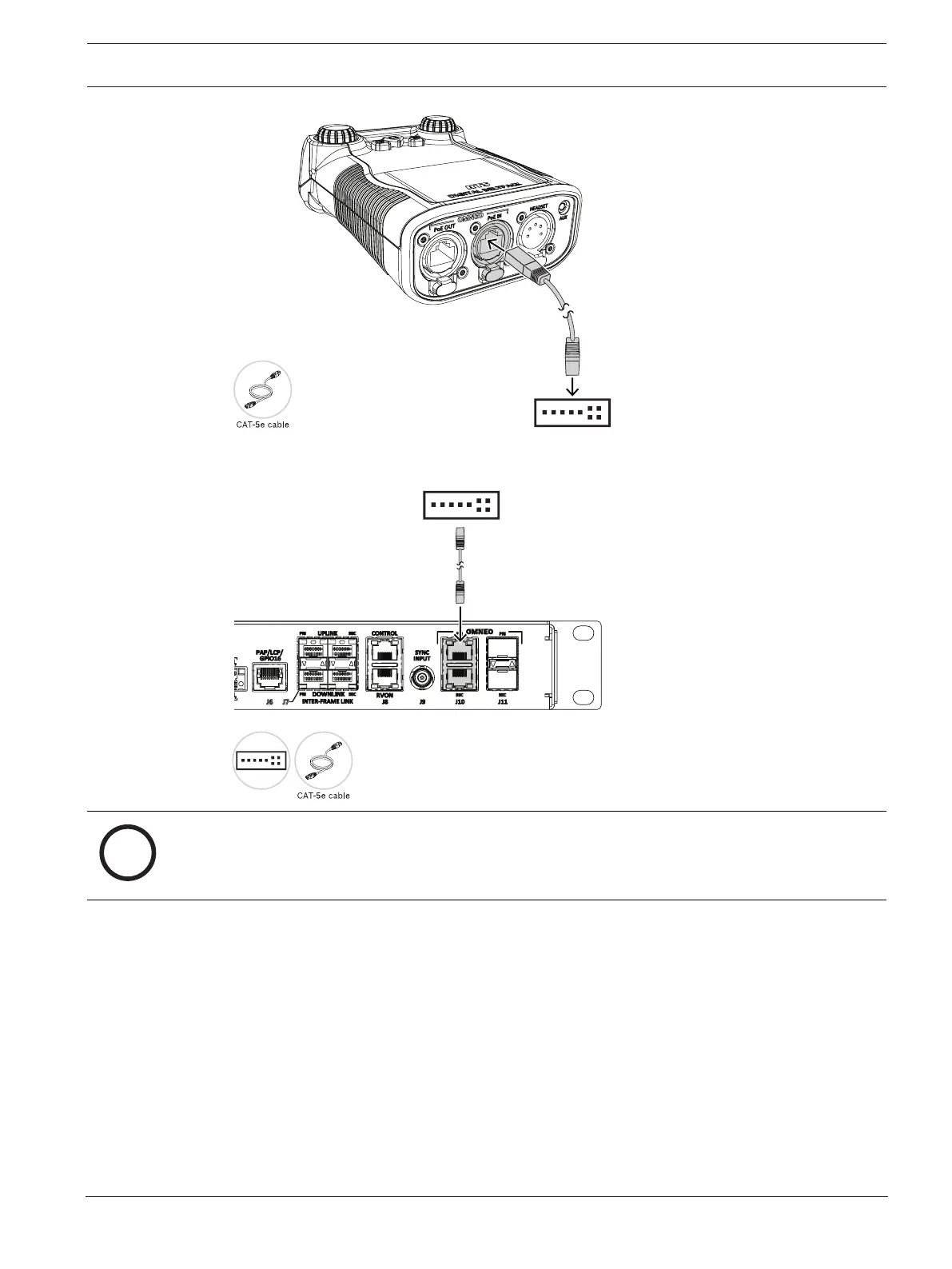
3. Using a second CAT-5e cable, connect one end to the approved PoE switch.
4. Connect the other end to the OMNEO port on ODIN.
Notice!
If using IPedit to configure the connection between the DBP and ODIN, use a third cable to
connect the OMNEO port to the PoE switch.
For information on how to connect the DBP to an ODIN, refer to
Configure ODIN to make a
connection offer, page 17
.
4.4 PoE
The Digital Belt Pack includes a PoE In and PoE Out connector that allows multiple DBPs to be
daisy chained from the same switch port. RTS recommends use of an 802.3at compliant PoE
switch for daisy chaining. RTS guidance on the number of DBPs that can be daisy chained
from an 802.3at port are as follows:
– Using CAT-5e cable or better, up to six DBPs can be daisy chained where each daisy chain
span has a length of 100 foot (30 m) or less (total of 600 feet / 180 meters of cable).
– Using CAT-5e cable or better, up to three DBPs can be daisy chained where each daisy
chain span has a length of 328 foot (100 m) or less (total of 984 feet / 300 meters of
cable).



 To Next Page