DBP Digital Beltpack Basic Operation | en 37
Bosch Security Systems, LLC
Technical Manual
2021-06 | 01 | F.01U.380.825
8.9 Bluetooth
The DBP supports Bluetooth technology allowing connections to Bluetooth enabled devices, if
desired. To use Bluetooth on the DBP, the device must have an approved Bluetooth dongle
installed. For more information, see
Install the Bluetooth dongle, page 15
. The Bluetooth menu
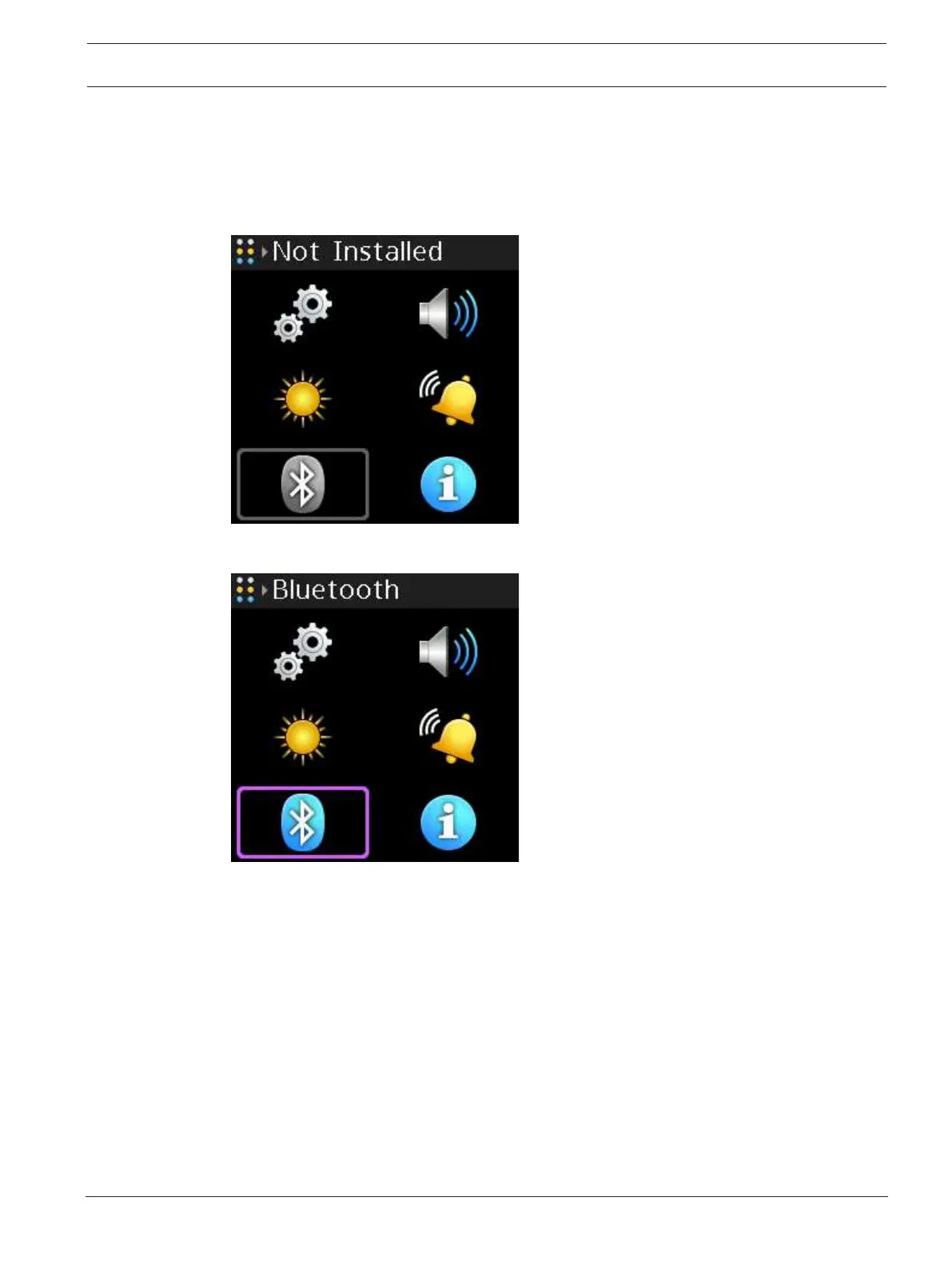
item appears grey when the dongle is not present in the device.
Figure8.1: Bluetooth dongle not installed
When the dongle is present, the icon turns blue and access to the menu is granted.
Figure8.2: Bluetooth dongle installed
For instructions on how to pair and connect the Bluetooth device, see
Bluetooth, page 81
8.9.1 Answer a phone call via Bluetooth
To answer a phone call via Bluetooth, do the following:
When a call comes into the belt pack via a Bluetooth device, a popup notification appears.



 To Next Page