DBP Digital Beltpack Install the Bluetooth dongle | en 15
Bosch Security Systems, LLC
Technical Manual
2021-06 | 01 | F.01U.380.825
5 Install the Bluetooth dongle
It is best to install the dongle when there is no power to the device. If you install the dongle
while the DBP is on, the belt pack recognizes the dongle and reboots to initialize the hardware
properly. If you remove the dongle while the DBP has power, it does not reboot.
Notice!
Optimal Bluetooth audio quality is achieved when the DBP is paired with a headset that
incorporates a boom microphone construction versus Bluetooth headsets with embedded
microphones (i.e., ear buds).
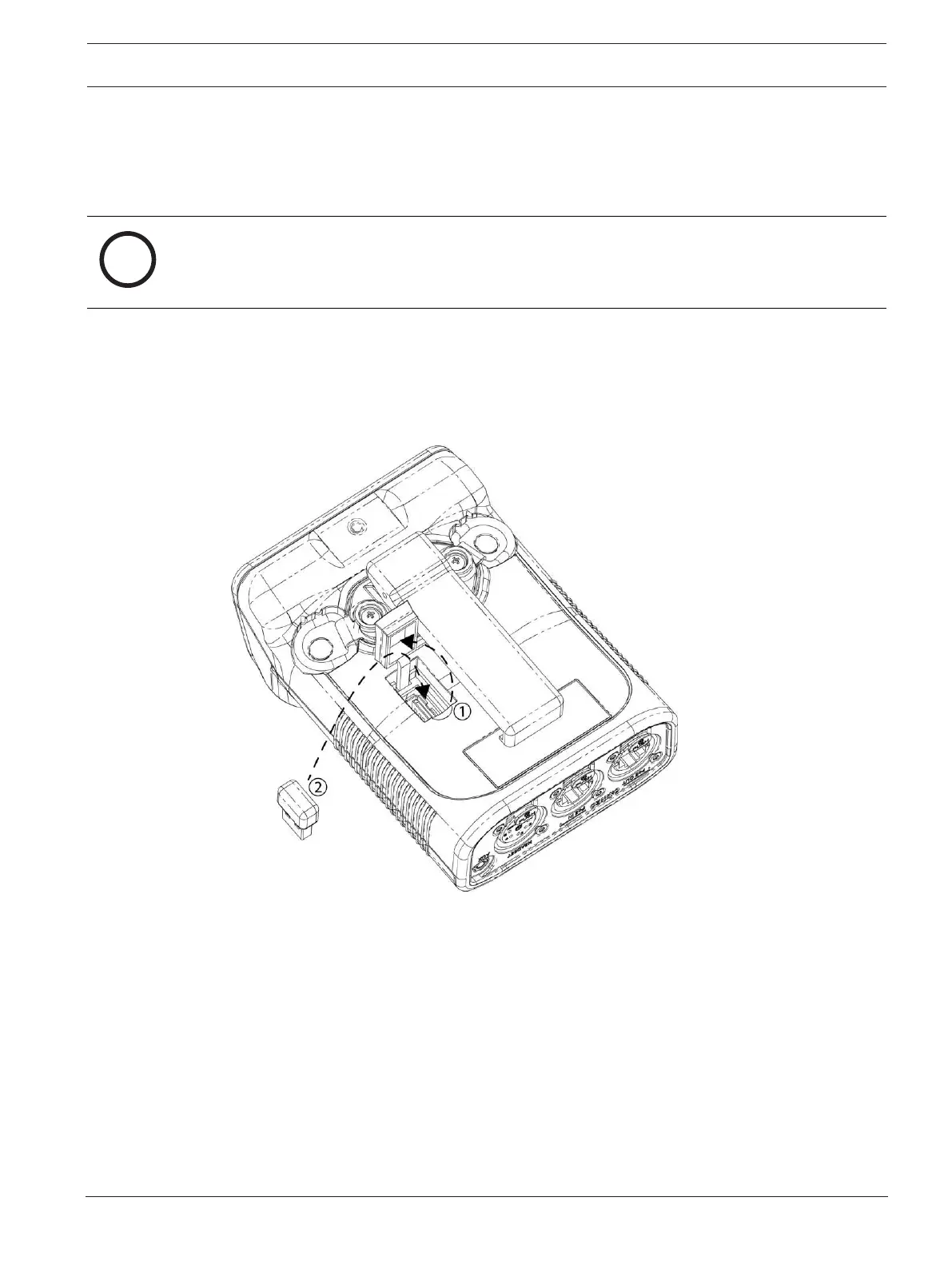
To install the Bluetooth dongle, do the following:
1. Open the USB connector door (1).
Take care not to over-extend the door.
2. Insert the dongle (2) in the connector.
Figure5.1: DBP USB dongle installation
3. Close the USB connector door (1).
4. Push the door surface to ensure the door is within the DBP enclosure.



 To Next Page