44 en | Basic Operation DBP Digital Beltpack
2021-06 | 01 | F.01U.380.825
Technical Manual
Bosch Security Systems, LLC
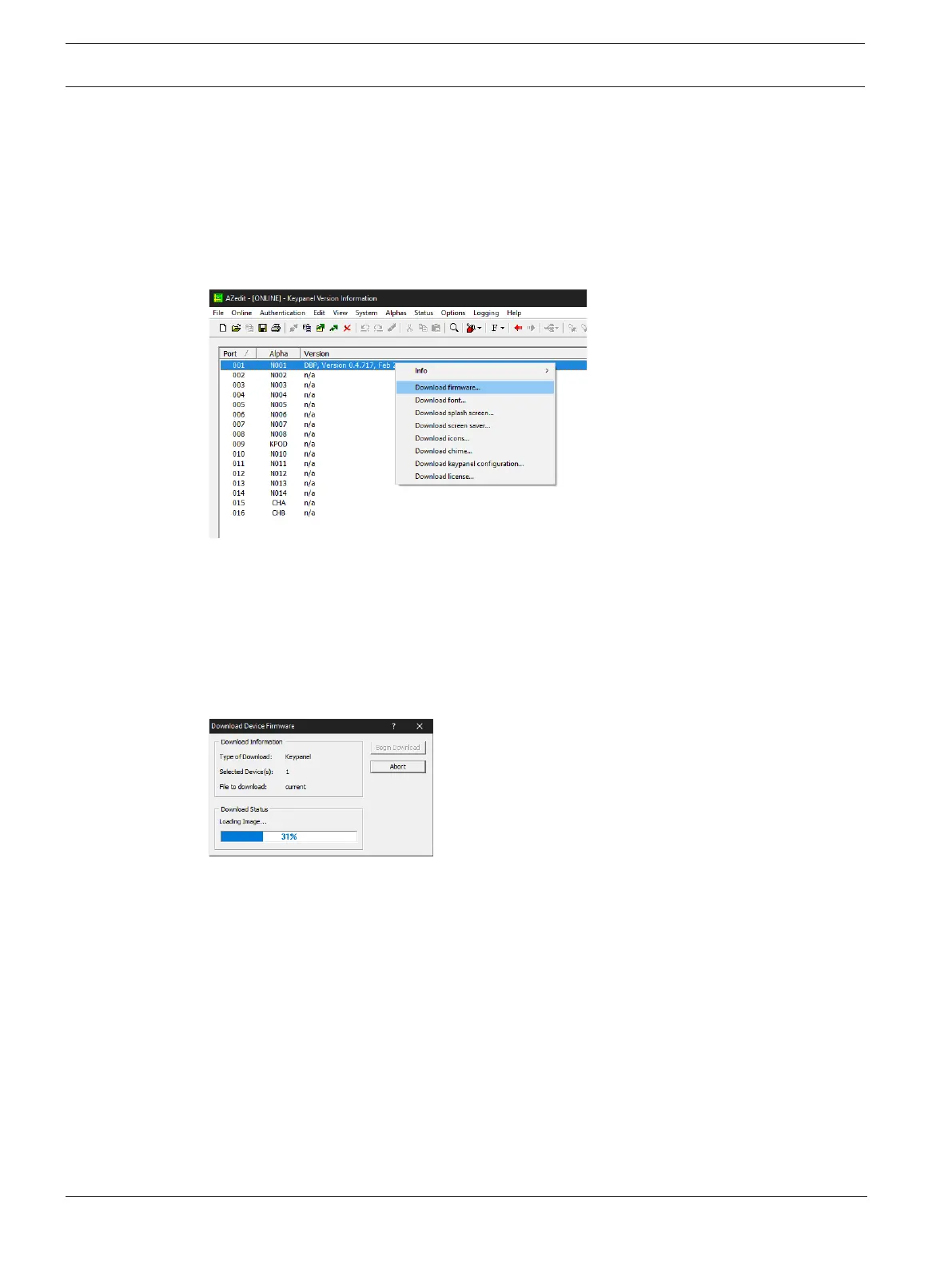
To upgrade the firmware using AZedit, do the following:
1. Open AZedit.
2. From the Status menu, select Software Versions | Port.
3. Select the port to update.
Select multiple ports by holding the CTRL key down while making selections.
4. Right-click the highlighted selections.
A popup menu appears.
5. Select Download Firmware…
The Firmware Download window appears.
6. Click the Browse button.
7. Navigate to the firmware file.
8. Click Open.
The Download Device Firmware window opens.
9. Click Begin Download.
The download begins.
10. Verify the download progress on the device.
Once the download is complete, the device reboots automatically.
8.11 Download screen saver images or splash screen images
When creating screen saver images or splash screens, use the following parameters:
Screen saver images can be a maximum of 120 pixels x 120 pixels and a minimum of 16 x 16.
Whereas, splash screens should be 240x240 pixels, to fill the whole screen. The image centers
on the screen if it is smaller than the 240 pixels.
Supported file types are: .bmp, .gif, .jpg, .png, and .tif.
To download a screen saver or a splash screen image to the device, do the following:
1. Open AZedit.
2. Select Software Versions | Keypanels from the Status menu.
The Keypanel Version Information screen displays.
3. Highlight the device to be updated.



 To Next Page