DBP Digital Beltpack Basic Operation | en 41
Bosch Security Systems, LLC
Technical Manual
2021-06 | 01 | F.01U.380.825
OMI 6.7.0 or later
AZedit 5.6.0 or later
IPedit 3.7.0 or later
FWUT
(Firmware
Upload Tool)
6.20 or later
Tab.8.2: Software requirement
To upgrade the firmware using the Firmware Upload Tool, do the following:
1. Open the Firmware Upload Tool.
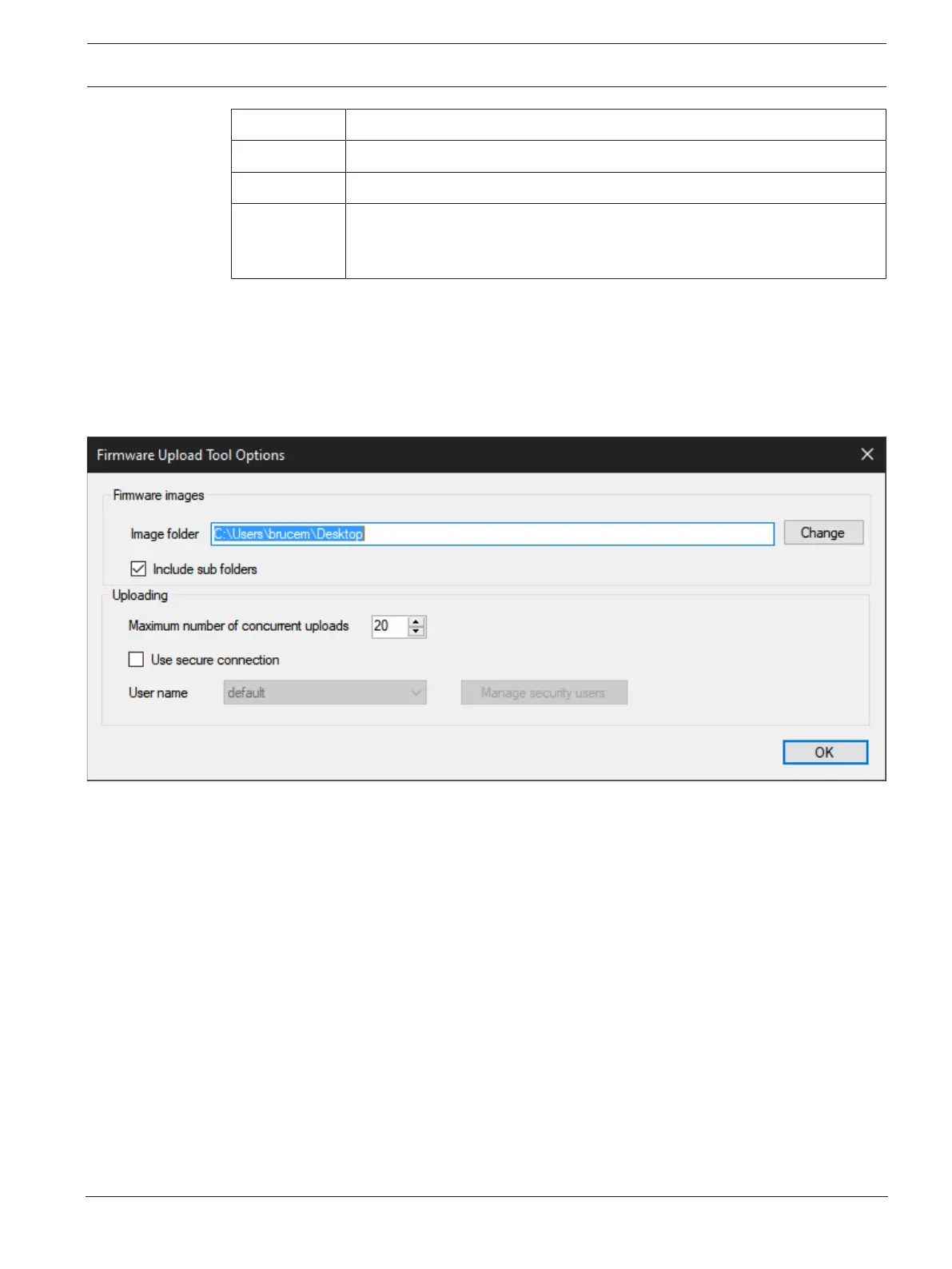
2. From the File menu, select Options.
The Firmware Upload Tool Options window opens.
3. Click the Change button.
A network folder opens.
4. Navigate to the folder where the firmware files resides.
5. Click the OK button.
The Image Folder field populates with the file path.
6. Click the OK button.
The Firmware Upload Tool Options window closes.
7. From the DBP page, select the device to update.



 To Next Page