Date Code 20080110 SEL-300 Series Relays Firmware Upgrade Instructions B-11
SEL-387E Instruction Manual
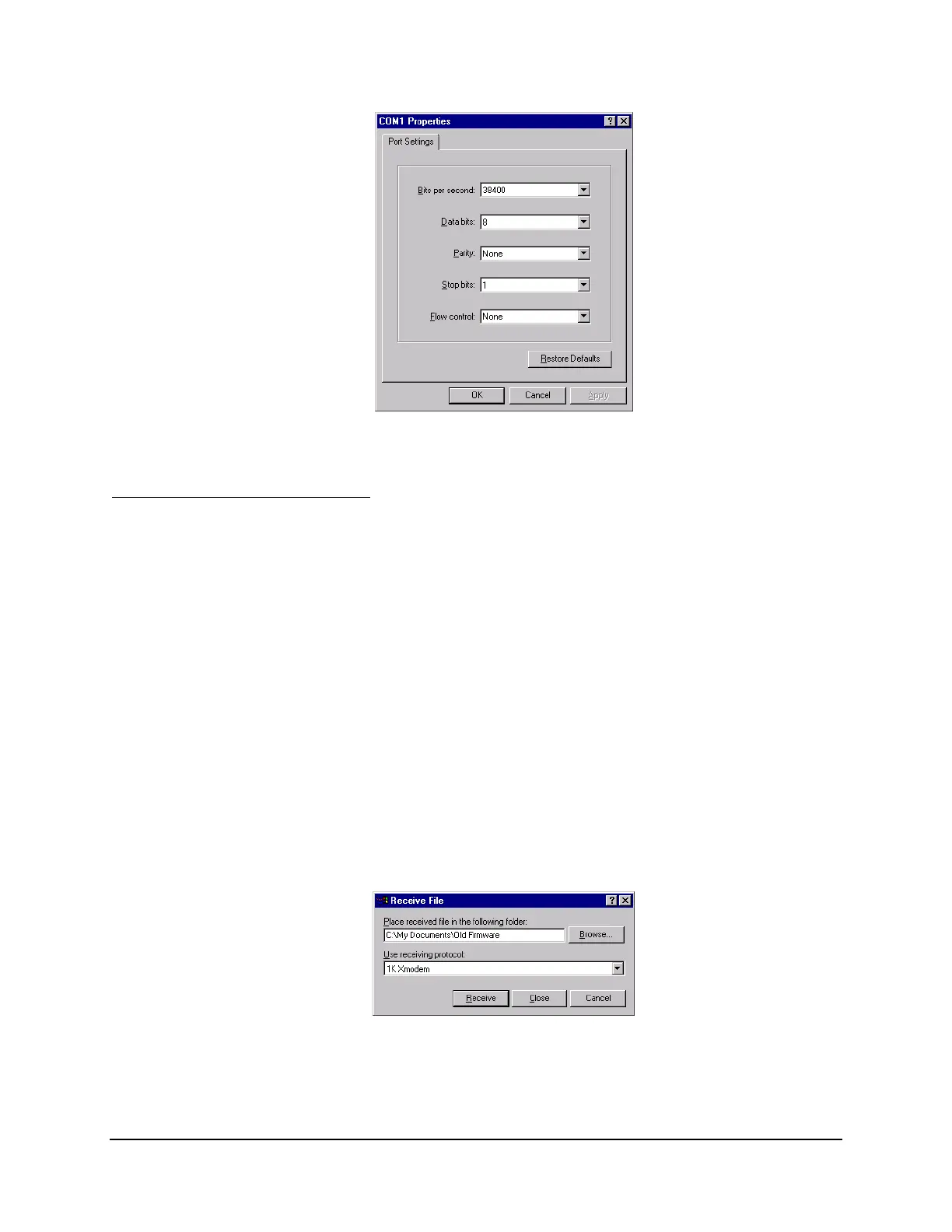
Figure B.10: Matching Computer to Relay Parameters
E. Download Existing Firmware
Copy the firmware presently in the relay, in case the new firmware upload is unsuccessful. To
make a backup of the existing firmware, the computer will need as much as 3 MB of free disk
space. This backup procedure takes 5–10 minutes at 38400 bps.
Step 1. Type SEN <Enter> at the SEL
BOOT
!> prompt to initiate the firmware transfer from
the relay to the computer.
Step 2. From the Transfer menu in HyperTerminal, select Receive File.
You should see a dialog box similar to
Figure B.11.
Step 3. Enter the pathname of a folder on the computer hard drive where you want to record
the existing relay firmware.
Step 4. Select 1K Xmodem if this protocol is available on the PC.
If the computer does not have 1K Xmodem, choose Xmodem.
Step 5. Click Receive.
Figure B.11: Example Receive File Dialog Box



 To Next Page