73
DPOF
DPOFistheabbreviationforDigitalPrintOrderFormat,whichallowsyoutoembedprinting
informationonyourmemorycard.Youcanselecttheimagestobeprintedandhowmanyprintsto
makewiththeDPOFmenuinthecameraandinsertthememorycardtothecardcompatibleprinter.
Whentheprinterstartsprinting,itwillreadtheembeddedinformationonthememorycardandprint
thespeciedimages.
TosetDPOF:
1. PushthePlayback button
onthecamera.
2. PushMenu buttontolaunchthePlaybackMenu.
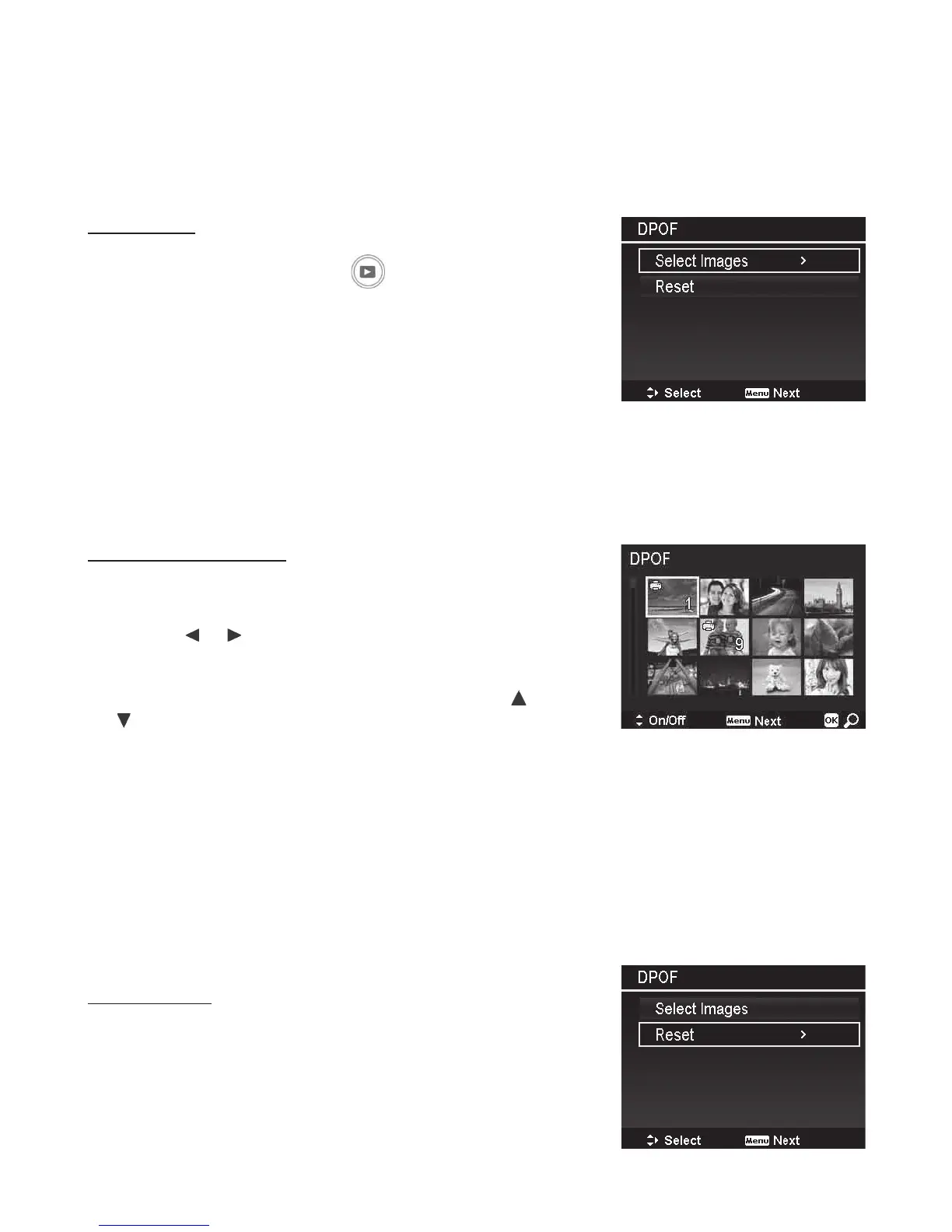
3. SelectDPOF.Thesubmenuappears.Available
settingsareasfollows:
• Select Images:Markimagesinthememory
card.
• Reset:ResetallDPOFsettingstoinitialdefault
settings.
TosetDPOFonimages:
1. SelectSelect ImagesontheDPOFsubmenu.
2. Usethe or keystoscrollandselectimagesfor
DPOFprinting.
3. Whenthedesiredimageishighlighted,usethe or
toincrease/decreaseprintquantity.
4. Afterselectingalltheimagesyouwanttoprint,
pushtheMenubuttontolaunchtheDPOFsetting
submenuandchooseamongthefollowingoptions:
• Date:ChooseYEStoprintdateontheimage.
• Info:ChooseYEStoprintexposuredataonthe
image.
• Done: SavestheDPOFsettingsandgoesbackto
Playbackmenu.
ToresetDPOF:
1. SelectResetontheDPOFsubmenu.
2. ThecamerawillremoveallDPOFsettings.



 To Next Page