74
Copy
Usethisfeaturetocopyimagesfrominternalmemorytoaninstalledmemorycardorfrommemory
cardtointernalmemory.
Tocopyimages:
1. PushthePlayback button
.
2. PushMenu buttontolaunchthePlaybackMenu.
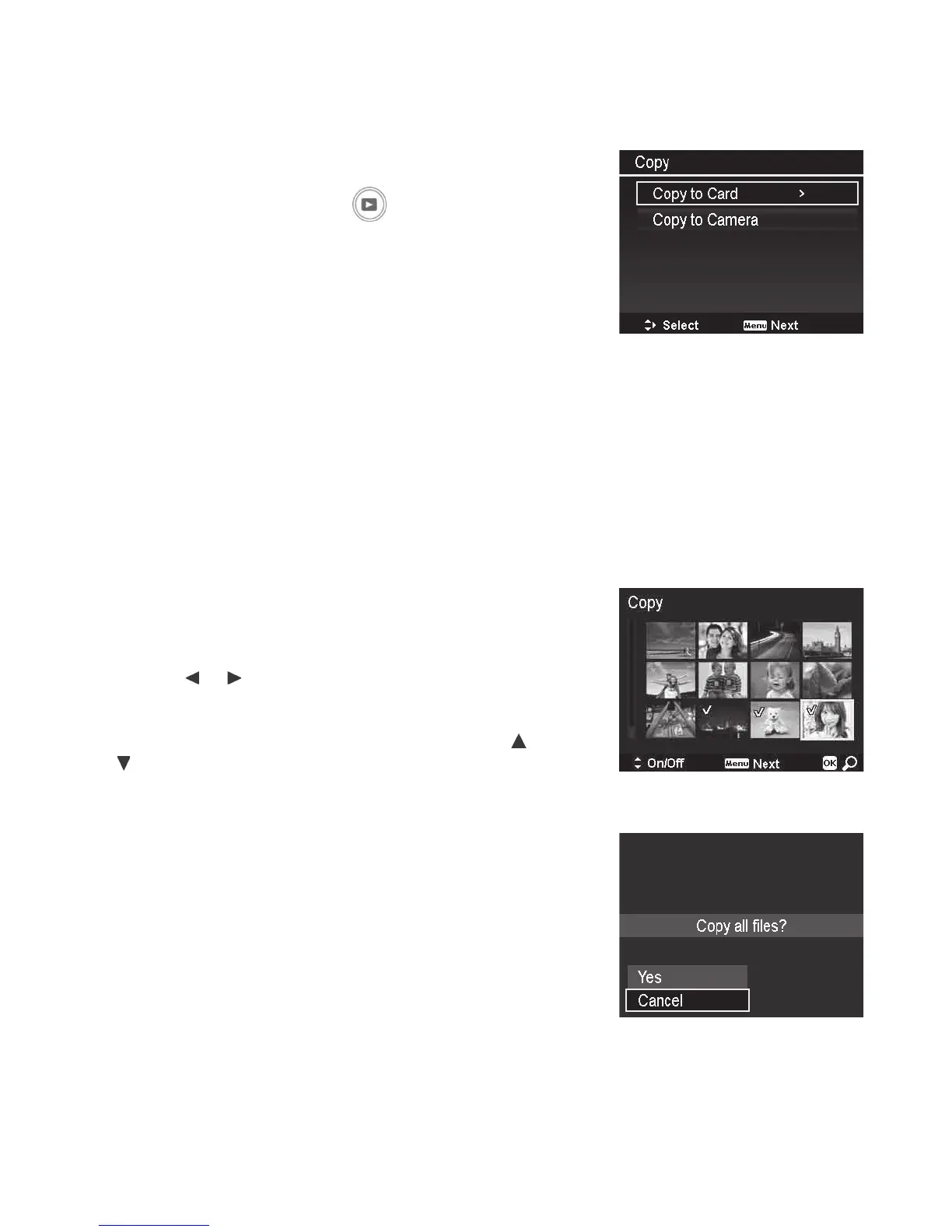
3. SelectCopyandchoosethelocationyouwantto
copyimagesto:
• Copy to Card:Copiesimagessavedininternal
memorytotheinstalledmemorycard.
• Copy to camera:Copiesimagessaveinthe
installedmemorycardtothecamera’sinternal
memory.
4. Afterchoosingthecopylocation,selecttheimagesyouwanttocopy.Choicesare:
• Selected images:Selectthespecicimagesyouwanttocopy.Seebelowfordetailson
howtoselectimages.
• All images.Copyallimages.
Tocopyselectedimages:
1. SelectSelected imagesontheCopysubmenu.
2. Usethe
or keystoscrollandselectimagesto
markforCopying.
3. Whenthedesiredimageishighlighted,usethe or
keystomark/unmarktheleforcopying.
4.PushtheMenubuttonandselectYestostart
copying.
Tocopyallimages:
1. SelectAll imagesontheCopysubmenu.
2. SelectYestostartcopying.
Note:TheCopyfunctionisnotavailablewhennomemorycardisinserted.Thenumberofimages
youcancopyfromthecardtointernalmemoryislimitedtothecamera’savailablememorystorage
space.



 To Next Page