HF Series Generators
Configuration
CF-1018R3
10
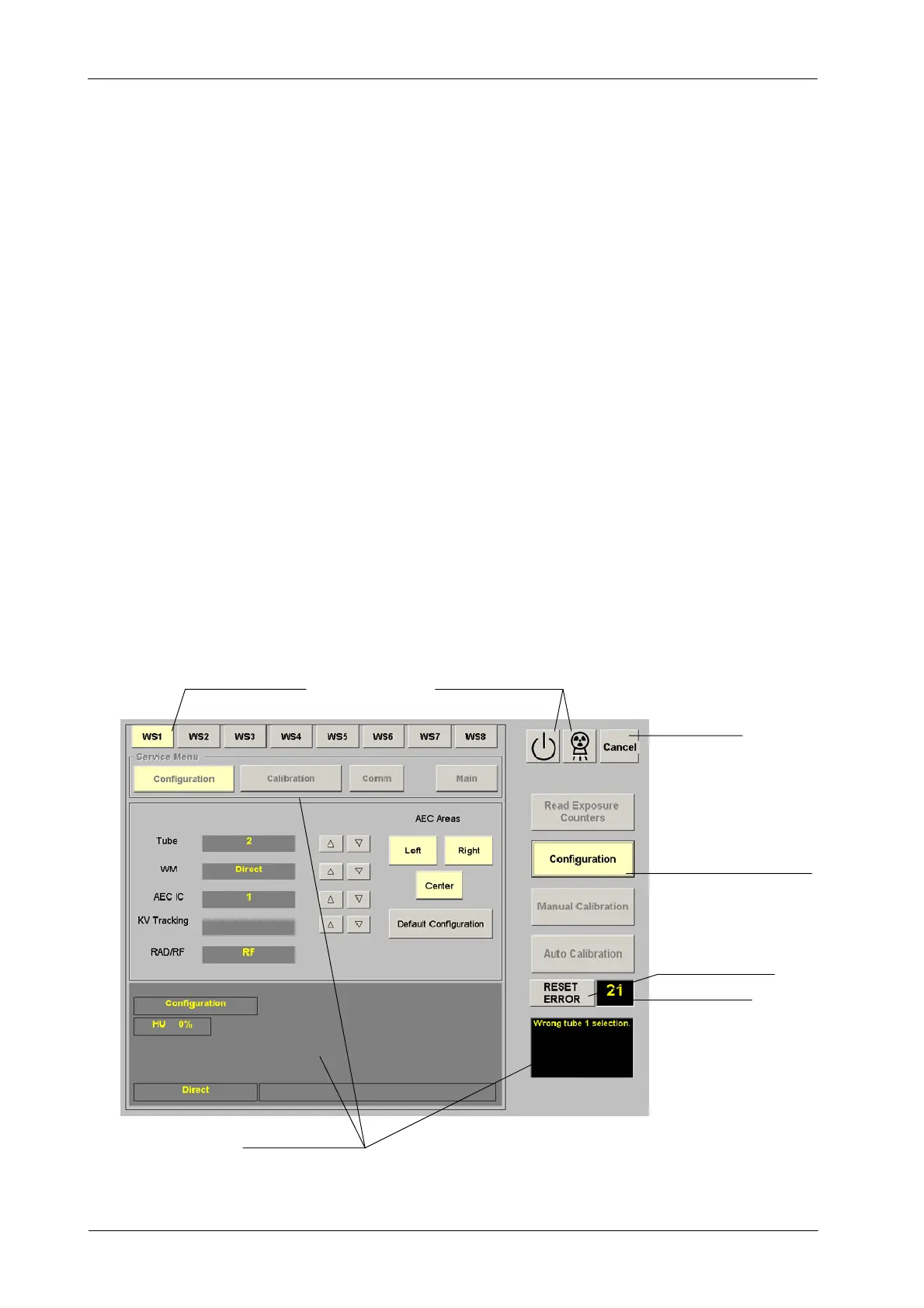
The screens to “Read Exposure Counters”, to enter in “Configuration”, “Manual
Calibration”or“Auto Calibration” are displayed a fter selecting the respective
button on the right side. Press again the selected button (in yellow on the right
side) to return to the GSM menu.
The “Cancel” button can also be used to return to the GSM menu, specially if
the others buttons are disable.
Whenever the “Configuration” menu is closed (by pressing any of
“Configuration” or “Cancel” buttons) a double-beep will sound
confirming the storage of the values set for each w orkstation.
During operation of the GSM program the color of the selected buttons changes
to yellow when they are selected.
Press the “ Close” button to exit from the GSM program.
Exposure status indicators for “Ready” and “X-ray On” are located on the upper
right area of the GSM screens. The “Information Area” displays data related to
the service mode, remaining heat units, working mode, errors indicators, etc.
When an error code or message is displayed on the GSM program press the
“Reset Error” button to reset the error indication.
Illustration 1-3
Status and Error Indicators
Exposure Indicators
Button of Menu Selected
Error Indicator
Information Areas
Cancel Button
Reset Error Button
Workstation Selected
Note .



 To Next Page