Factory Default
Setting Item, Function, Setting Range
Press the MODE key multiple times until the following characters appear.
c///
/ ///3
OUT1 proportional cycle
• Sets OUT1 proportional cycle.
• For the relay contact output type, if the proportional cycle time is decreased, the
frequency of the relay action increases, and the life of the relay contact is
shortened.
Factory default value differs depending on the output type as follows:
Relay contact output type: 30 seconds
Non-contact voltage output type: 3 seconds
Direct current output type: Not available
• Setting range:
0.5, 1 to 120 seconds
Available when OUT1 is relay contact output or non-contact voltage output.
Press the MODE key multiple times until the following characters appear.
cont
/ heat
Direct/Reverse action
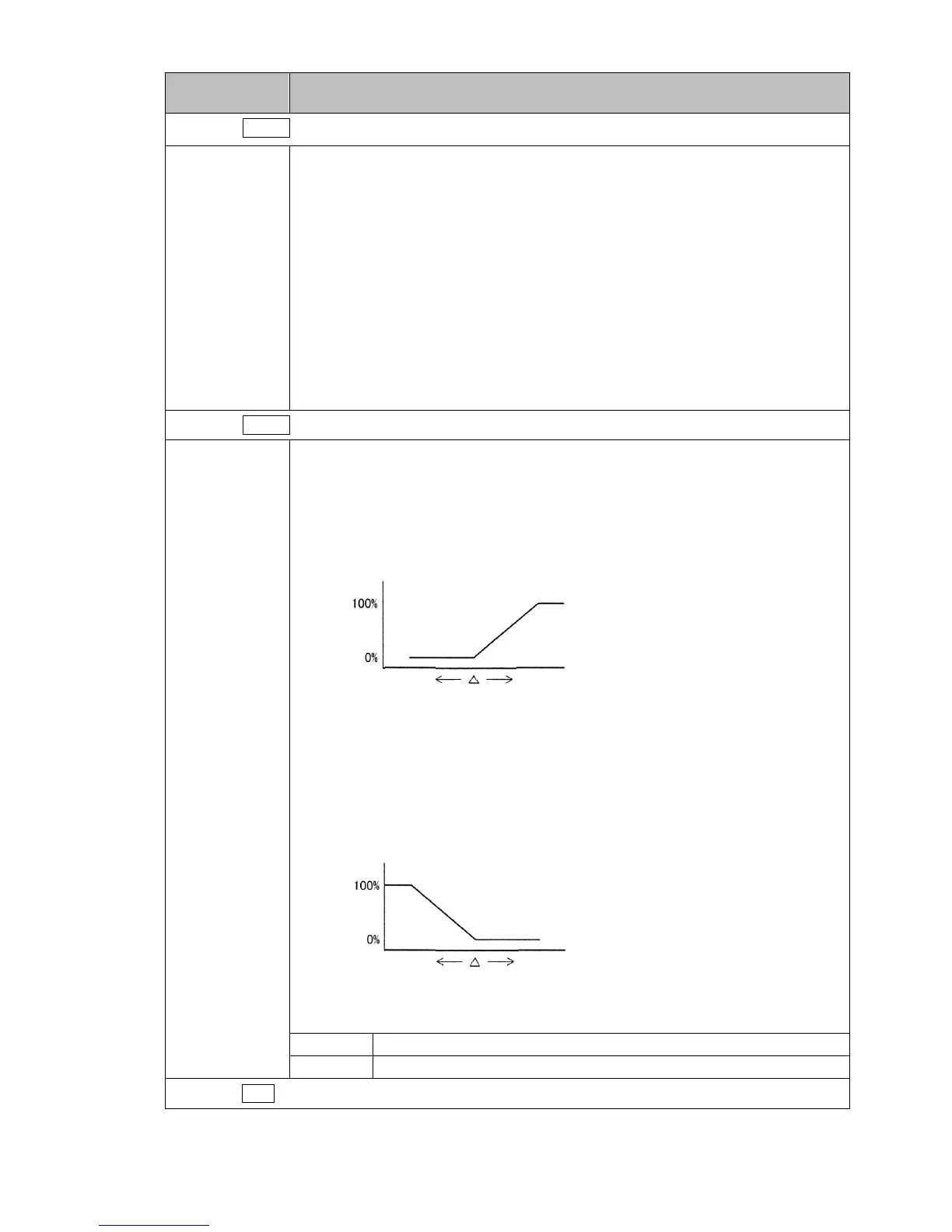
• Selects either Direct (Cooling) or Reverse (Heating) control action.
Direct action
In Direct action, MV is increased when PV is higher than SV (positive deviation).
Refrigerators perform Direct action.
(Fig. 6-14)
Reverse action
In Reverse action, MV is increased when SV is higher than PV (negative
deviation).
Electric furnaces perform Reverse action.
(Fig. 6-15)
• Selection item:
heat Reverse action
cool Direct action
Press the RST key. The unit returns to RUN mode.
At this stage, the initial settings are complete.
Refer to Sections ‘7. Basic Settings and Operation (p.37)’ and ‘8. Explanation of Setting Items (p.43)’.
MV
HighLow
SV
PV
MV
HighLow
SV
PV



 To Next Page