- 64 -
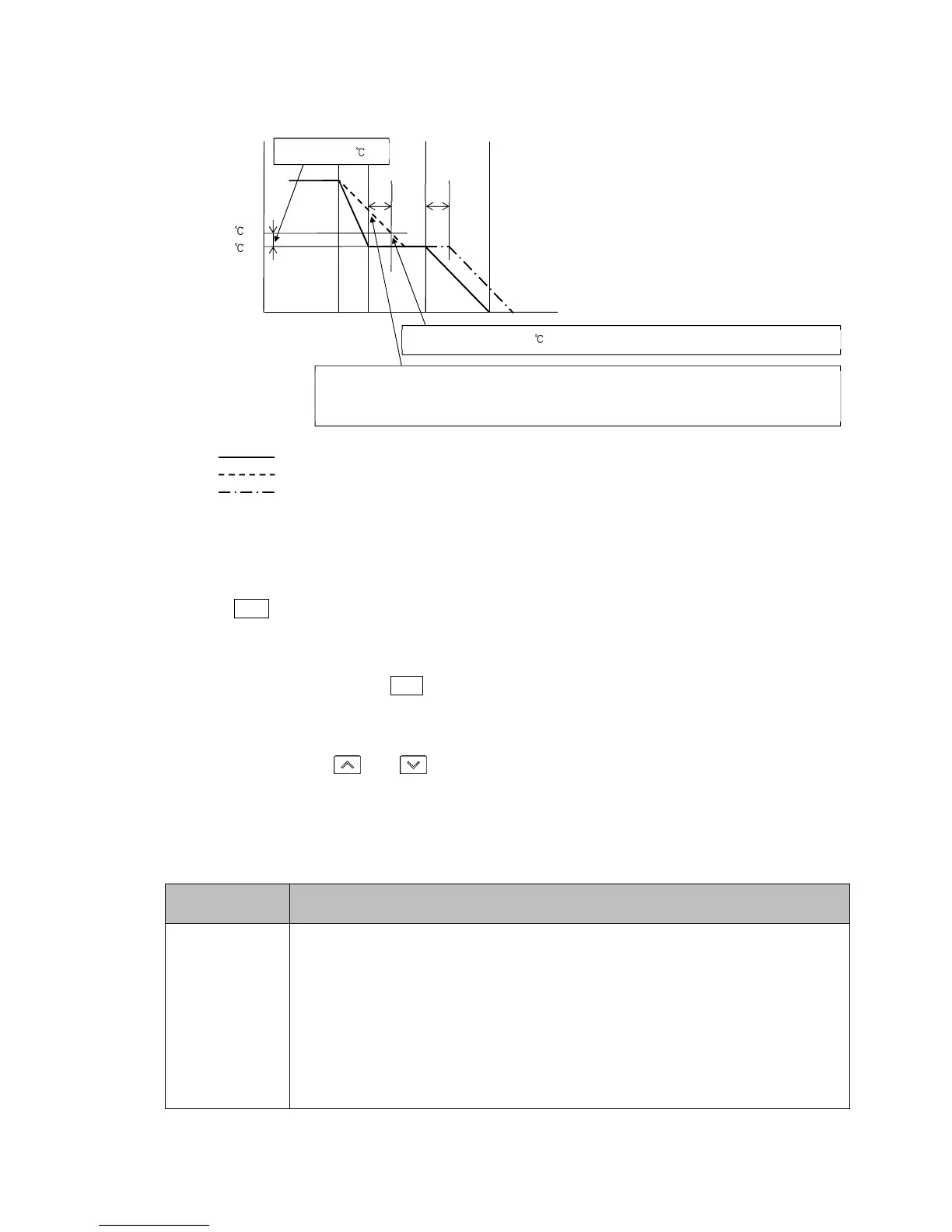
• Program pattern falling step:
(Fig. 8.4-2)
• How to cancel the Wait function
Press the RUN key for approx. 1 second to cancel the Wait function.
• Before entering Wait parameter setting mode
Select a pattern number with the PTN key before entering Wait parameter setting mode.
• How to enter Wait parameter setting mode
In RUN mode, press the and key (in that order) together for approx. 3 seconds.
The unit enters Wait parameter setting mode.
Setting items in Wait parameter setting mode are shown below.
Factory Default
Setting Item, Function, Setting Range
wait
1 ///0
Wait value
• Sets the Wait value.
Wait value is common to all steps for each pattern.
When set to 0 or 0.0, the Wait function is disabled.
• Setting range: 0 to 20% of input span (*)
(*) DC voltage, current inputs: 0 to 20% of scaling span (The placement of the decimal point
follows the selection.)
When PV becomes 510 , Wait function is cancelled, proceeding to the next step.
As PV is not in the range of [SV+Wait value], the Wait function is activated, and the unit does not
proceed to the next step. The PV Display and PTN/STEP Display flash during the Wait function.
Program pattern
PV
Program pattern delayed by T due to the Wait function



 To Next Page