User Manual For - CONTROLLER/DATA RECORDER MultiCon CMC-99/141
7.8.11.7. Application in Math function mode
See also: Chapter 7.8.6. Logical Channels - Math function mode.
Task:
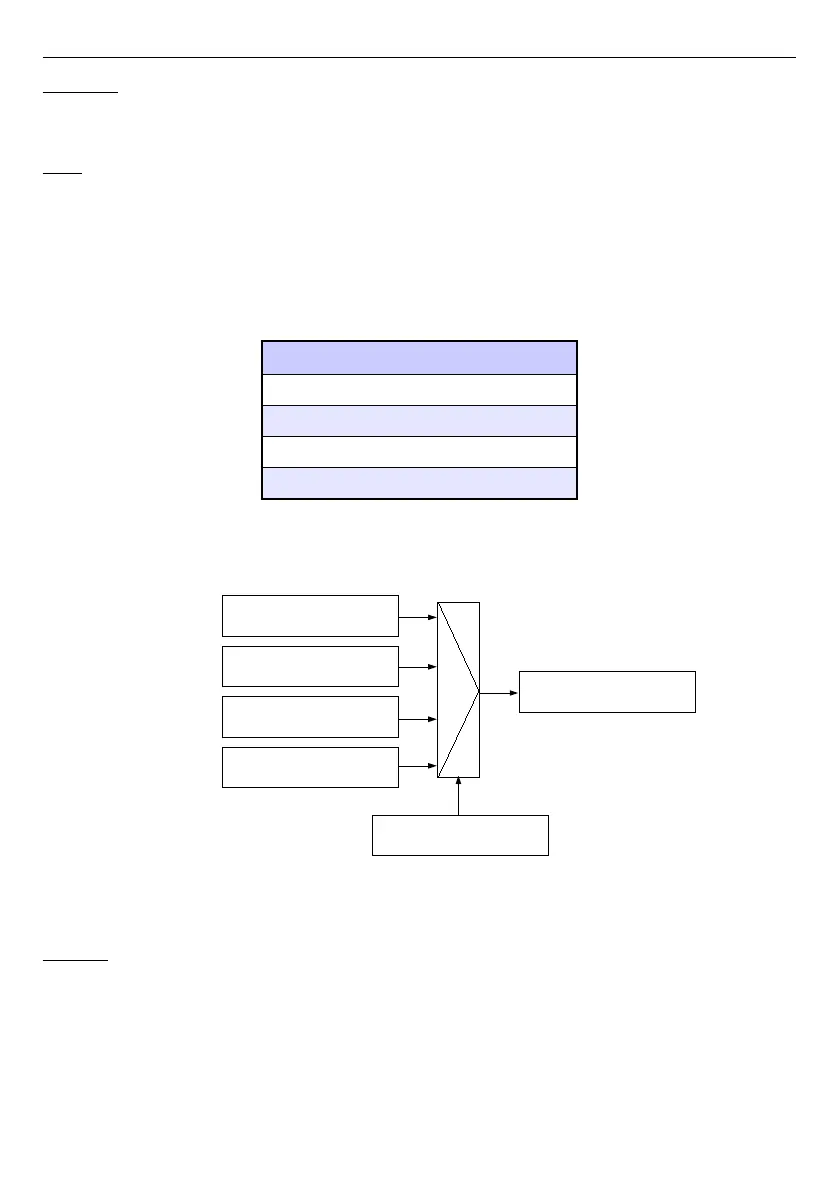
The task is to create a logical channel with the function returns a value of logical channel
(
X [i]
) selected by the other logical channel (
Y
).
Suppose we have defined four logical channels 1, 5, 8, 12 in
Set point
mode. However,
in the logical channel 2 will be the value derived from the temperature sensor. In the logical
channel 3 create math function
X [i] selected by the Y
. Using the value of channel 2 we
select value from the channels 1, 5, 8, 12.
The result of this function is placed in
Tab. 7.4
:
Y value Value of logical channel 3
Y≤0 Value of logical channel 1
0<Y≤1 Value of logical channel 5
1<Y≤2 Value of logical channel 8
Y>2 Value of logical channel 12
Tab. 7.4 Example of configure function X [i] selected by the Y
Fig. 7.71. The block diagram of a mathematical function X [i] selected by Y
Solution:
We define a logical channels in
Set point value
mode:
– touch screen and press the
Menu
button,
– press the
Device configuration
button,
– enter
Logical channels
menu,
– using the arrows in the top navigation bar, select any
logical channel
such as 1,
– in
Name
parameter write
1
,
–
Mode
parameter set as
Set point value
,
129
Logical channel 1
Logical channel 5
Logical channel 8
Logical channel 12
Logical channel 2
Logical channel 3
X[i]
Y
Output
Select Logical channel



 To Next Page