User Manual For - CONTROLLER/DATA RECORDER MultiCon CMC-99/141
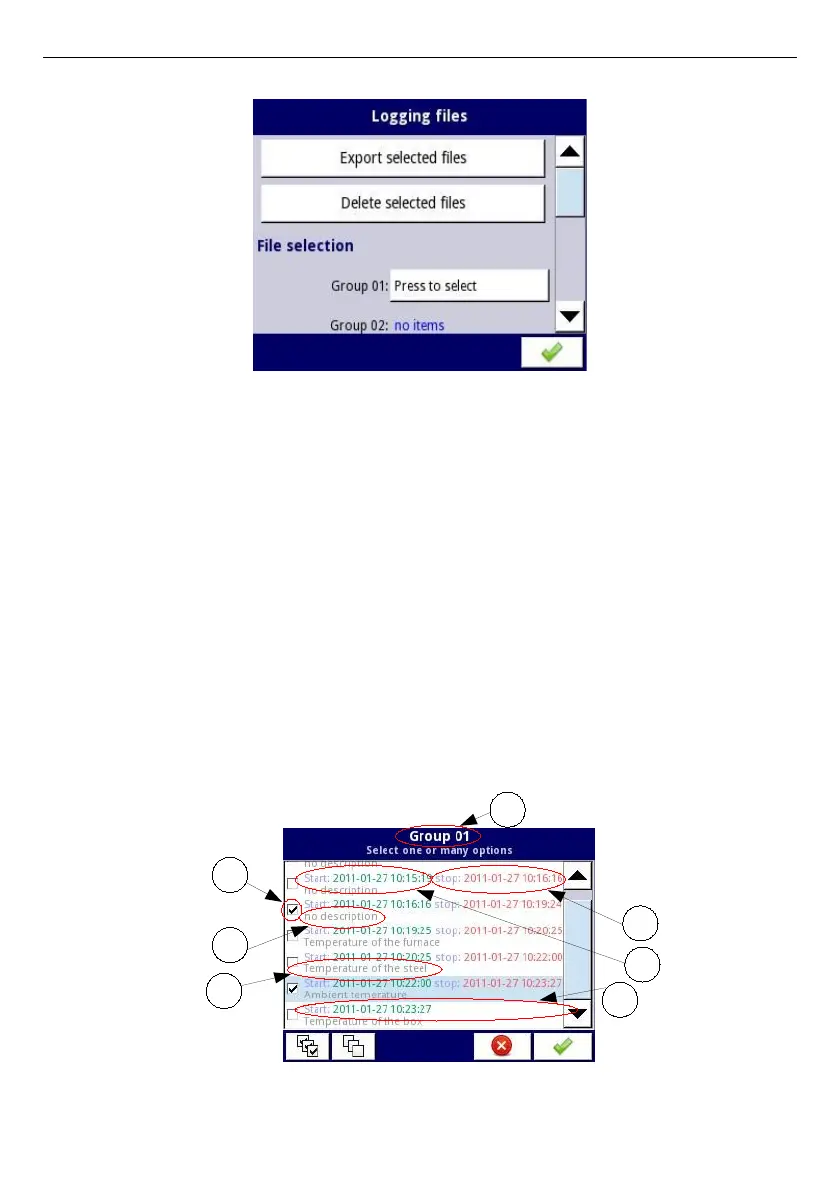
Fig. 7.17. Logging files menu
The
Logging files
menu is presented in
Fig. 7.17
. The menu consists of buttons:
–
Export files
- after pressing this button the selected logged files will be exported to a
flash drive,
–
Delete files
- after pressing this button the selected logged files will be removed
from the device,
–
Press to select
next to the
Damaged files
label- (this button is visible if at least one
damaged file exists) when the user presses this button the window with a list of
damaged files is dispayed (the damaged logging files are those that contain errors
caused by inappropriate shutdown the device during data logging). There is no
guarantee that this logged data will be readable,
–
Press to select
next to
Group number
label - if the user has enabled the logging of
particular group of logical channels (see
Chapter 7.14.2. Groups - Logging
options
) in the
Logging files
menu next to the label of the group number appears
the button
'Press to select'
. Depending on how many groups (the device can define
10 groups) logging is enabled (past or present) as many
'Press to select'
buttons
will be active.
Fig. 7.18. A sample view of selected logged files from Group 1
48
2
1
3
4
5
6
7



 To Next Page