Do not touch the cartridge’s bottom drum with bare hands.
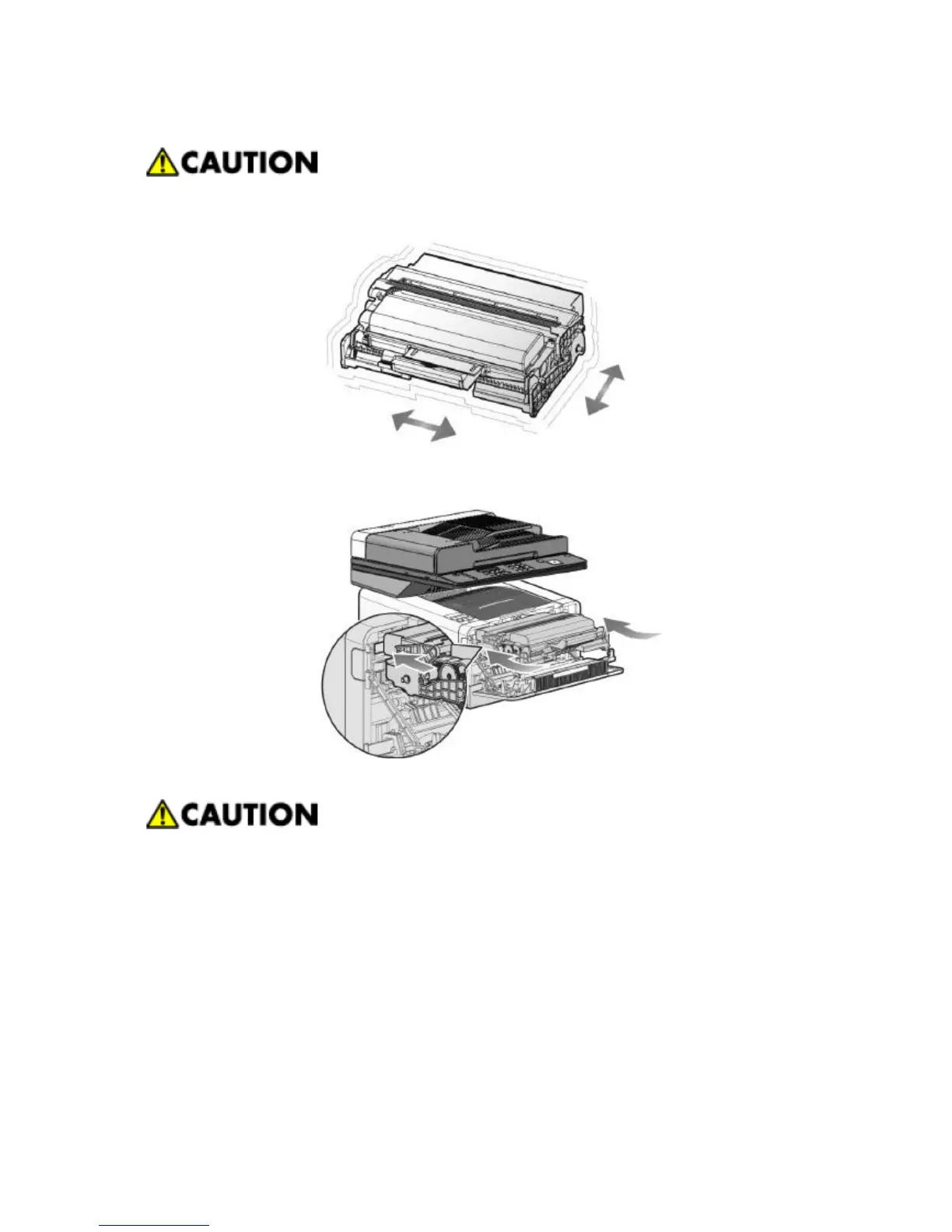
4. Hold cartridge handles and shake it lightly to spread toner evenly.
5. Hold cartridge handles and place the both cartridge hooks with the printer holes.
6. Push the cartridge in until it clicks and locks.
7. Close the front cover. Check if both ends of cover clicked and locked.
Check if multipurpose tray’s cover is closed when closing the front cover. If the front cover is closed while
multipurpose tray’s cover is open, it can cause paper jam and malfunction.



 To Next Page