Optional Tray S/W Upgrade (Download)
Pre-Condition Setting (Step 1)
The download program (FlashSta) must be installed on PC and ABBAbank.mot file and ABBAbank.id file
must be in same folder.
Proceed with the followings before running the download program.
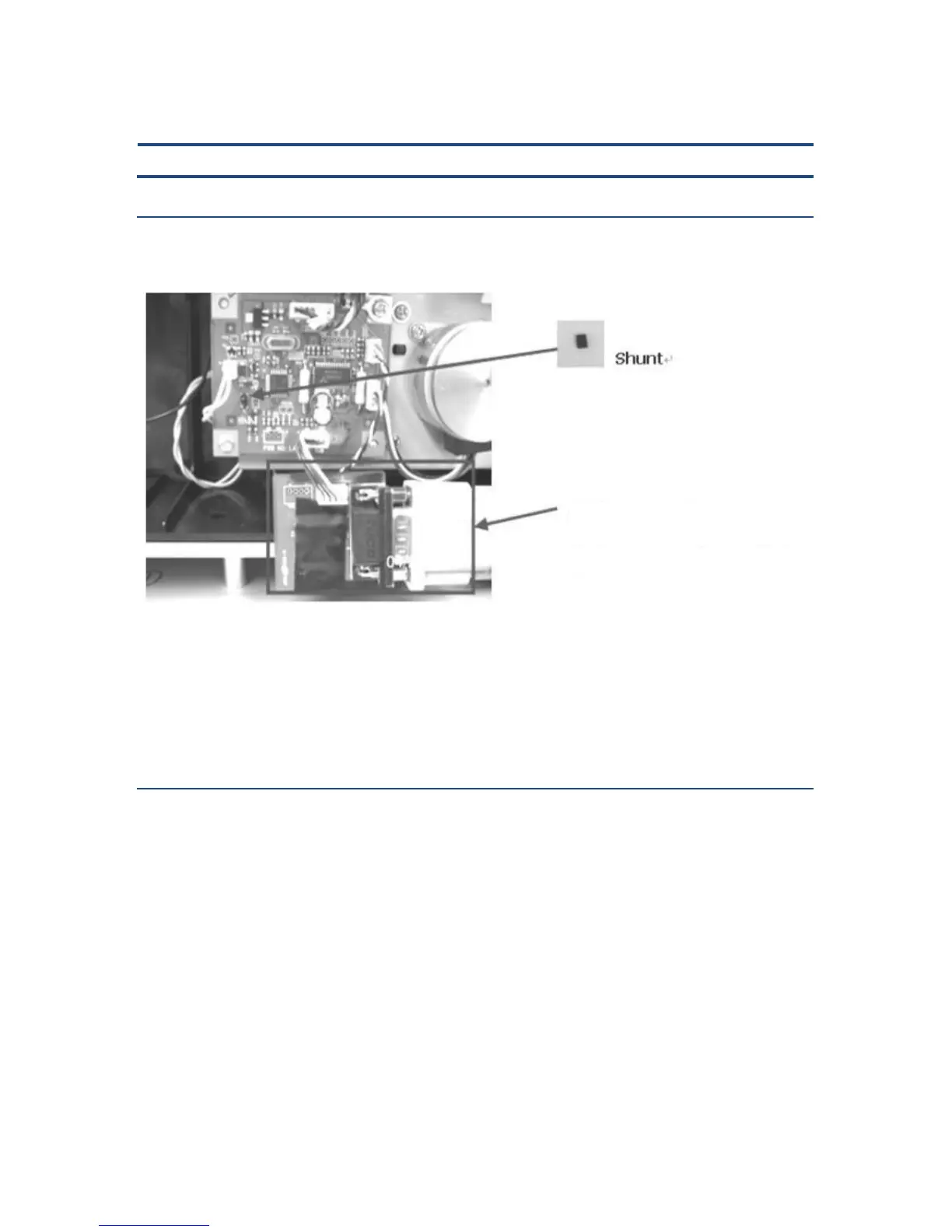
1. Turn the power off and plug Shunt on arrow to tray board as above figure.
2. Connect 1 set of download cable as the figure and connect it to serial port on PC.
3. When setting is completed as above figure, apply power.
Program Download (Step 2)
When step 1 is completed, run the FlashSta.exe file from PC.
Download will proceed as the followings.
(Communication Board + Harness + Cable)



 To Next Page