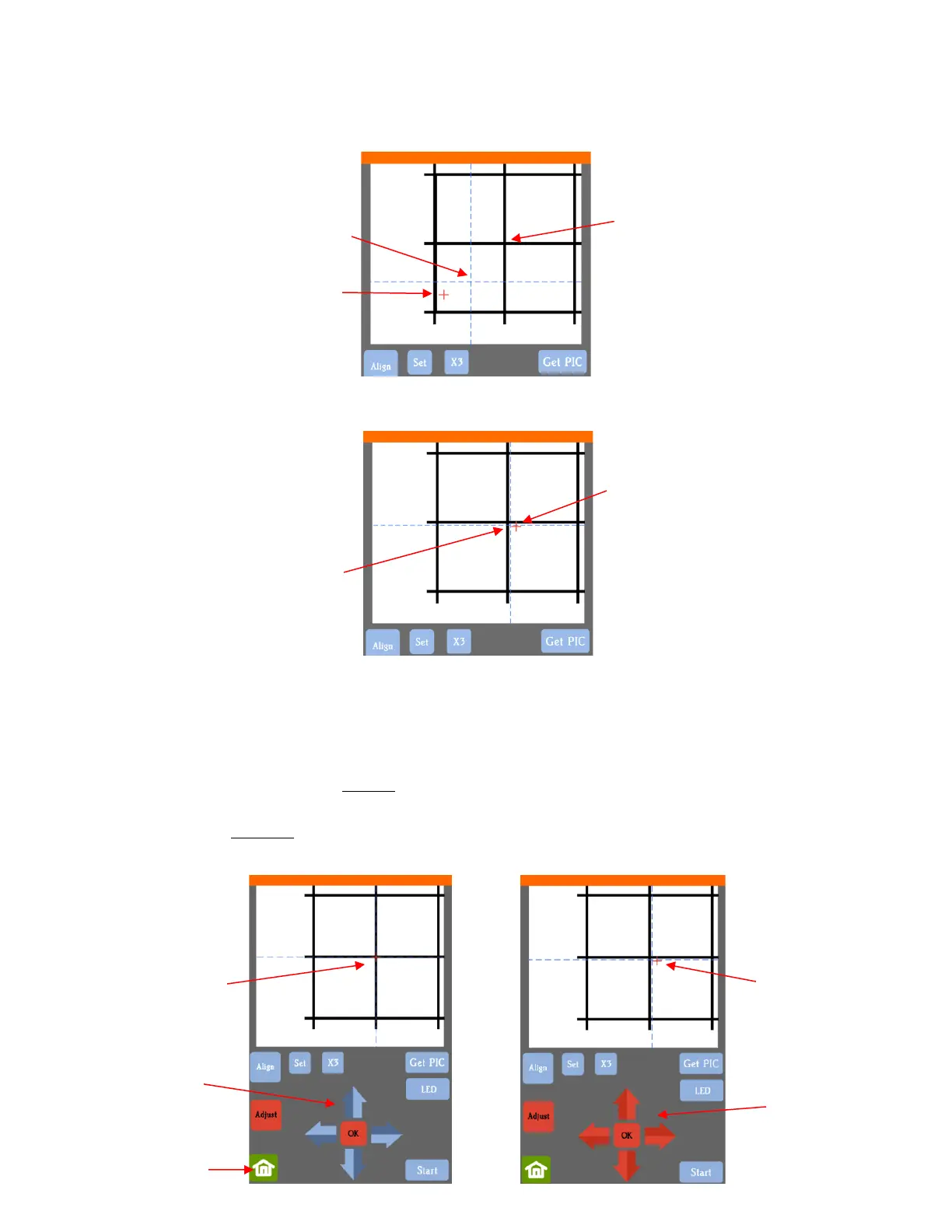
(8) Tap your finger near the middle of the drawn test shape. This will move the red + to that location:
(9) Press OK. A new photo will be taken and one of two things will happen:
The red + is so close to the center that the Skycut will now take over and find the true center on its own.
You will see the red + and the blue dashed + aligned in the center and the arrows (only) will return to
their blue color. Refer to the left side of the next screenshot.
The red + and the blue dashed + are still not aligned and the arrows around the OK button are still red.
Refer to the right side of the next screenshot. You will need to tap the center again and press OK.
Continue, if needed, until the center is identified.



 To Next Page