125
Service Manual
11 System Maintenance
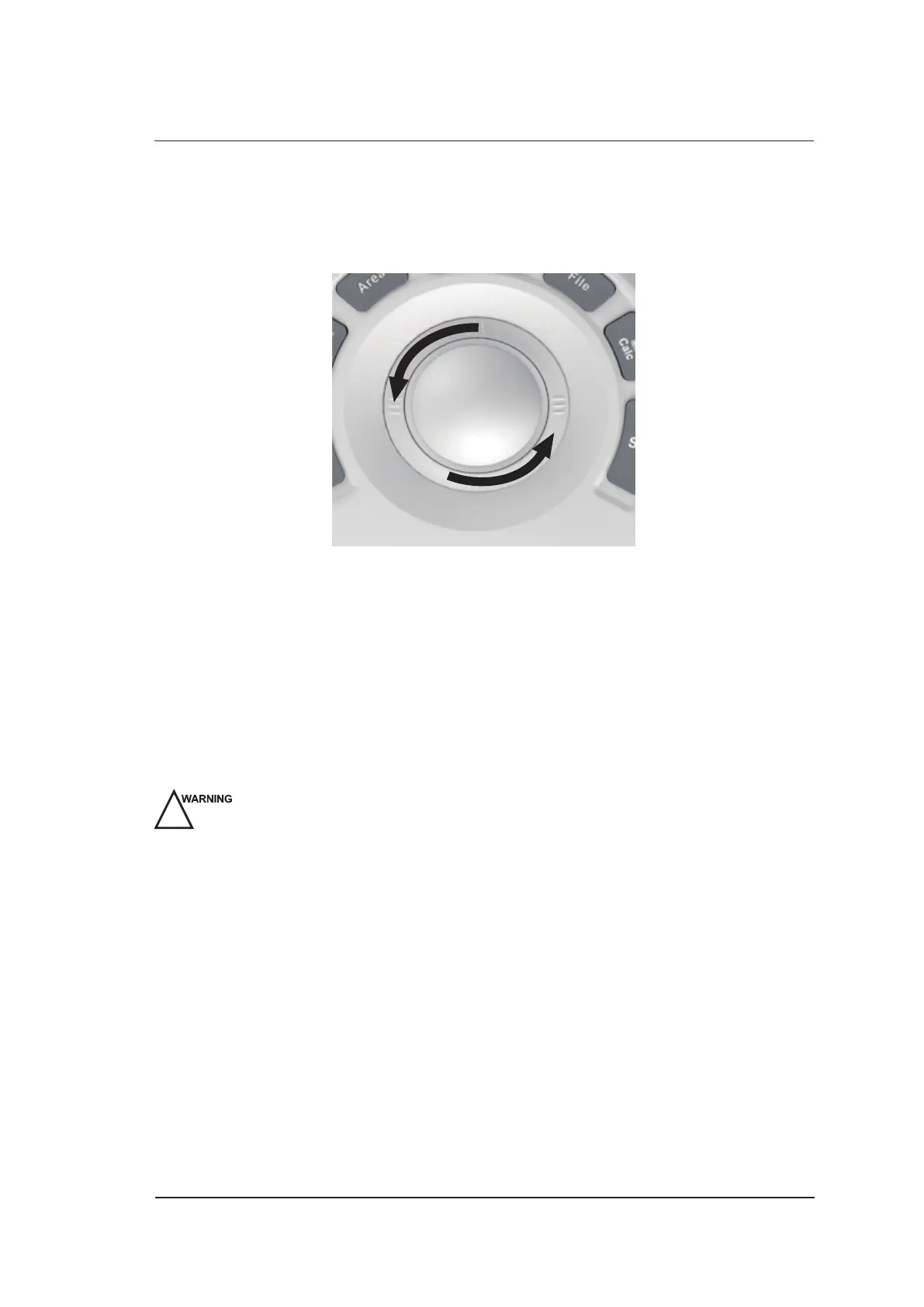
To clean the trackball
1. Power off and unplug the ultrasound system from the AC power outlet.
2. Press the bulges in the ring by both hands.
3. Turn the ring anticlockwise until the ring lifts.
4. Take out the ring and ball (careful not to drop the ball) from the control panel.
5. Use a lint-free soft cloth dampened with 75% to clean the trackball.
6. Use a cotton swab dampened with 75% to remove stains from the ring.
7. Place the trackball and the ring back to the control panel, press the bulges in the ring by both
hands and turn the ring clockwise to install the trackball.
11.2 Probe Maintenance
11.2.1 Cleaning the Probe
!
●
To avoid probe damages, do not bump the probe on hard surfaces during the
cleaning.
●
To avoid the electric shock, disconnect the probe from the ultrasound system before
the cleaning.
●
To avoid the potential disease transmission, you should wear medical sterile gloves
and protective goggle during the cleaning.
Perform the following steps to clean the probe.
1. Remove all coupling gel from the transducer surface.
2. Disconnect the probe from the ultrasound system, and remove the probe sheath and the biopsy
bracket from the probe.
3. Clean the probe with a lint-free soft cloth slightly dampened with the potable water. If the probe
surface carries too much residue, remove all visible residue with a lint-free soft cloth soaked in
the cleaner (such as mild soap water or enzyme detergent), then remove all cleaner residue with a
lint-free soft cloth dampened with the potable water.
4. Rinse the probe with the fresh running water, and then dry it with a lint-free soft cloth dry cloth.



 To Next Page