33
Service Manual
4 Parts Disassembly
4.3 Touch Screen Disassembly
One cross screwdriver and one short-handled screwdriver are needed during the touch screen
disassembly.
Perform the following steps,
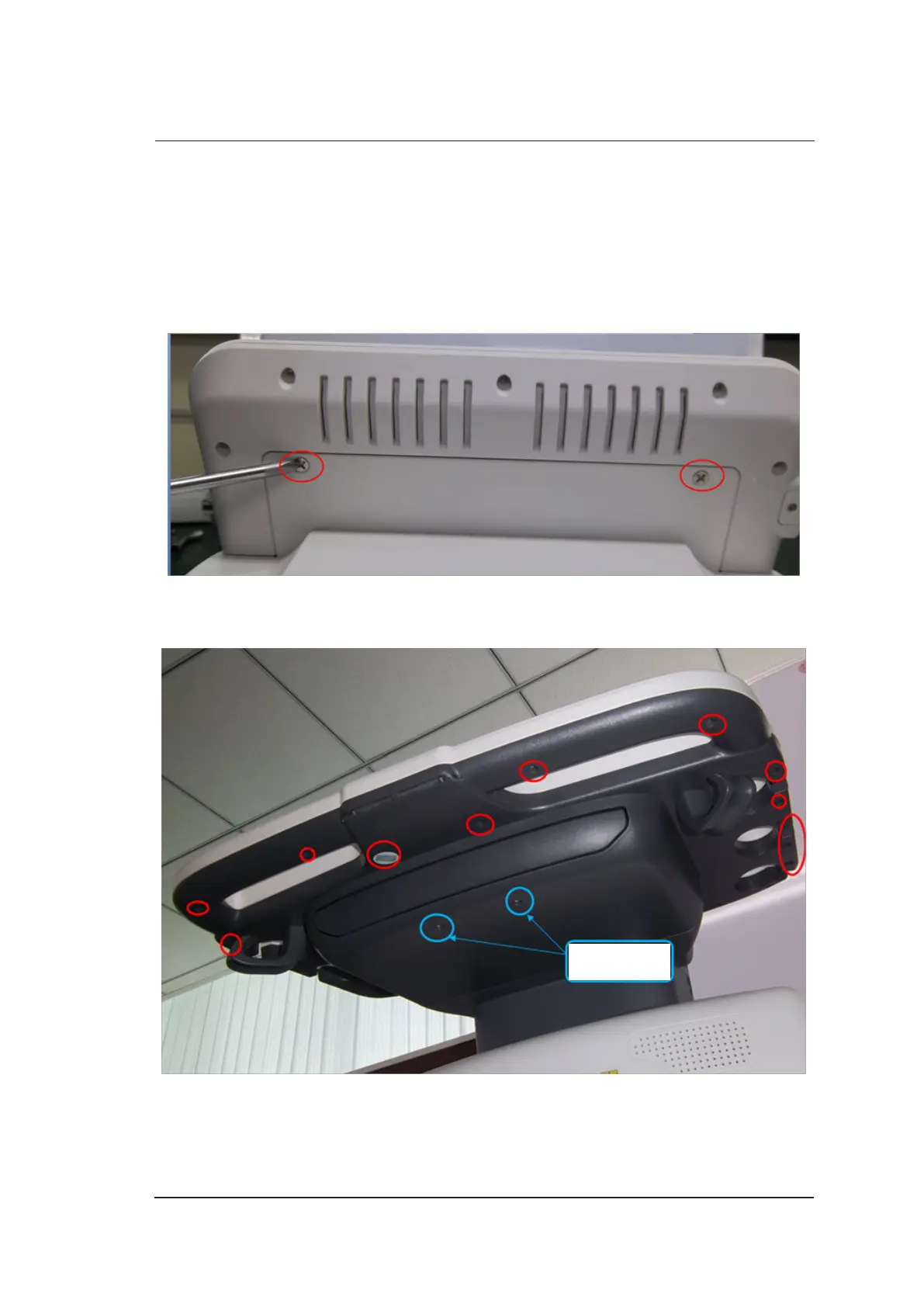
1. Use the cross screwdriver to remove two screws from the back cover of the touch screen.
2. Take out all probe holders.
3. Use the screwdriver to remove 19 screws from the back key panel.
Not these two
screws



 To Next Page