30 Service Manual
4 Parts Disassembly
4.2 Monitor Arm Disassembly
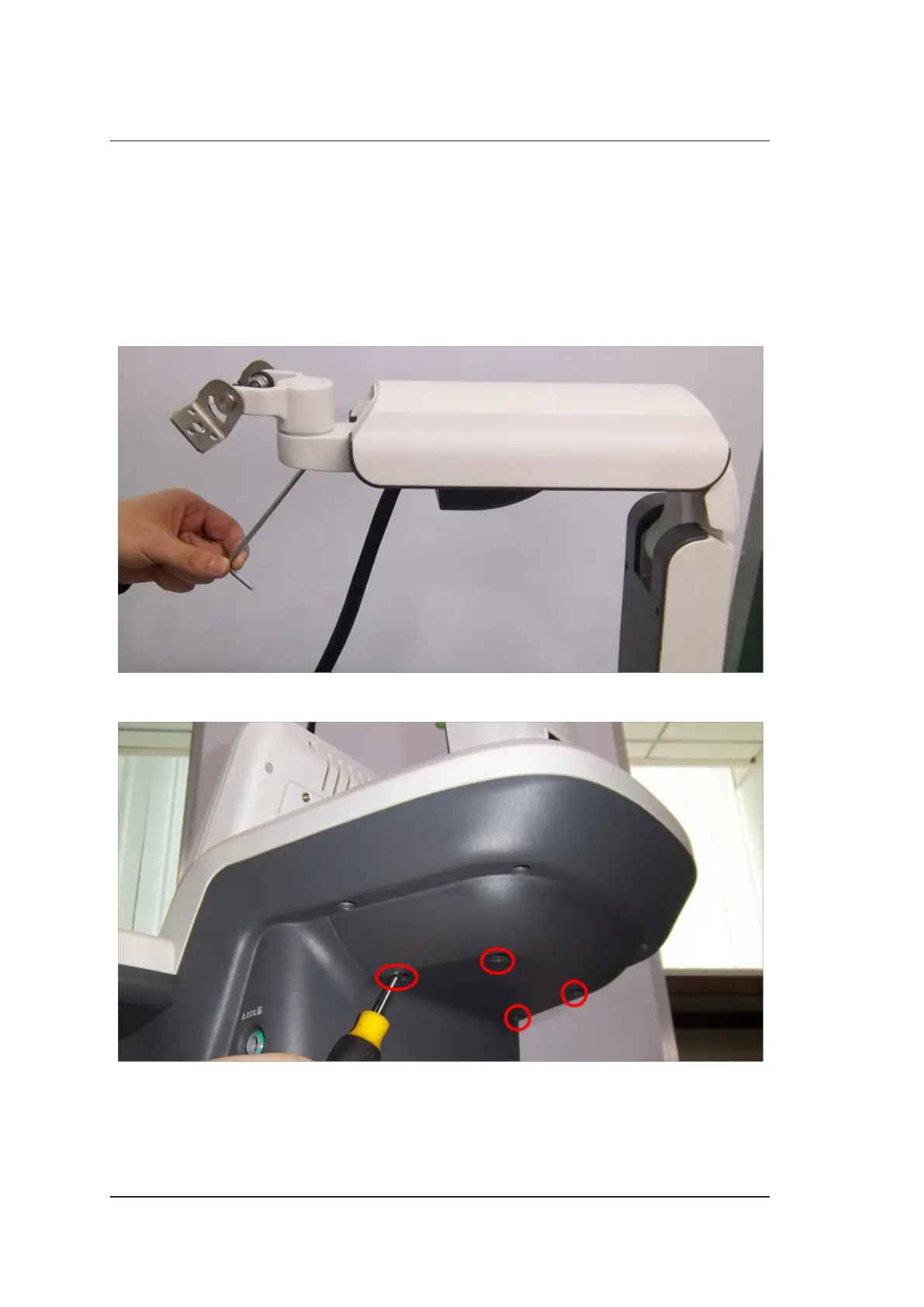
One cross screwdriver, one short-handled screwdriver and two hex key wrenches (4mm and 5mm
each) are needed during the monitor arm disassembly.
Perform the following steps,
1. Disassemble the LCD monitor. For details, refer to Section 4.1 LCD Monitor Disassembly.
2. Use the hex key wrench (4mm) to remove the screws and take out the display linkage assembly.
3. Use the short-handled screwdriver to remove four screws and take out the back cover of support
platform.



 To Next Page