14215700-IG, Edition 15.0
May 2020, Original document
257
The different types of statuses are:
l emergency (errors causing the system to malfunction for all calls)
l critical (events that do not occur under normal operation, cause major malfunction)
l error (events that do not occur under normal operation, cause minor malfunction)
l warning (events that do not occur under normal operation, may cause malfunction)
l notice info (events that occur under normal operation)
Selecting notice info will show all types of statuses, selecting e.g. error will show errors and
above (critical and emergency). Selecting emergency will only show emergencies.
3. Click Export if you want to save the logs in a file.
Note:
It is not necessary to export logs for each different status. All types will be part of
the log file.
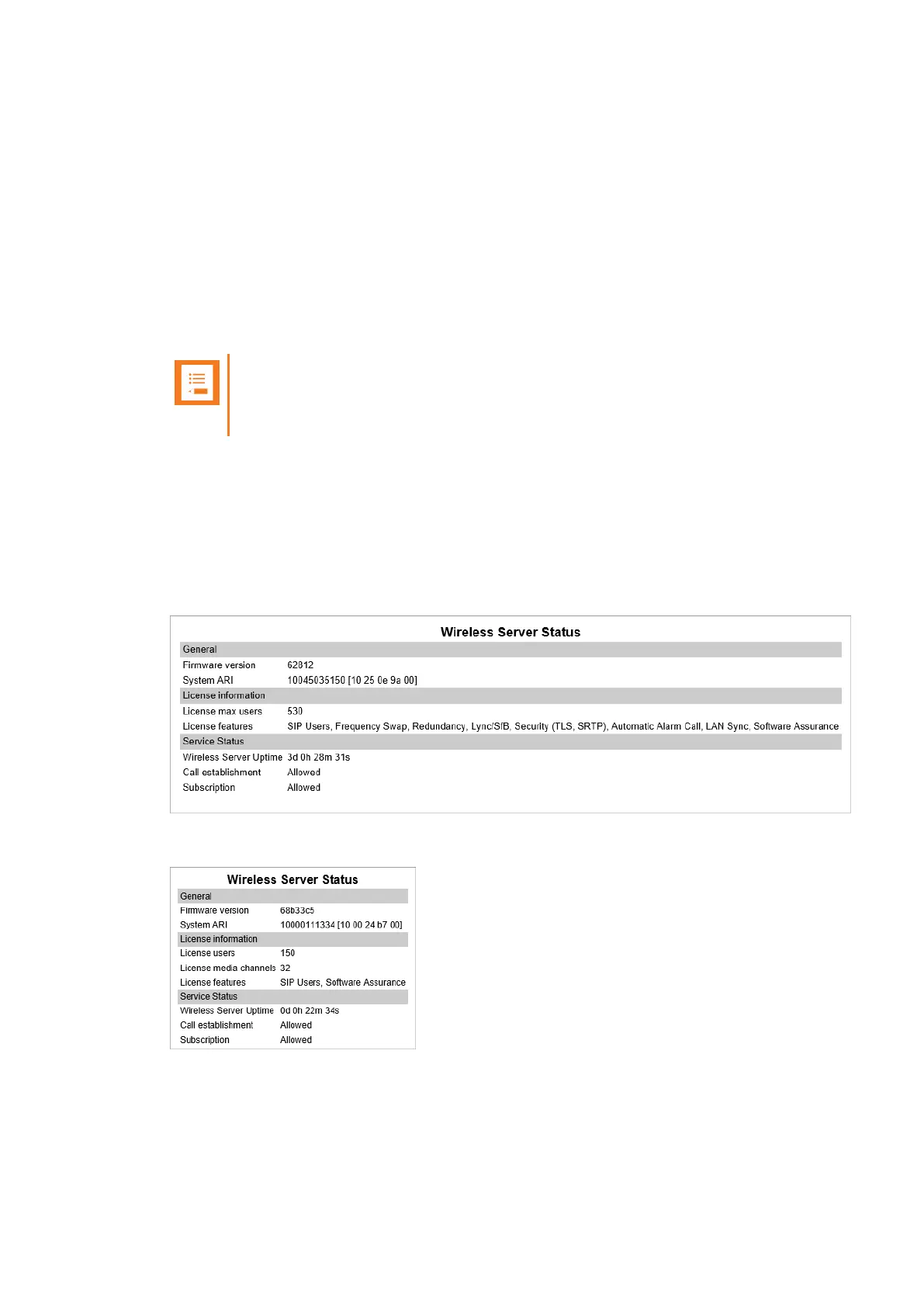
Wireless Server Information
This page provides information about the firmware version and ARI code of the Spectralink IP-
DECT/Virtual IP-DECT Server.
1. Click Status, and then click Wireless Server. The Wireless Server Status page appears.
Example from Spectralink IP-DECT Server 6500:
Example from Spectralink Virtual IP-DECT Server One:
Spectralink IP-DECT Server 200/400/6500 and Virtual IP-DECT Server One Installation and Configuration Guide





 To Next Page