14215700-IG, Edition 15.0
May 2020, Original document
78
Installing Spectralink IP-DECT Server
6500 and Spectralink DECTMedia
Resource
Below you will find information about the appearance and components of the:
l Spectralink IP-DECT Server 6500/Spectralink DECTMedia Resource
The section also provides information about resetting the Spectralink IP-DECT Server/Spectralink
DECTMedia Resource hardware using the Reset button.
Note:
The installation of a Spectralink DECTMedia Resource with the Spectralink IP-DECT
Server 6500 is optional. Installation of a media resource will increase the number of sim-
ultaneous voice calls supported by a stand-alone server.
The Spectralink IP-DECT Server 6500 comes with one built-in media resource.
Note:
Before you install the equipment, ensure that a site planner defines the locations of the
Spectralink IP-DECT Server 6500 and Spectralink DECTMedia Resources.
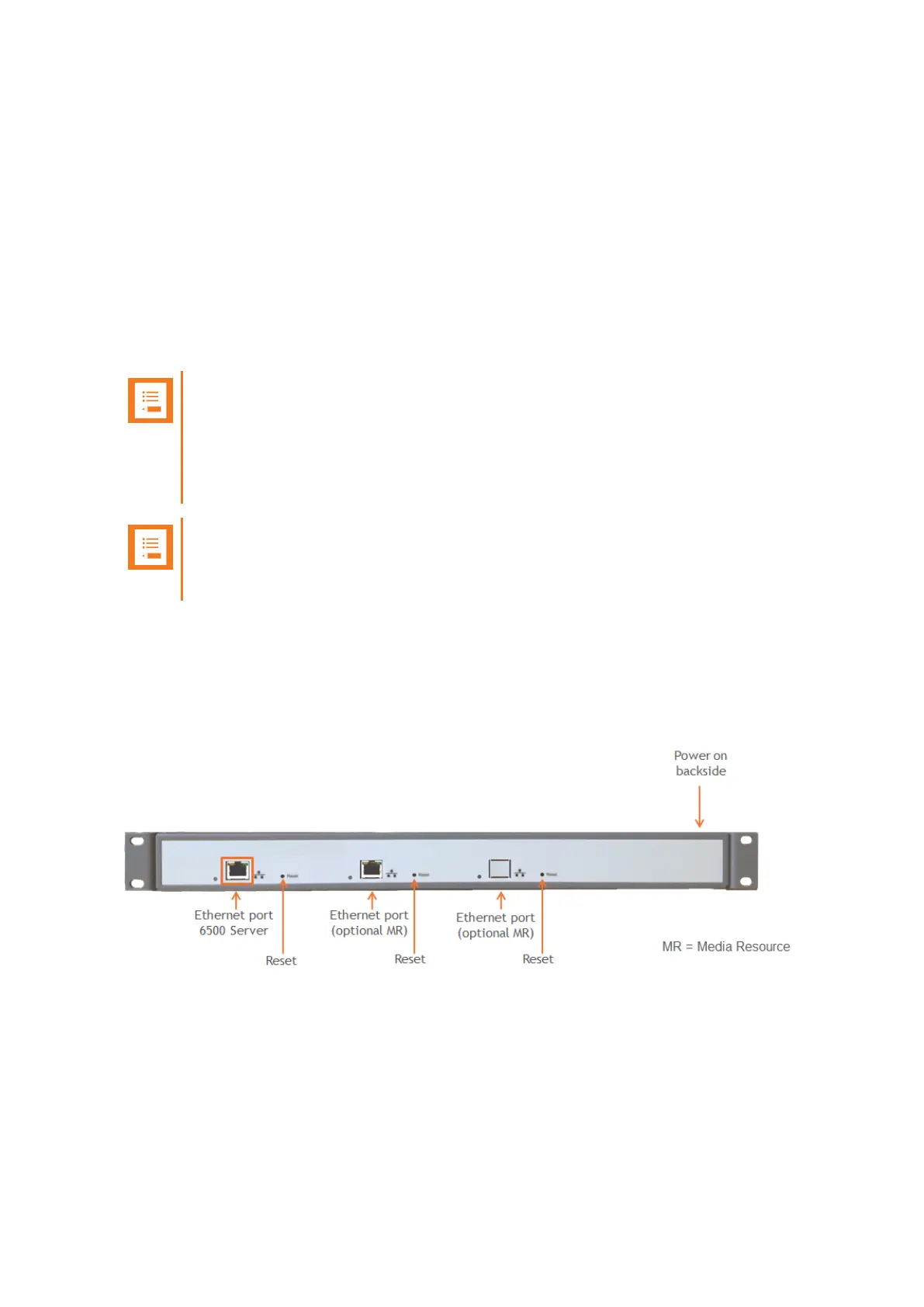
Server Appearance and Components
Below you will find a description of the Spectralink IP-DECT Server 6500 appearance and com-
ponents:
Spectralink IP-DECT Server 200/400/6500 and Virtual IP-DECT Server One Installation and Configuration Guide




 To Next Page