14215700-IG, Edition 15.0
May 2020, Original document
233
Assigning Configuration Groups (GroupIDs) to Users
To make use of Handset Configuration Over The Air it is necessary to assign a relevant configuration
group to each user.
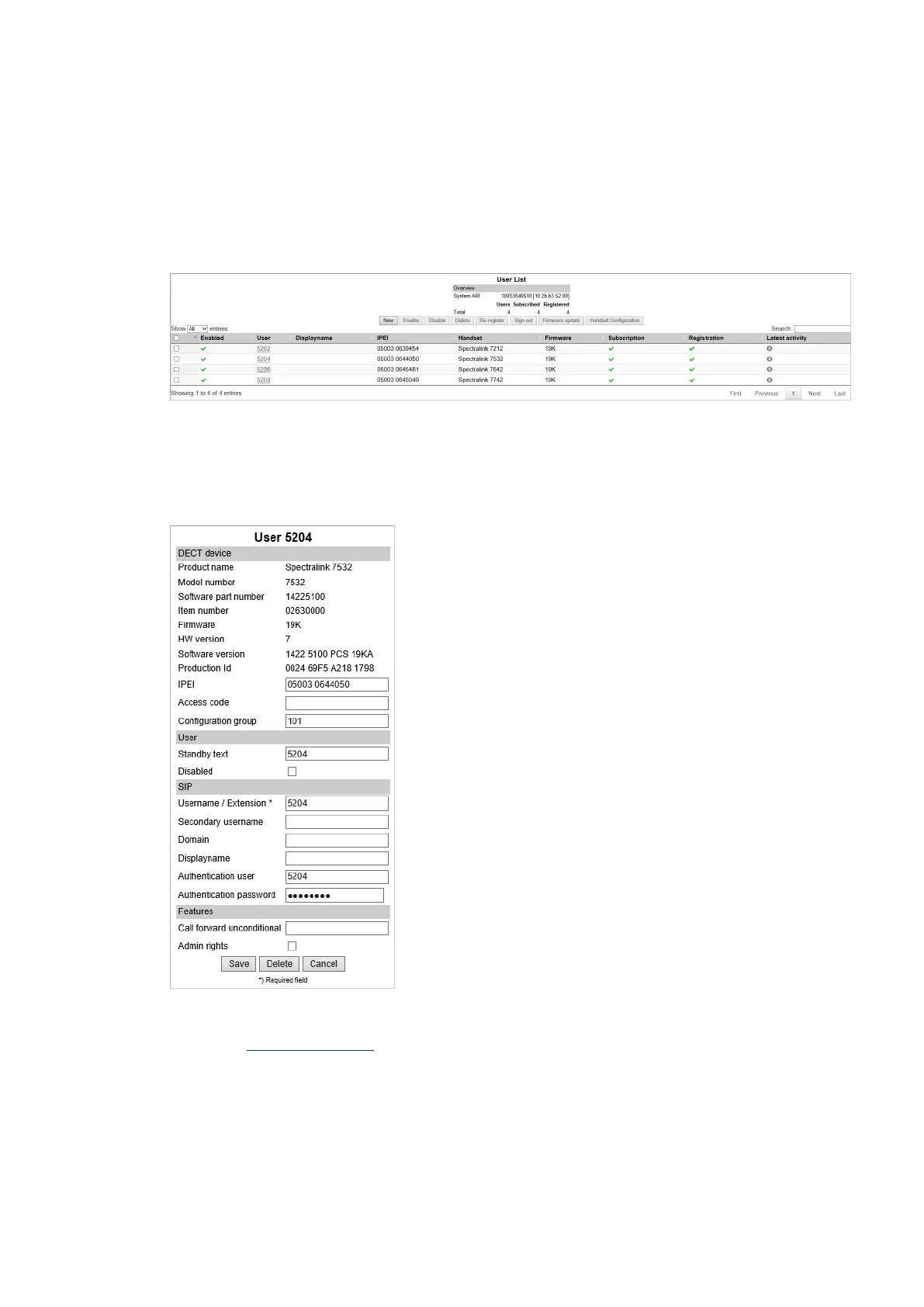
1. Click Users, and then click List Users.
The list will show all entries as default. It is possible to search for information.
2. Click on the relevant user, and then enter the Group ID in the Configuration Group field.
In case you are changing a configuration group be aware, that when changing configuration
groups - then if settings are set by the previous configuration group and not set for the new con-
figuration group, the old setting will remain in the handset for that individual user.
3. Click Save.
Ensure that automatic update (under Users > Handset Configuration > Handset Con-
figuration Update) is enabled, when using handset configuration.
Spectralink IP-DECT Server 200/400/6500 and Virtual IP-DECT Server One Installation and Configuration Guide




 To Next Page