14215700-IG, Edition 15.0
May 2020, Original document
252
Note:
If you have already loaded handset firmware to the server, enabled the Enable
check box and set Start time to Immediately, this will trigger firmware upload for
the appropriate handsets as soon as you click Save.
Only handsets needing update will be updated. The update progress is shown in the handset
display and on screen. If some of the handsets have already been updated, it will appear on
the screen.
If the handset is disconnected during the update, "Abnormal release" appears in the update
progress box. If the handset is not SUOTA capable, a message appears on the screen.
Note:
If update of a handset fails, the handset will be put back in the queue. A handset can fail
up to 15 times before updating for that specific handset is given up. If a handset is located
on the edge of the DECT coverage area it could fail-retry more often.
If battery level in handset is low, then the handset will refuse the update request.
Restarting System or Block Calls during Firmware
Update
Through the web based Administration Page of the Spectralink IP-DECT/Virtual IP-DECT Server it
is possible to restart he Spectralink IP-DECT/Virtual IP-DECT Server or block new calls during firm-
ware update.
To Restart System or Block New Calls
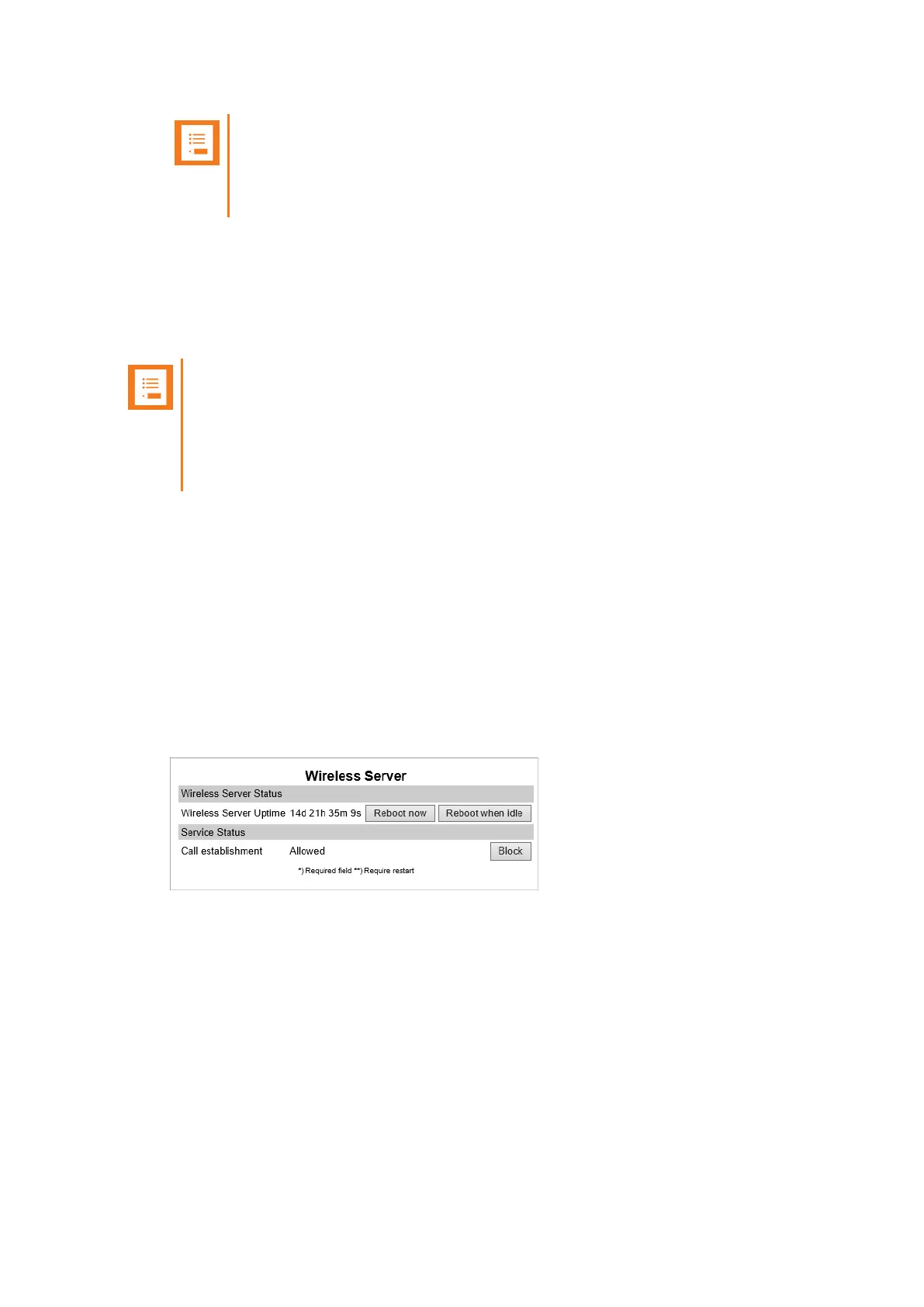
1. Click Administration, and then click Wireless Server.
2. On the WirelessServer page, under Wireless Server Status, click Reboot now or
Reboot when idle (when active calls have ended) if you want to restart the system.
3. On the WirelessServer page, under Service Status, click Block if you want to block for
new calls during firmware update.
4. Click OK again.
Spectralink IP-DECT Server 200/400/6500 and Virtual IP-DECT Server One Installation and Configuration Guide




 To Next Page