14215700-IG, Edition 15.0
May 2020, Original document
293
6. Load the new license code using the web based Administration Page of the Spectralink IP-
DECT Server.
l Click Administration, and then click License.
l Copy the provided license key from your email, paste it in the License field, and then click
Load.
l Reboot the server to activate the license.
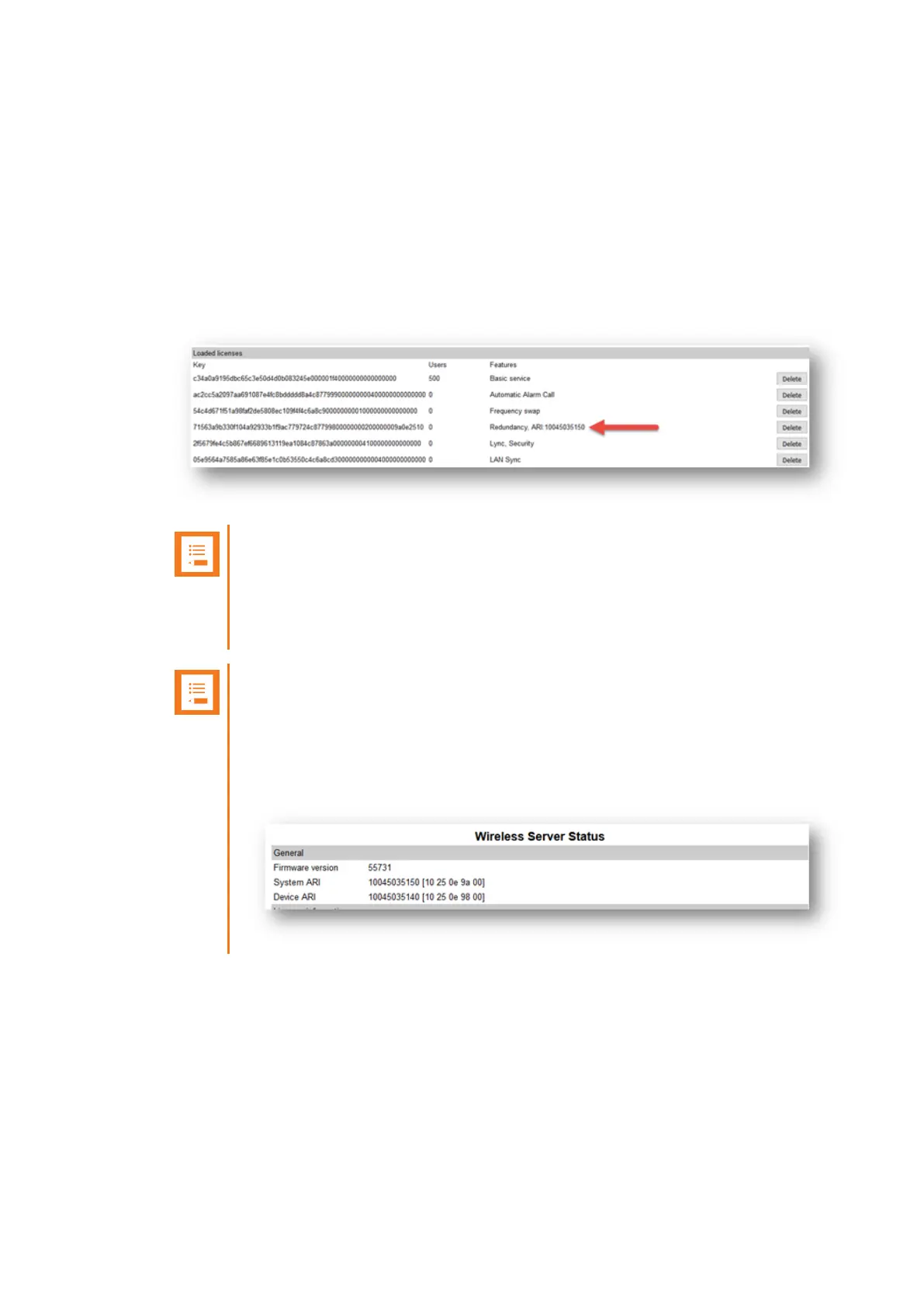
7. Loaded licenses can be seen on the web based Administration Page > Administration >
Licenses > Loaded licenses.
Note:
The Redundancy License had adopted the ARI code of the master server. This is
done in the case of a failure of the master server, the backup server will have the
same ARI code, and therefore the handsets will still be subscribed to the ARI, as
this does not change.
Note:
A backup server will look different after a Redundancy License has been installed,
as the backup server adopts the ARI of the master server. The backup server will
now have both a System ARI and a Device ARI (see Status > Wireless Server >
General).
Spectralink IP-DECT Server 200/400/6500 and Virtual IP-DECT Server One Installation and Configuration Guide





 To Next Page