14215700-IG, Edition 15.0
May 2020, Original document
87
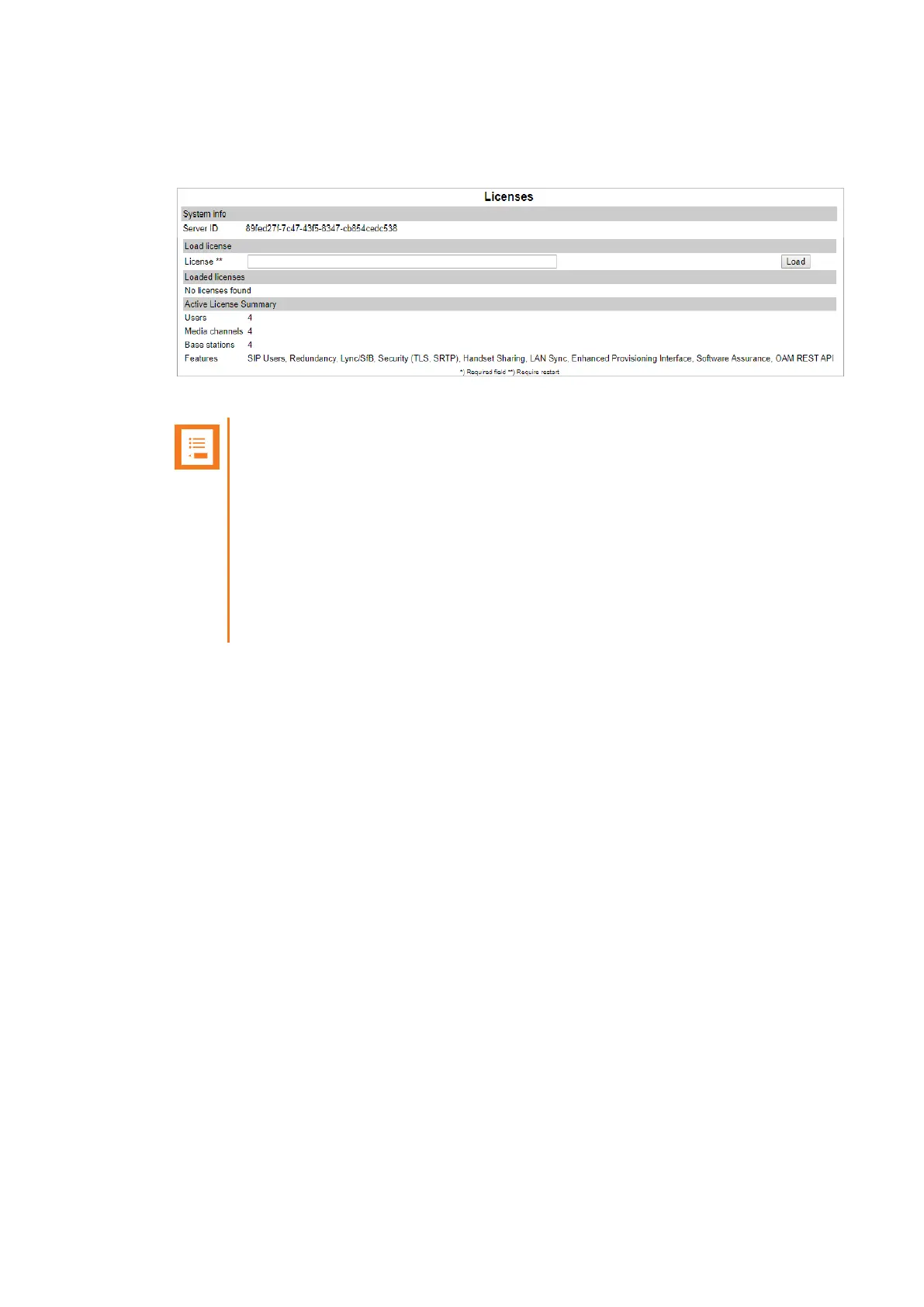
5. To be able to order licenses for the virtual machine, note the Server ID (UUID).
l Click Administration, and then click License.
l Under System Info, note the Server ID.
Note:
Server ID (UUID) must be used to order further licenses.
If the virtual machine is to run as a Spectralink Virtual IP-DECT Server One, you
must order the Mandatory Base Licence ARI 150 Users 64 Base Stations 32
Media Channels | Virtual IP-DECT Server License, which also provides you with
an ARI.
If the virtual machine is to run as a Spectralink Virtual IP-DECT Media Resource
(no ARI needed), you must order a 32 Media Channels | Virtual IP-DECT Server
License.
6. To order a license, you must use the Server ID (UUID), that you noted under Administration
> License > Licenses.
The following licenses must be ordered:
l If the virtual machine is to run as a Spectralink Virtual IP-DECT Server One, you must
order the Mandatory Base Licence ARI 150 Users 64 Base Stations 32 Media Channels |
Virtual IP-DECT Server License, which also provides you with an ARI.
l If the virtual machine is to run as a Spectralink Virtual IP-DECT Media Resource (no ARI
needed), you must order a 32 Media Channels | Virtual IP-DECT Server License.
For more information about ordering a license and information about available licenses, see
"Ordering Licenses" on page61 and "Licenses for Spectralink Virtual IP-DECT Server One"
on page58.
7. Upload the Mandatory Base Licence ARI 150 Users 64 Base Stations 32 Media Channels |
Virtual IP-DECT Server License (or 32 Media Channels | Virtual IP-DECT Server) from the
web based Administration Page under Administration > License > Licenses.
For more information, see "Loading Licenses" on page62.
Spectralink IP-DECT Server 200/400/6500 and Virtual IP-DECT Server One Installation and Configuration Guide





 To Next Page